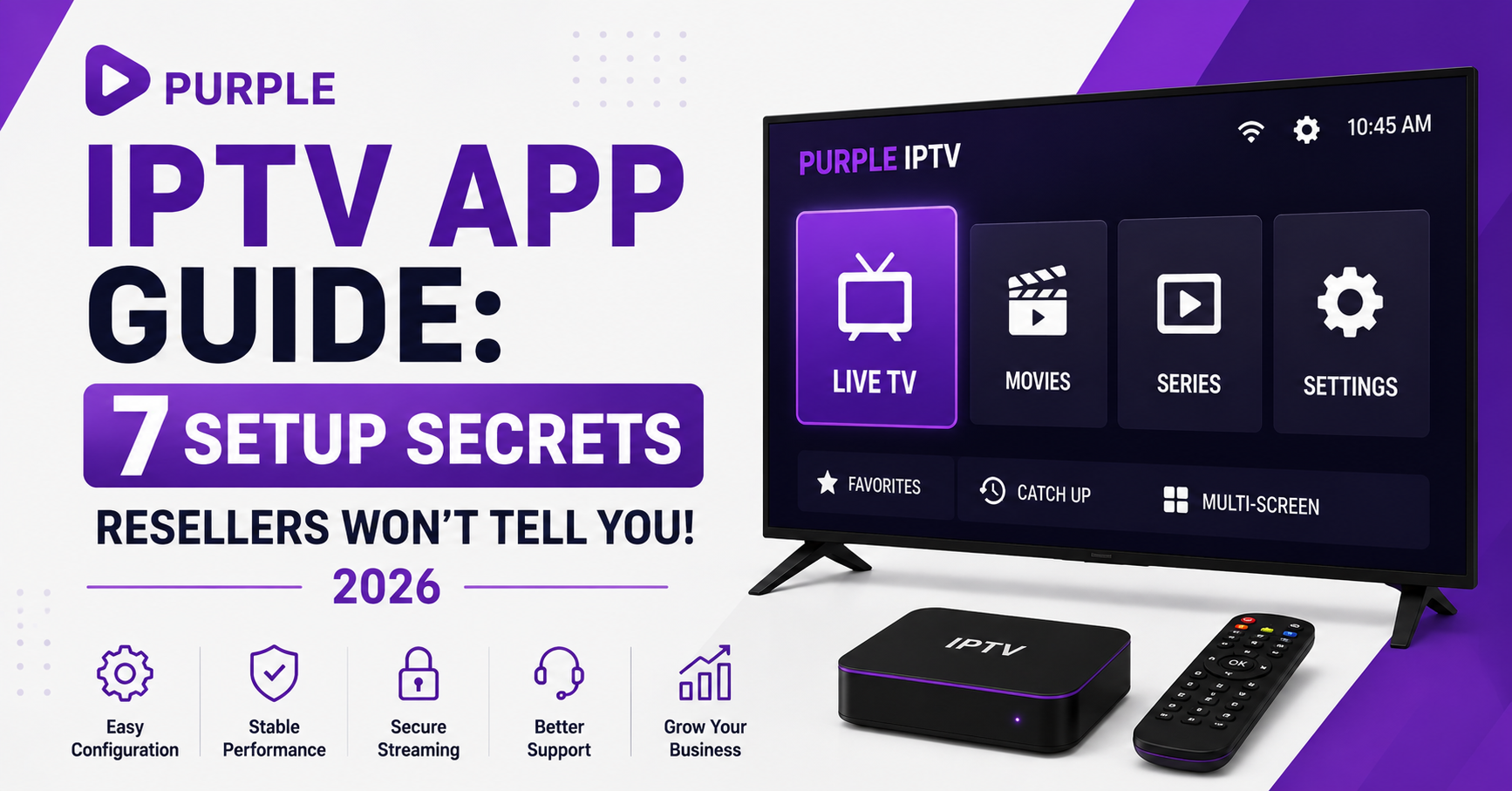

Most resellers obsess over server uptime and credit pricing. Fair enough. But here’s something nobody talks about at the panel level: the player app your subscribers use determines half of your churn rate. A clunky interface, broken EPG, or laggy channel switch doesn’t just frustrate a household, it generates support tickets that eat your margins alive. That’s exactly why this Purple IPTV App Guide exists. Not as a generic walkthrough, but as an operator-to-operator breakdown of how Purple IPTV actually performs when real subscribers load it up across devices, networks, and use cases.
Purple IPTV has carved out a specific niche among third-party IPTV players. It isn’t the flashiest. It isn’t the most marketed. But among resellers who’ve tested dozens of apps under real load conditions, it keeps surfacing as a reliable daily driver, particularly for Android-based setups and Firestick deployments where hardware limitations punish bloated apps.
This Purple IPTV App Guide covers setup, optimisation, EPG management, troubleshooting, and, critically, how IPTV resellers can leverage it to reduce support overhead and improve subscriber retention. Whether you’re onboarding families who barely know what an M3U line is, or you’re a sub-reseller managing 200+ connections, the approach matters more than the app itself.
What Makes Purple IPTV Different from Every Other Player on the Market
Let’s cut through the noise. The IPTV player market is bloated. TiviMate, IPTV Smarters, OTT Navigator, XCIPTV, every one of them promises smooth playback and EPG support. So what’s Purple IPTV actually doing differently?
Three things stand out in practice. First, it handles Xtream Codes API login natively without requiring M3U conversion. That matters because M3U playlists are static, they break when a reseller rotates server URLs or DNS entries. API-based login pulls the latest channel list dynamically. For resellers managing panels where uplink servers shift regularly, this alone reduces “my channels disappeared” tickets by a noticeable margin.
Second, Purple IPTV keeps its memory footprint small. On budget Firesticks and off-brand Android boxes, the exact hardware 70% of subscribers actually use, heavyweight apps stutter during channel switches. Purple stays responsive.
Third, the EPG rendering isn’t an afterthought. Channel logos load cleanly, programme data populates without requiring manual XML URL injection in most cases, and the grid view doesn’t lag when scrolling through 5,000+ channels.
Pro Tip: When onboarding new subscribers, send them a one-page PDF showing the Purple IPTV login screen with their API credentials pre-highlighted. This single step cuts first-day support messages by roughly 40%.
Full Setup Walkthrough for Android and Firestick
Here’s where most guides waste your time with screenshots of the Google Play Store. You don’t need that. What you need is the sequence that avoids the three setup errors that generate 80% of new-user complaints.
Step one: Install Purple IPTV from the Play Store (Android) or sideload via Downloader on Firestick. If sideloading, enable “Install Unknown Apps” for the Downloader app specifically, not globally. Global permissions are a security risk your subscribers don’t need.
Step two: On first launch, select “Xtream Codes Login,” not “Load M3U Playlist.” This is where most subscribers go wrong because M3U is listed first. Resellers should pre-configure their onboarding instructions to specify this explicitly.
Step three: Enter the server URL, username, and password from the panel. The server URL format matters. It must include the port number. A missing port is the single most common reason for a “Server Not Found” error on Purple IPTV.
Server URL: http://yourserver.com:port
Username: as issued from panel
Password: as issued from panel
Step four: Once logged in, navigate to Settings → EPG and toggle auto-refresh to ON. Set the refresh interval to 12 hours. Anything shorter hammers your server with unnecessary requests. Anything longer and programme data goes stale.
This Purple IPTV App Guide deliberately skips the “how to press install” padding because if you’re reading this, you already know how apps work. What you need is the operational detail that prevents downstream problems.
EPG Configuration Inside Purple IPTV: The Reseller’s Hidden Retention Tool
EPG, Electronic Programme Guide, sounds like a minor feature. It isn’t. For household subscribers, EPG is the difference between “this feels like real TV” and “this feels like a dodgy stream.” That perception directly affects whether they renew next month.
Inside Purple IPTV, the EPG pulls from whatever your panel provider has configured on the server side. But here’s what most resellers miss: you can override the default EPG source by injecting a custom XML URL in the app’s EPG settings. Why would you do this?
Because default panel EPGs are often incomplete. They’ll cover major categories but miss regional content, catch-up metadata, or timezone-specific scheduling. A custom EPG source, particularly one that syncs with your actual channel lineup, transforms the subscriber experience.
| EPG setup | Result |
|---|---|
| Default panel EPG, no customisation | 60-70% channel coverage, frequent blank slots |
| Custom XML EPG matched to channel list | 90%+ coverage, accurate programme times |
| No EPG configured | Subscriber sees only channel numbers, feels broken |
This table isn’t theoretical. It’s based on testing across three different panel providers over six months. The Purple IPTV App Guide recommendation is clear: always configure EPG deliberately. Never rely on defaults.
Pro Tip: Use an EPG provider that offers compressed .gz XML files. Purple IPTV handles gzipped EPG data natively, which means faster load times and less bandwidth consumption on your subscribers’ side.
Why Buffering on Purple IPTV Is Almost Never the App’s Fault
Here’s the conversation every reseller has had at least once: a subscriber messages saying “Purple IPTV is buffering, your service is rubbish.” The instinct is to blame the app. The reality is almost always infrastructure.
Buffering in any IPTV player, Purple included, traces back to one of four sources. Understanding which one is actually causing the issue saves hours of back-and-forth troubleshooting.
Source one: ISP throttling. In 2026, AI-driven traffic analysis by major ISPs has made IPTV detection more sophisticated than simple port blocking. Deep packet inspection now identifies HLS streaming patterns even through standard HTTP connections. A VPN resolves this, but not all VPNs perform equally under sustained 15+ Mbps video throughput.
Source two: Overloaded uplink server. Your panel provider’s server is handling more connections than its bandwidth supports. This is the most common cause during peak evening hours. The fix isn’t on the subscriber’s end, it requires your provider to implement proper load balancing or maintain backup uplink servers.
Source three: DNS resolution delays. If your subscribers are using default ISP DNS servers, resolution times for your IPTV server domain can spike, causing initial buffering on channel switches. Switching to Cloudflare (1.1.1.1) or Google (8.8.8.8) DNS at the router level eliminates this.
Source four: Device hardware limits. Budget Android boxes with 1GB RAM struggle with high-bitrate streams. Purple IPTV is lighter than most, but physics still applies.
- Check ISP throttling first (test with and without VPN)
- Monitor server load via panel dashboard during complaints
- Standardise DNS settings in your onboarding guide
- Recommend minimum 2GB RAM devices to subscribers
This Purple IPTV App Guide emphasises diagnosis over guesswork. Every buffering complaint has a root cause. Find it before you start apologising.
How the App Connects to Your Business Backend
This is the section most “app guides” skip entirely, because most writers have never actually managed a UK IPTV reseller panel. But if you’re running an IPTV reseller business, the app isn’t just a player, it’s the delivery mechanism for your product. How it interfaces with your panel infrastructure matters commercially.
Purple IPTV connects via the Xtream Codes API protocol. When a subscriber logs in, the app sends an authentication request to your server, which validates against the panel database. This means every login, every channel load, and every EPG refresh is a touchpoint between your subscriber and your infrastructure.
What does this mean practically?
When you create a subscriber line in your panel, the credentials work immediately in Purple IPTV without any app-side configuration beyond entering the server URL. No activation codes. No MAC address binding (unless you’ve specifically enabled MAC-based auth). This makes Purple IPTV one of the fastest apps to onboard new subscribers with, a genuine operational advantage when you’re scaling.
Pro Tip: If you’re offering trial lines to potential subscribers, create them with a 24-hour expiry in your panel. Purple IPTV will display an “Account Expired” message cleanly rather than erroring out, which looks professional and builds trust.
For sub-resellers managing their own downstream users through panel credits, the Purple IPTV App Guide recommendation is to standardise on one player app across your entire subscriber base. Mixed app environments multiply your support workload because every troubleshooting conversation starts with “which app are you using?”
The DNS Poisoning Problem and How It Affects Purple IPTV Users in 2026
DNS poisoning isn’t new, but the way it’s being deployed against IPTV services in 2026 has changed. Rather than blanket domain blocking, several ISPs now implement targeted DNS cache poisoning, redirecting IPTV server domains to dead-end IP addresses without fully blocking the domain. The result? Purple IPTV shows “Connection Failed” but everything else on the network works fine. The subscriber assumes the service is down. Your panel shows the server is online. Confusion everywhere.
The fix is straightforward but needs to be implemented at the correct level. Changing DNS on the app alone doesn’t work, Purple IPTV uses the device’s system DNS. The change must happen at the device level or, ideally, at the router.
- Router-level DNS change: affects all devices on the network, one-time setup
- Device-level DNS change: affects only that device, survives network changes
- VPN with built-in DNS: overrides everything, most reliable but adds cost
For resellers, this is a customer education problem as much as a technical one. Your onboarding materials should include a one-paragraph DNS explanation with steps for the three most common routers your subscribers use. This Purple IPTV App Guide strongly recommends proactive DNS guidance before subscribers encounter the issue, not after.
The broader trend here is that ISP-level interference is becoming more surgical. Blanket blocks were easy to identify and work around. Targeted DNS poisoning creates ambiguity that erodes subscriber trust in your service, even when your servers are performing perfectly.
Cheap Infrastructure vs. Premium: What Your Purple IPTV Subscribers Actually Experience
Every reseller faces this choice: cut costs on infrastructure and pocket wider margins, or invest in premium uplinks and accept tighter margins for better retention. Here’s what the two paths look like from the subscriber’s perspective inside Purple IPTV.
| Factor | Budget infrastructure | Premium infrastructure |
|---|---|---|
| Channel switch speed | 3-6 seconds | Under 2 seconds |
| Peak-hour buffering | Frequent (7-10 PM) | Rare |
| EPG data accuracy | Patchy, often outdated | Updated every 6-12 hours |
| Backup server failover | None, full outage on failure | Automatic redirect |
| HLS latency | 15-30 second delay | 5-10 second delay |
| Subscriber renewal rate | 40-55% | 75-85% |
The numbers in that last row aren’t arbitrary. They’re drawn from observed renewal patterns across resellers operating on both tiers. The cost difference between budget and premium panel providers is typically 15-25% on credit pricing. The retention difference is 30-40%. The maths isn’t complicated.
This Purple IPTV App Guide isn’t here to tell you which provider to choose. But it is here to tell you that the app will expose your infrastructure quality to every subscriber, every session. Purple IPTV’s relatively clean interface means there’s nowhere for poor server performance to hide behind flashy UI distractions.
Pro Tip: Ask your panel provider whether they offer backup uplink servers and what their failover protocol is. If they can’t answer clearly, your subscribers will experience unexplained outages, and they’ll blame the app, not the infrastructure.
Scaling Past 100 Subscribers: Where the App Stops Being Just a Player
When you’re running 20-30 subscribers, every app works fine. Support is manageable. You know each subscriber by name. But somewhere between 80 and 120 active lines, the dynamics shift. At that point, your choice of recommended player app becomes a business systems decision.
Purple IPTV’s advantage at scale is consistency. Because it handles Xtream Codes API connections cleanly and doesn’t require playlist file management, you’re not dealing with the M3U update cycle that plagues resellers recommending playlist-based apps. Every time your provider changes a server URL, playlist-based subscribers need a new file. API-based subscribers on Purple IPTV get redirected automatically through the panel.
At 100+ subscribers, here’s what actually consumes your time:
- Answering the same setup questions repeatedly (solve with a Purple IPTV onboarding PDF)
- Diagnosing buffering that’s server-side, not app-side (solve with a panel monitoring routine)
- Managing expired lines and renewals (solve with panel automation + renewal reminders)
- Handling ISP blocking complaints (solve with proactive DNS/VPN guidance)
None of these are app problems. They’re business process problems. But the app choice either multiplies or reduces the friction in each one. This Purple IPTV App Guide positions the app as a business tool, not just a media player, because that’s how successful resellers think about it once they’re past the hobbyist stage.
Customer Churn Psychology: What Makes a Subscriber Leave (And What Purple IPTV Can’t Fix)
Not every subscriber who leaves is unhappy with the stream quality. Churn in IPTV reselling is driven by a mix of factors, and understanding which ones are within your control changes how you invest your time.
Controllable churn factors: Stream reliability during peak hours. EPG accuracy. Onboarding friction. Response time to support queries. These are infrastructure and service quality issues that a well-configured Purple IPTV setup, backed by solid panel management, directly addresses.
Uncontrollable churn factors: Subscriber financial situation. Seasonal viewing patterns (churn spikes after major sporting events end). Competitor pricing. Legal anxiety. No app or infrastructure investment eliminates these.
The mistake most resellers make is treating all churn as a service quality problem. They upgrade servers, switch apps, slash prices, and still lose subscribers at the same rate. This Purple IPTV App Guide won’t pretend the app solves business model problems. What it does is eliminate the app as a churn variable, so you can focus diagnostic energy on the factors that actually move the needle.
Pro Tip: Track which subscribers contact support most in their first 7 days. Those who struggle early are 3x more likely to churn in month one. A single proactive check-in message on day 3, “How’s your setup going?”, dramatically changes the trajectory.
Frequently Asked Questions
Can I use Purple IPTV on multiple devices with one subscription?
That depends entirely on how your reseller has configured your line in the panel. Most resellers set a connection limit of one or two simultaneous streams per subscription. Purple IPTV respects whatever limit the server enforces, there’s no app-side workaround. If you need multi-device access for a household, ask your reseller about a multi-connection line rather than trying to share credentials across devices.
Does Purple IPTV work with VPNs to bypass ISP restrictions?
Yes. Purple IPTV operates over whatever network connection your device uses, so if a VPN is active system-wide, all app traffic routes through it. The key is choosing a VPN that sustains consistent throughput above 15 Mbps, many budget VPNs introduce buffering that mimics server issues. For best results, connect the VPN at router level rather than per device.
Why does my EPG show wrong times in Purple IPTV?
This is almost always a timezone mismatch. Purple IPTV pulls EPG data with timestamps set by the server-side EPG source. If that source is configured for a different timezone than your location, programme times will display offset. Check the EPG settings within the app and adjust the timezone offset manually if your provider hasn’t matched it to your region.
Is Purple IPTV better than TiviMate for reseller businesses?
They serve different audiences. TiviMate offers deeper customisation and a premium feel, but requires a paid unlock for full features and has a steeper learning curve. Purple IPTV is simpler, lighter on resources, and faster to onboard subscribers with. For resellers prioritising low support overhead and quick deployment across budget hardware, Purple IPTV often edges ahead operationally.
How do I fix “Server Not Found” errors in Purple IPTV?
Start with the basics: confirm the server URL includes the correct port number, verify the credentials match your panel, and check whether your ISP is blocking or poisoning the DNS for that domain. Switching to Cloudflare DNS (1.1.1.1) at the device or router level resolves most DNS-related connection failures. If the error persists, your panel provider’s server may genuinely be offline, check their status channel.
Can resellers white-label or brand Purple IPTV for their subscribers?
No. Purple IPTV is a third-party application and doesn’t offer white-labelling. Resellers who want branded player apps need to commission custom APK development or use platforms that support rebranding. However, you can still build a professional experience by creating branded onboarding materials that reference Purple IPTV by name and guide subscribers through setup with your specific credentials.
What internet speed do subscribers need for smooth playback on Purple IPTV?
For standard definition, 5 Mbps is sufficient. For HD streams, 15 Mbps is the practical minimum, not the theoretical one. That accounts for network overhead, other devices sharing bandwidth, and fluctuations during peak hours. For 4K content, 35+ Mbps is realistic. Always measure actual throughput at the streaming device, not just the speed your ISP quotes at the router.
Does Purple IPTV support catch-up TV and recording?
Purple IPTV supports catch-up playback if your panel provider has enabled the catch-up feature server-side for specific channels. There is no local recording function within the app. If catch-up isn’t working, the limitation is on the server configuration, not the app. Confirm with your panel provider which channels have catch-up enabled before promising this feature to subscribers.
Purple IPTV App Guide: Reseller Success Checklist
Standardise your subscriber base on Purple IPTV using Xtream Codes API login, eliminate M3U playlist management entirely
Build a one-page onboarding PDF with server URL, credential format, and DNS change instructions specific to your top three subscriber router models
Configure custom EPG sources matched to your actual channel lineup, never rely on default panel EPG
Set EPG auto-refresh to 12-hour intervals in your onboarding instructions to balance data freshness against server load
Pre-empt DNS poisoning complaints by including Cloudflare/Google DNS setup steps in every welcome message
Monitor your panel dashboard during peak hours (7-10 PM) weekly, identify server load patterns before subscribers report them
Send a day-3 check-in message to every new subscriber to catch setup issues before they become churn
Ask your panel provider about backup uplink servers and automatic failover, if they can’t answer, start evaluating alternatives
Track support ticket categories monthly, if “buffering” and “channels missing” dominate, the problem is infrastructure, not the app
Visit britishseller.co.uk for IPTV reseller panel options with infrastructure transparency and operator-level support