
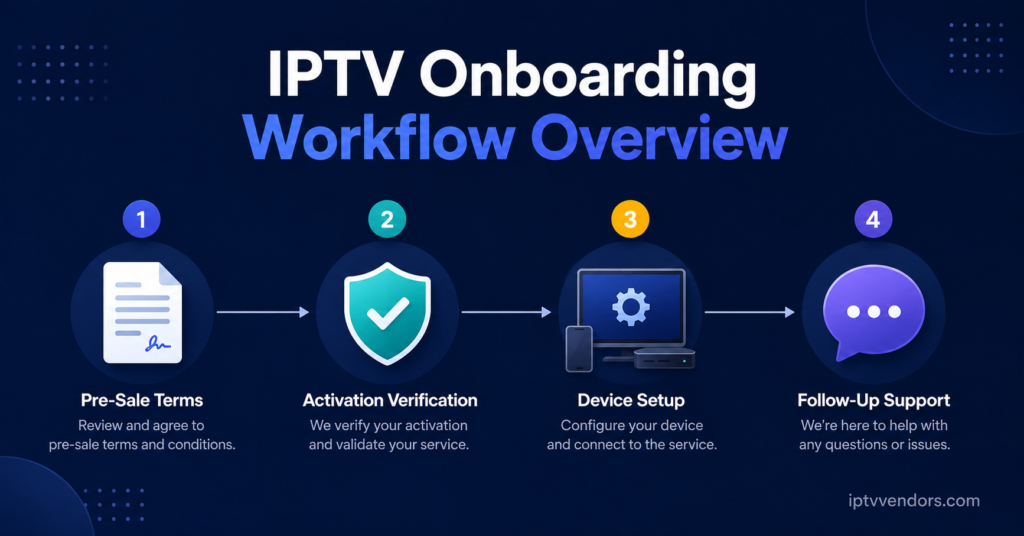
A working IPTV customer onboarding checklist covers four things: clear pricing before payment, a verified activation, correct device setup, and a defined support window for the first week. Most refund requests and early cancellations trace back to a gap in one of those four stages rather than a fault with the underlying service itself. Get those right and the rest of the customer relationship tends to look after itself.
What an IPTV Customer Onboarding Checklist Should Actually Cover
An onboarding checklist isn’t a sales script and it isn’t a technical manual. It sits between the two. Its job is to make sure a new subscriber goes from “just paid” to “confident this works” without a support ticket in between.
For resellers running accounts through a IPTV reseller panel dashboard, onboarding starts before the credit is even assigned. It includes what the customer was told during the sale, what they’re shown when the account activates, and what happens if something doesn’t load on the first attempt. Skip any of those and you end up fielding the same three or four support questions on repeat, usually from customers who were never going to ask if the process had been clearer from the start.
Before the Sale: Setting Expectations Early
Most onboarding problems start before activation, not after it. A customer who wasn’t told which devices are supported, or who assumed a feature was included when it wasn’t, arrives at day one already frustrated.
Before taking payment, confirm:
- Which devices and apps the subscription actually works with
- Whether the customer’s internet connection meets a reasonable minimum for smooth playback
- What the refund or trial policy covers, in plain terms
- How many simultaneous connections are included, if that matters to them
None of this needs to be a long conversation. A short pre-sale message covering device compatibility and connection limits removes the majority of “this doesn’t work on my TV” tickets before they happen.
Pro tip: Send a one-line device compatibility note with every sale confirmation rather than relying on the customer to ask. It costs you nothing and prevents the most common first-day complaint.
Activation Day: The First Hour Sets the Tone
Once credits are converted to a live subscription, the first hour matters more than any other point in the relationship. This is where a customer forms their opinion of the whole service, fairly or not.
A properly handled activation includes:
- Login details sent in a format the customer can actually use, not buried in a long message
- A working test stream confirmed before you consider the job done
- Clear instructions for the specific app or player they’re using, not a generic guide
- A direct way to reach support if the first stream doesn’t load
Testing the connection yourself, even briefly, before telling a customer everything is ready saves far more time than it costs. A subscription that looks active on the dashboard but hasn’t actually been verified against a live stream is one of the most common causes of a same-day complaint.
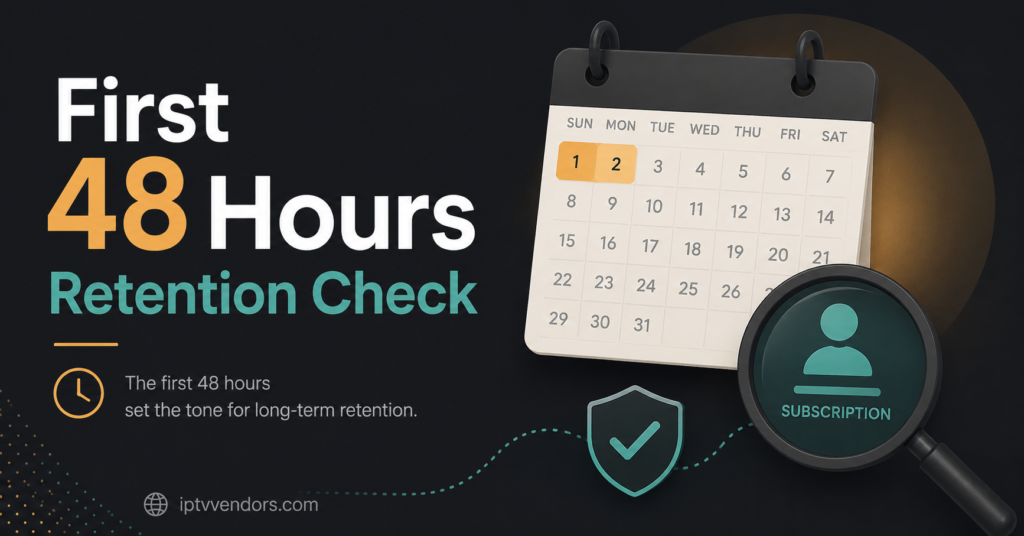
The First 48 Hours: Where Retention Is Actually Decided
Subscribers rarely cancel because of a single buffering incident. They cancel because a rough start wasn’t followed up on. The first two days after activation are when most genuine technical questions surface, usually around device setup, channel searching, or EPG loading.
If a subscriber hasn’t sent any message within the first 48 hours, that’s not necessarily a good sign. It can mean everything is working, or it can mean they’ve quietly given up and won’t ask for help before requesting a refund. A short check-in message during this window, asking whether the setup went smoothly, catches problems before they turn into cancellations.
Pro tip: Keep a simple log of activation dates so you know exactly which accounts fall inside that 48 hour window on any given day. It takes minutes to check and it’s the single most effective retention habit a small reseller operation can build.
Common Onboarding Mistakes Resellers Make
Some onboarding failures repeat across almost every reseller operation, regardless of size. Recognising the pattern is usually enough to fix it.
| Mistake | Consequence | Better Approach |
|---|---|---|
| Assuming device compatibility without asking | Customer can’t install the app at all | Confirm device type before activation |
| Sending login details with no test stream | First support ticket arrives within minutes | Verify one live channel before handoff |
| No follow-up after activation | Silent cancellations and unexplained refund requests | Brief check-in message within 48 hours |
| Treating every buffering report the same | Real network issues get missed | Ask where the customer is located and which connection they’re using |
| No record of what was promised at sale | Disputes over what was included | Keep a short note against each account |
Ongoing Account Management: Beyond the First Week
Onboarding doesn’t end once a subscriber makes it through the first week without complaint. Expiry dates, renewal reminders, and credit top-ups on your own UK IPTV reseller panel all need the same level of attention, just spread over a longer timeline.
Subscribers who were onboarded well tend to renew without much prompting, because the early experience set the expectation that problems get sorted quickly. That reputation compounds. A reseller who’s consistent about the first week ends up spending far less time on support later, because the customer base has already learned that issues get resolved rather than ignored.
If you’re running a growing operation and considering your own branded setup, the onboarding process is also where a white label IPTV panel starts to matter, since a consistent, branded activation experience reduces the confusion that comes with generic or mismatched instructions.
Frequently Asked Questions
How long should IPTV onboarding take from payment to a working stream?
For most setups, activation itself takes minutes once payment is confirmed. The full onboarding process, including a verified test stream and initial device setup, is reasonable to complete within the first hour.
What’s the biggest cause of early cancellations?
An activation that wasn’t tested before being handed to the customer. If the first stream a subscriber tries doesn’t load, many will assume the whole service is unreliable, even if the actual issue was minor.
Should resellers follow up with every new customer?
A short check-in within the first 48 hours is worth the time for most accounts, particularly higher-value packages. Silence during this window isn’t proof that everything is fine.
Does device type really affect onboarding this much?
Yes. Different apps and boxes have different setup steps, and giving a customer generic instructions for the wrong device is one of the fastest ways to generate an unnecessary support ticket.
How do resellers know if buffering is a real network issue or a one-off?
Ask where the customer is and which connection they’re using before assuming anything. A pattern across several customers in the same region points to something worth investigating further; a single isolated report often doesn’t.
Getting the IPTV customer onboarding checklist right isn’t about adding more steps to the sales process. It’s about front-loading the small pieces of clarity, device confirmation, a verified stream, a follow-up within the first two days, that prevent the support tickets and cancellations that eat into a IPTV Panel reseller’s time later. Start with the first hour and the first 48 hours, since that’s where most of the damage either happens or gets avoided, and build the rest of your account management around keeping that early trust intact.
IPTV Customer Onboarding Checklist
- Confirm device compatibility before taking payment
- State the refund or trial policy in plain terms
- Send login details in a clear, usable format
- Test one live stream before handing the account over
- Provide device-specific setup instructions, not a generic guide
- Send a follow-up message within 48 hours of activation
- Log what was promised at the point of sale
- Note the customer’s device and rough location for future troubleshooting
- Track expiry dates ahead of renewal, not on the day itself