
Most Resellers Get Crystal IPTV Setup Wrong From Day One
Roughly 60% of new IPTV resellers churn their first wave of subscribers within 45 days of going live. Not because the streams were bad. Not because pricing was off. Because the Crystal IPTV setup was misconfigured from the start, wrong DNS, no backup server assigned, playlist loaded into the wrong app format.
The Crystal IPTV setup process is not a five-minute task. It is an infrastructure decision. Every shortcut you take at the configuration stage compounds into downtime weeks later, and downtime in this industry does not produce refund requests, it produces chargebacks and reputation damage on UK IPTV reseller forums that follows you for months.
This guide does not repeat what you already know. It treats the Crystal IPTV setup as a layered system, device layer, network layer, panel layer, and client management layer, and walks through each with the specificity that most generic IPTV blogs deliberately avoid.
Whether you are running your first ten lines or managing a panel with 400 active credits, there is something in here that will change how you approach your next deployment.
Why the Device Layer Is Where Crystal IPTV Setup Either Wins or Loses
Before any stream loads, before any EPG populates, before a single credit gets consumed, the device is either configured to receive the Crystal IPTV setup properly or it is not. This is where most beginner resellers skip crucial steps.
The primary issue is app selection. Crystal IPTV setup works differently depending on whether you are deploying on Firestick, Android TV box, Smart TV (Tizen or WebOS), or Apple TV. Each platform handles HLS stream authentication differently. A playlist that loads flawlessly on TiviMate running on a Firestick 4K will buffer or fail to authenticate entirely on a Samsung Tizen browser client running the same stream.
Device-specific configuration priorities:
- Firestick / Fire TV: install via Downloader, enable sideloading in developer options before Crystal IPTV setup begins, skipping this step produces installation failures that beginners misread as server issues
- Android TV boxes: clear Google Play Services cache before installing your IPTV player; residual cache from previous installs corrupts stream token handshake
- Smart TVs (Tizen/WebOS): use the M3U URL method rather than Xtream Codes API where possible, Smart TV browsers time out on API authentication faster under load
- Apple TV: always use the TestFlight or App Store player version compatible with tvOS 17+; older sideloaded IPAs break during OS updates
Pro Tip: Always test Crystal IPTV setup on the exact device model your client is using, not a similar one. A Firestick 4K Max and a standard Firestick 3rd Gen handle buffering thresholds differently even on identical connections. One client’s working stream is another’s freeze screen.
DNS Configuration: The Step Most Tutorials Quietly Skip
Sit with this for a moment. Your panel is live. Your streams are pulling correctly in your own tests. You send credentials to a client and within 24 hours they report everything is broken. No server-side changes were made. The stream did not go down.
What happened? DNS poisoning.
ISP-level DNS poisoning has become significantly more aggressive in 2026. Major broadband providers across the UK and EU now actively resolve known IPTV panel domains to null or redirect them to block pages at the DNS resolution layer, before the request ever reaches your server. A correct Crystal IPTV setup must include DNS override instructions for every client, not as optional advice but as part of the onboarding material you send on day one.
Here are the DNS values worth putting in front of every client at setup.
| Provider | Primary DNS | Secondary DNS |
|---|---|---|
| Cloudflare | 1.1.1.1 | 1.0.0.1 |
| 8.8.8.8 | 8.8.4.4 | |
| Quad9 | 9.9.9.9 | 149.112.112.112 |
| AdGuard | 94.140.14.14 | 94.140.15.15 |
The DNS override must be applied at the router level when possible, not just on the IPTV device. When it is applied only on the device, a Smart TV or MAG box that pulls DNS from the router will still resolve through the ISP and hit the block.
Xtream Codes vs. M3U: Choosing the Right Format
This is not a debate. It is a deployment decision based on client environment. Both formats serve legitimate use cases within a Crystal IPTV setup workflow, and experienced resellers maintain both in their panel.
Xtream Codes API format provides the richer experience, EPG loads faster, catch-up integration works, VOD browsing is structured. For clients on TiviMate, IPTV Smarters Pro, or OttNavigator, Xtream Codes is the correct delivery method within the Crystal IPTV setup.
M3U playlist URL is the failsafe. When a client’s app does not support Xtream Codes, when a Smart TV needs a direct URL, or when you are onboarding a technically unsophisticated household subscriber who just needs it to work without configuration menus, M3U delivered via a clean URL gets the job done with zero authentication overhead.
Pro Tip: Generate a separate M3U URL for each client rather than sharing a master playlist. Individual M3U URLs let you disable a single client’s access without touching the rest of your panel. This is essential for managing non-paying accounts at renewal.
Backup Server Assignment: The Part Nobody Talks About Until Servers Go Down
Every serious UK IPTV reseller has a story. A Saturday night, premium sports event, server goes cold. No backup. Inbox floods. The Crystal IPTV setup that looked perfect on Tuesday became a crisis management situation on the weekend.
A few years ago this was somewhat forgivable, backup uplink infrastructure was expensive and complicated. In 2026 it is a baseline requirement. Any panel worth deploying on has multi-server architecture with automatic failover. The question is whether your Crystal IPTV setup is correctly pointed at it.
What proper backup configuration looks like:
- Primary server URL entered in app settings
- Secondary server URL saved in a client-side document or sent as part of onboarding materials
- Client instructed exactly how to switch, step by step, with screenshots if needed
- Backup server tested independently before going live, not assumed to work
The backup server should not share infrastructure with the primary. If both live on the same CDN cluster or the same hosting provider’s datacenter, an upstream outage takes both simultaneously. Geographical separation of primary and backup is the minimum standard for a resilient Crystal IPTV setup.
EPG Configuration and Why Wrong Timing Destroys Client Trust
Electronic Programme Guide misalignment is one of the most underrated churn drivers in IPTV reseller operations. A client whose EPG shows programmes running one hour behind assumes the service is broken. They do not assume it is a timezone offset issue in the Crystal IPTV setup. They open a support ticket or, worse, they do not, they just leave at renewal.
EPG timezone must be configured to match the client’s local time, not the server’s timezone. In a UK-focused Crystal IPTV setup, the EPG offset should be set to UTC+0 in winter and UTC+1 during British Summer Time. This sounds obvious until you realise that most panel EPG feeds are served from servers in timezones that are neither.
EPG configuration checklist:
- Confirm EPG source URL is active and updating (test independently)
- Set timezone offset to match client location
- Set EPG refresh interval, every 12 hours is standard, every 24 creates visible drift
- Verify EPG populates on the specific app your client is using, not all apps display EPG from all sources equally
Pro Tip: If your panel’s EPG is consistently drifting or failing to update, maintain a secondary EPG source URL and document it. EPG source failures are completely invisible to your provider but devastatingly visible to your end client.
Scaling Crystal IPTV Setup Across Multiple Subscribers Without Breaking It
Single-subscriber Crystal IPTV setup is manageable. The complexity multiplies non-linearly when you hit 50, 100, or 300 active lines. The processes that work for ten clients become bottlenecks at scale, and resellers who do not systematise their Crystal IPTV setup workflows early spend enormous time on repetitive support that should not exist.
The table below shows how the same setup elements need to change once you’re operating at real volume.
| Setup element | Under 50 lines | Over 150 lines |
|---|---|---|
| Credential delivery | Manual WhatsApp/email | Templated system with tracking |
| DNS onboarding | Verbal instruction | Written PDF guide per device |
| Backup server | Sent on request | Included in all onboarding by default |
| EPG offset | Set per client | Standardised by region |
| Renewal management | Memory/notes | Credit tracking spreadsheet minimum |
The resellers who scale successfully are not the ones with the best streams. They are the ones whose Crystal IPTV setup process is documented, repeatable, and delivered consistently regardless of how many new subscribers came on that week.
AI-Driven ISP Blocking in 2026 and What It Means for Your Setup
This is the part of Crystal IPTV setup discussions that most older guides completely missed. The blocking landscape has fundamentally shifted.
ISPs are no longer relying solely on static domain blocklists updated monthly. Machine learning models now analyse traffic patterns in real time, packet size consistency, connection timing, stream resolution switching behaviour, and flag streams that match IPTV delivery signatures without needing to identify the specific domain. This means streams that were invisible to blocking a year ago are now being throttled or interrupted at the ISP level even when the server domain is clean.
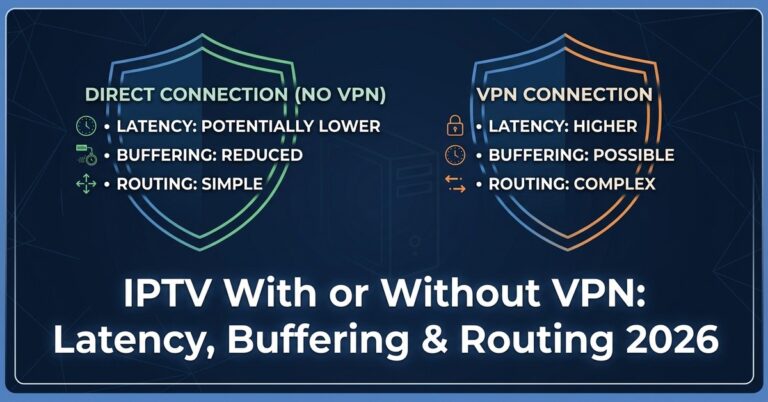
The practical implication for Crystal IPTV setup: VPN recommendation has become less optional for clients in heavily enforced markets. Not every client will use one, and you cannot mandate it. But including a brief VPN guidance note in your onboarding, framed as a connection stability tool, not a circumvention measure, protects your streams and reduces support volume.
Pro Tip: AI-driven traffic analysis targets consistency patterns. Streams that run at absolutely stable bitrates are easier to fingerprint than streams with natural bitrate variation. When evaluating panel providers, ask whether their CDN introduces natural bitrate variation or delivers perfectly uniform HLS segments. The difference matters in 2026.
Frequently Asked Questions
What is the correct order of steps for a Crystal IPTV setup on Firestick?
Enable developer options and sideloading first, then install your preferred IPTV player via Downloader, then enter your Xtream Codes or M3U credentials, configure EPG timezone, and finally test across at least three channel categories before handing credentials to a client. Skipping the developer options step causes installation failures that beginners often misdiagnose as server-side problems.
Why does my Crystal IPTV setup work on my device but not my client’s?
Device model differences, ISP-level DNS poisoning, or missing DNS override configuration on the client’s router are the three most common causes. Always send DNS override instructions as part of onboarding. A stream that resolves correctly through Cloudflare DNS will fail completely through an ISP-provided DNS server that is actively poisoning IPTV domains.
How many lines should I test before scaling my Crystal IPTV setup to paid subscribers?
Test a minimum of five concurrent lines across different device types, not five lines on the same device. Concurrent multi-device testing reveals load-handling issues and authentication conflicts that single-device tests will never surface. Pay particular attention to behaviour during peak hours rather than testing only at low-traffic times.
Is Crystal IPTV setup different for subscribers in the USA versus the UK?
Yes. DNS blocking patterns differ significantly. UK ISPs are among the most aggressive with DNS poisoning, making router-level DNS override near-mandatory. US clients face fewer DNS blocks but more ISP throttling of streaming traffic, making VPN guidance more relevant. EPG timezone configuration is also entirely different, US clients need offsets for Eastern, Central, Mountain, or Pacific depending on location.
Can I run a Crystal IPTV setup on multiple devices under one subscription line?
Most panels are single concurrent stream per line. Running Crystal IPTV setup on two devices simultaneously under one credential will typically trigger a stream kill on one device, whichever authenticated second. For household subscribers who need multi-room access, sell additional lines at your reseller rate rather than trying to share credentials across devices.
What should I include in my Crystal IPTV setup onboarding document for new subscribers?
At minimum: DNS override instructions with specific values, step-by-step app installation guide for their specific device model, backup server URL and switching instructions, EPG refresh instructions, and a direct contact method for support. Resellers who include a one-page PDF guide at onboarding consistently see lower churn than those who rely on WhatsApp troubleshooting after problems arise.
How does HLS latency affect Crystal IPTV setup quality for live sports?
HLS latency introduces a delay between the live broadcast and what your subscriber sees. Standard HLS latency runs 15–30 seconds behind real time. For sports subscribers this creates spoiler problems, social media reveals scores before the stream catches up. When evaluating providers for a Crystal IPTV setup targeting sports households, ask specifically about low-latency HLS configuration. Some panels support LL-HLS with sub-six-second delay.
What is the biggest reseller mistake in Crystal IPTV setup at the panel credit level?
Over-extending credit without tracking concurrent active lines. Resellers who purchase 200 credits assuming all will be in use simultaneously face stream kill issues when panel limits are breached. Maintain a real-time record of active versus allocated lines. A simple spreadsheet beats no system every time, and proper credit tracking is the foundation of a sustainable Crystal IPTV setup operation.
Crystal IPTV Setup: Reseller Execution Checklist
Use this before you hand a single credential to a client.
Pre-launch verification: Crystal IPTV setup tested on the exact device model the client owns. DNS override instructions written and ready to send. Router-level DNS change recommended in writing to all UK/EU clients. Xtream Codes and M3U URL both generated and tested independently. Backup server URL documented and included in onboarding materials. Backup server tested, not assumed, before going live.
EPG and stream quality: EPG time zone offset confirmed for client’s location. EPG refresh interval set to 12 hours maximum. Five concurrent lines tested during peak hours minimum. HLS latency acceptable for the content type (sports vs general TV).
Panel and credit management: active lines tracked in a spreadsheet or management tool. Individual M3U URLs generated per client, not a shared master playlist. Renewal dates logged with advance reminder system.
Client onboarding: one-page setup guide prepared per device type. VPN guidance included as connection stability recommendation. Support contact method clearly communicated.
For resellers who want a professional panel partner built for the UK and EU market, explore the credit packages and infrastructure at britishseller.co.uk, trusted by serious UK IPTV resellers.