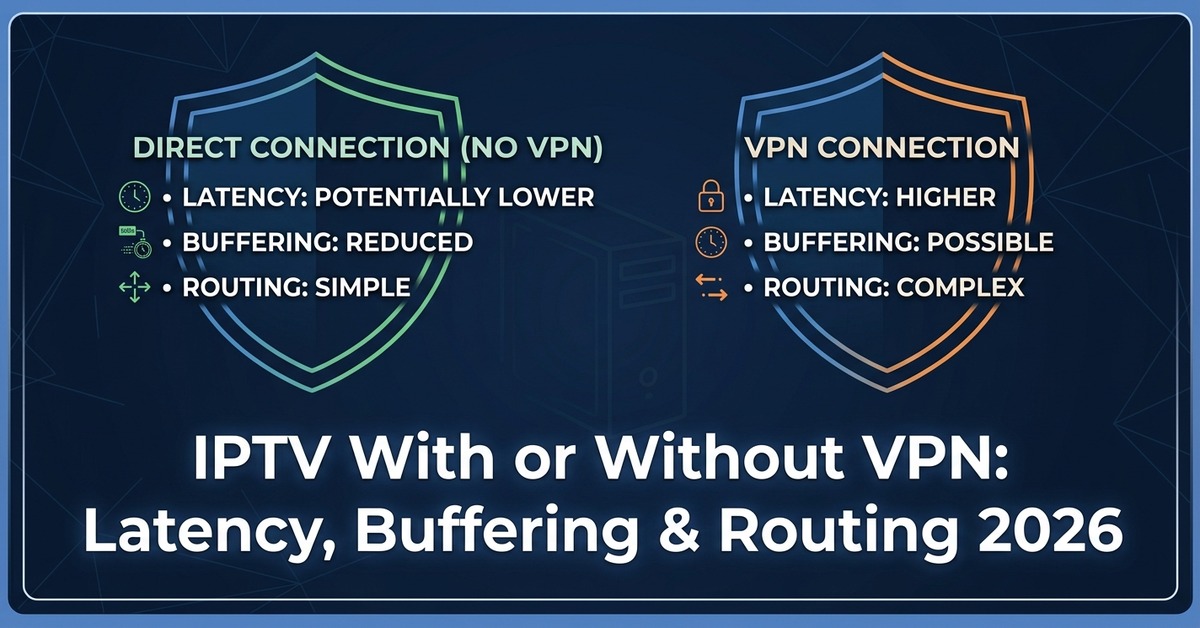

IPTV with or without VPN comes down to one practical trade-off: privacy and network stability against raw connection speed, and the right answer depends on your router, your device and how you actually watch. A VPN adds a layer of encryption between your device and the internet, which can protect your traffic on shared or public networks, but it also adds distance and processing overhead that some IPTV streaming setups handle better than others. Neither option is universally correct. What matters is matching the choice to your actual connection, not following a blanket rule someone else applied to a different setup.
What Changes When You Use IPTV With or Without VPN
The technical difference is straightforward. Without a VPN, your device connects directly to your IPTV provider’s servers using your normal internet connection and your ISP-assigned IP address. With a VPN active, that same traffic is routed through an encrypted tunnel to a VPN server first, and only then out to your IPTV service. Your ISP can still see that you’re connected to a VPN, but it can no longer see the specific traffic passing through it in detail.
For most home viewers on a stable broadband connection, this distinction barely registers day to day. The stream either loads and holds, or it doesn’t. What actually separates the two setups is what happens under pressure: during peak evening hours, on a congested mobile network, or when your ISP applies traffic shaping to streaming-heavy connections.
Why Some Connections Need More Protection Than Others
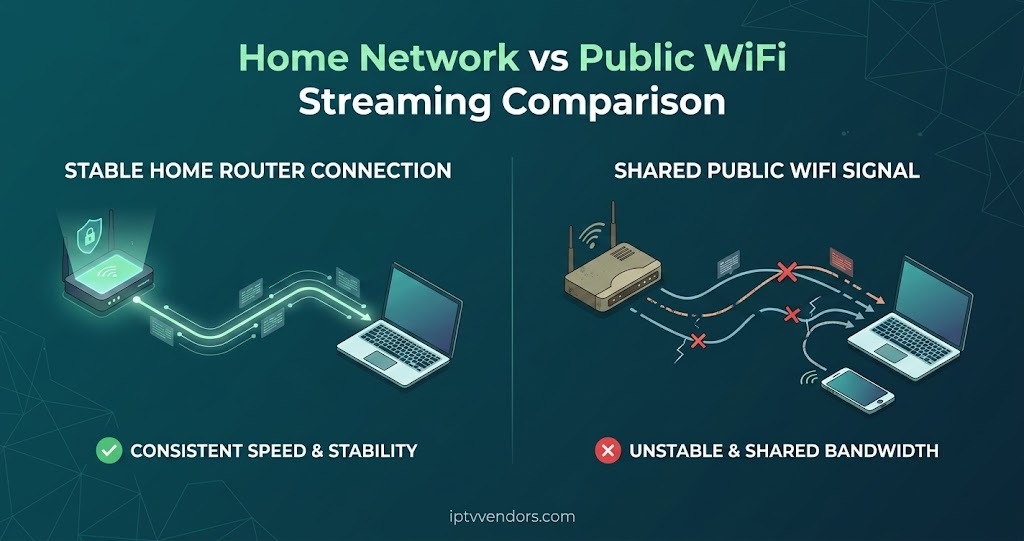
Not every household has the same reason to consider a VPN. Someone streaming from a private home network with a modern router and a wired connection to their box has a fundamentally different risk profile to someone watching over public WiFi in a hotel or café.
On open or shared networks, encrypting your connection is a genuine security improvement, regardless of what you’re streaming. Anyone else on that same WiFi network has a technical opportunity to intercept unencrypted traffic. A VPN closes that gap. On a private home connection behind your own router, that specific risk mostly disappears, and the calculation shifts toward performance rather than protection.
ISP-level traffic shaping is the other common reason people look at VPNs. Some internet providers slow down connections they identify as high-bandwidth streaming, particularly during busy periods. Encrypting your traffic can prevent that kind of identification, which sometimes results in steadier speeds rather than slower ones, contrary to the usual assumption that a VPN always costs you bandwidth.
Speed, Buffering and the VPN Trade-off
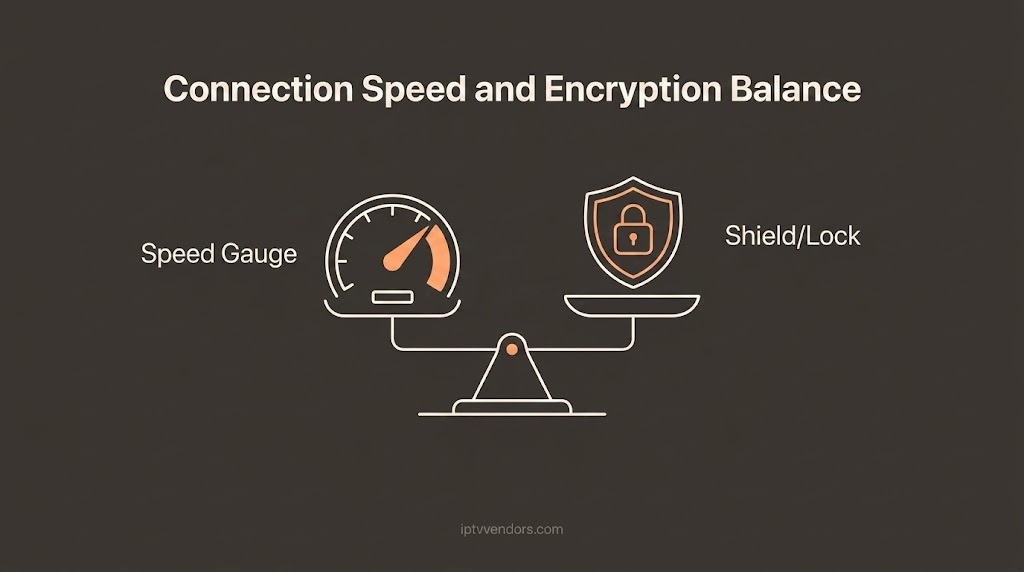
A VPN adds at least one extra hop to your connection path, and often more. That extra distance introduces latency, and encryption itself takes a small amount of processing time on both ends. On a strong connection with plenty of headroom, this is rarely noticeable. On a connection that’s already close to its limit, particularly for higher-bitrate channels or 4K content, that overhead can be the difference between a clean picture and a stream that keeps rebuffering.
| Connection Scenario | Better Starting Approach |
|---|---|
| Private home broadband, wired connection | Without VPN, unless traffic shaping is a known issue |
| Public or shared WiFi | With VPN, for basic connection security |
| Mobile hotspot with limited bandwidth | Without VPN, to preserve available speed |
| ISP known to throttle streaming traffic | With VPN, tested against your usual channels first |
This table is a starting point, not a rule. The only way to know for certain is to test both configurations on your own connection and compare buffering behaviour over a few days, not a single evening.
When Skipping a VPN Is the Sensible Option
If your connection is already close to its limit, adding a VPN is usually the wrong move. Households on lower-tier broadband packages, older routers, or connections shared across several active streaming devices at once often see more buffering with a VPN running, not less. In these cases, the encryption overhead outweighs any privacy benefit for a private home network.
There’s also a practical support angle worth considering. When a stream drops out or a channel won’t load, a VPN adds another variable to troubleshoot. If you contact your provider’s support team while a VPN is active, expect to be asked to disable it as one of the first diagnostic steps, since it rules out a whole category of connection issues in one go.
Pro tip: Before assuming a VPN is causing buffering, test the same channel at the same time of day with the VPN switched off. Streaming performance varies enough hour to hour that a single comparison isn’t reliable evidence either way.
When Adding a VPN Makes Practical Sense
Travelling viewers are the clearest case. Hotel and airport WiFi networks are shared, often poorly secured, and a reasonable place to want basic traffic encryption regardless of what device or app you’re using. The same logic applies to anyone regularly connecting from co-working spaces or other public networks.
A second scenario is a household that has already confirmed, through direct testing, that their ISP throttles their connection specifically during streaming sessions. If disabling the VPN consistently produces worse buffering at the same time of day, that’s a reasonable, evidence-based reason to keep it running rather than a habit adopted on general principle.
How a VPN Changes What Your Panel and Player See
Some IPTV apps and IPTV reseller panel log connection details as part of normal account management, including the IP address a device connects from. Running a VPN changes what gets logged on that side, which occasionally causes confusion if a provider’s system flags an unfamiliar IP as a new device or an unusual login location. This isn’t a fault in the panel itself; it’s simply how connection logging normally works, and it’s worth mentioning to your provider’s support team if you switch a VPN on or off regularly, so a routine change doesn’t get mistaken for a security concern on your account.
Login and playback errors that appear after enabling a VPN are also often related to the specific server you’ve connected through rather than your IPTV subscription. Switching to a different VPN server location is a reasonable first step before assuming there’s a fault with the panel or app itself.
Picking a VPN That Won’t Undermine Your Stream
Not all VPN services perform the same on streaming traffic. A provider optimised for general browsing and file transfer isn’t automatically suited to sustained video streams, which need consistent throughput rather than short bursts of speed. If you’re going to run a VPN alongside IPTV, a few practical checks matter more than brand reputation alone: server load during your usual viewing hours, whether the provider publishes real speed data rather than marketing claims, and whether it supports a stable protocol suited to continuous streaming rather than one designed for quick, short connections.
Pro tip: If your VPN offers a choice of protocols, a lighter, streaming-oriented protocol usually holds up better for continuous playback than a heavier security-focused one, even though both are secure enough for normal home use.
Connection Considerations for Resellers
If you run an IPTV reseller business, VPN questions from your own customers are worth anticipating rather than fielding one at a time. Buffering complaints that appear alongside a customer mentioning they’ve recently started using a VPN are usually a connection overhead issue rather than a panel or credit problem, and ruling that out early saves a support back-and-forth. It’s also worth having a short, consistent explanation ready, since customers on shared or business networks will ask this more often than you’d expect, and a clear answer builds more confidence than a vague one.
Frequently Asked Questions
Does a VPN improve IPTV picture quality?
No. A VPN doesn’t affect resolution or bitrate directly. It can occasionally improve consistency if your connection was previously being throttled, but it has no direct effect on stream quality itself.
Will a VPN fix constant buffering?
Only if the buffering was caused by ISP throttling in the first place. If the cause is a weak home connection, an overloaded router, or a busy VPN server, adding a VPN can make buffering worse rather than better.
Do I need a VPN if I only stream at home?
Not necessarily. On a private, password-protected home network, the main privacy risk a VPN addresses is largely absent already. Speed and stability testing should guide the decision more than a general assumption.
Can a VPN cause login problems with an IPTV panel?
It can, particularly if the panel’s system flags a new IP address as unusual account activity. Switching VPN server locations or contacting support usually resolves this quickly.
Should mobile IPTV viewers use a VPN?
On a personal mobile data connection, it’s a personal preference. On public WiFi through a mobile device, a VPN is a reasonable basic precaution for general connection security.
Making the Call on IPTV With or Without VPN
There isn’t a single correct answer to IPTV with or without VPN that applies to every household. A strong private connection with no history of throttling rarely benefits from the overhead a VPN adds, while a shared network, frequent travel, or a confirmed throttling pattern are all legitimate reasons to keep one running. The most reliable approach is testing your own connection under both conditions rather than assuming either option is automatically better, and adjusting based on what your buffering behaviour actually shows over a few days of normal viewing.
If you’re troubleshooting playback errors that started around the same time as a VPN change, it’s worth ruling out connection authentication issues before assuming the VPN itself is at fault, and checking your overall connection latency separately from any VPN testing. Resellers evaluating their own infrastructure against these kinds of connection variables may also find it useful to review what a well-built IPTV panel should handle on the support side, and viewers comparing playback apps can see how buffering behaviour differs in this player comparison guide.
IPTV VPN Decision Checklist
- Test your usual channels with the VPN off for at least two full evenings before changing anything
- Repeat the same test with the VPN on, at the same times of day
- Check whether your ISP has any published streaming throttling policy
- Confirm whether you’re on a private home network or a shared or public one
- If using a VPN, check it supports a protocol suited to continuous streaming, not just browsing
- Note the VPN server location and switch it if login or playback errors appear
- Tell your provider’s support team if you plan to switch VPN use on or off regularly