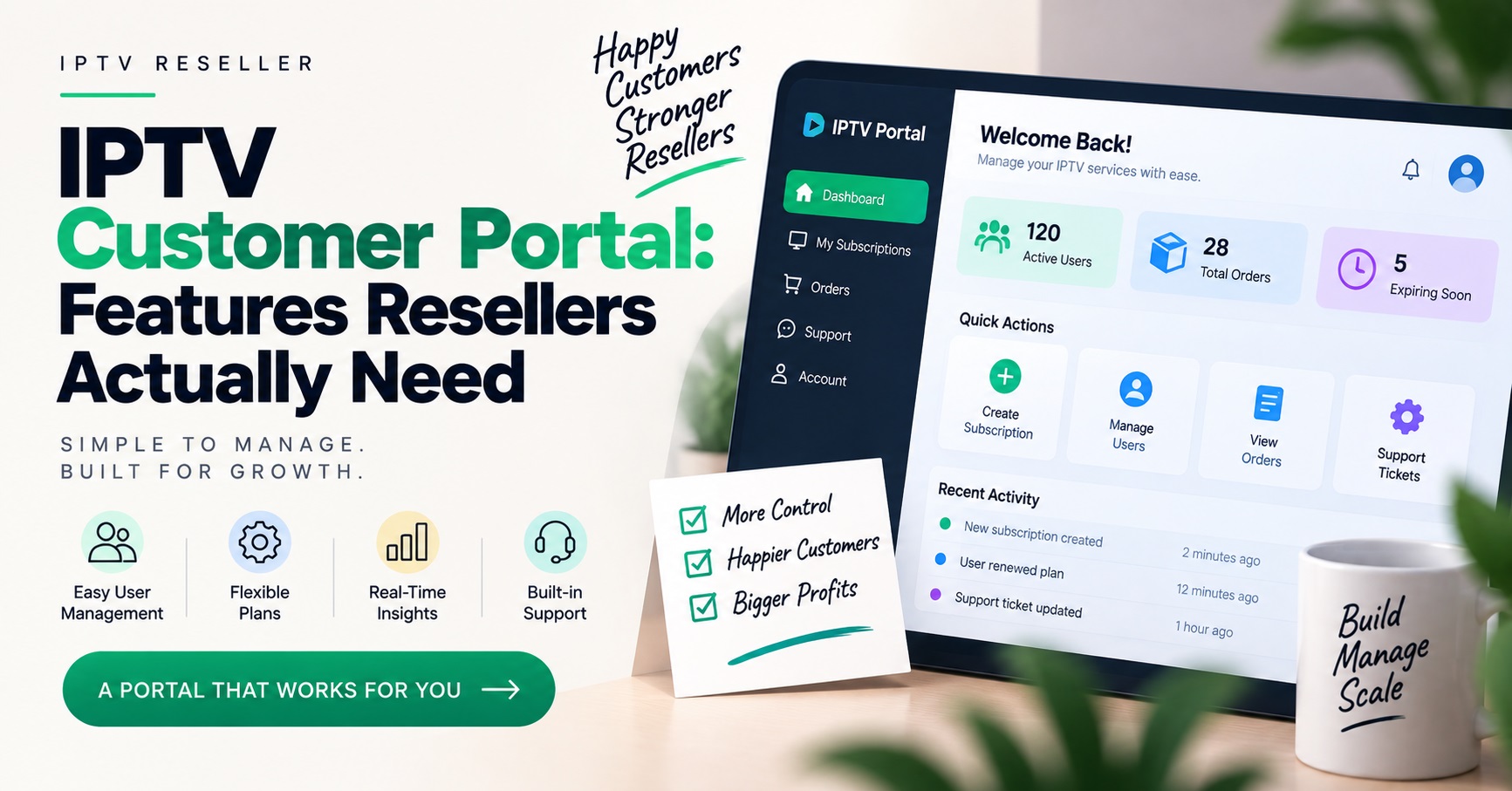

An IPTV Customer Portal is the customer-facing login area where your subscribers check their own account status, view their line details, see their expiry date and, where you permit it, renew or switch devices without messaging you first. It sits separately from your reseller dashboard, and the two should never share a login.
The mistake worth catching early is assuming your panel already includes one. Most IPTV reseller panels are built for the operator, not the end user, so what you get is a management dashboard with customer records inside it. Anything the customer logs into themselves is usually either a feature your provider offers as an add-on, a white-label front end, or something you connect to your own billing system. Knowing which of those three you are actually buying changes the cost, the branding, and how much control you keep over your customer list.
The Support Messages a Portal Removes, and the Ones It Never Will
Look at what your customers currently send you. In most small reseller operations the messages fall into a handful of repeating types: has my subscription expired, can you resend my details, can I use this on a second television, how do I renew, and it has stopped working.
A portal handles the first four reasonably well. Expiry dates and remaining days are already stored against the line, so showing them to the customer is straightforward. Credential retrieval and renewal requests are equally mechanical. Those messages arrive at all hours and each one interrupts whatever you were doing, which is why removing them matters more than the raw ticket count suggests.
The fifth type is where expectations usually break. “It has stopped working” covers app configuration, expired trials, a device connected to the wrong network, a hit connection limit, a stream issue on a specific server, or a customer who reinstalled the app and lost the setup. A portal can surface the account-side causes. It cannot diagnose the rest, and if you market it to customers as a place where problems get solved, you will end up with a support channel inside the portal as well as outside it.
So the honest framing is this: a portal converts your routine account admin into self-service. It does not replace support. Resellers who plan for that get a useful result. Resellers who expect their message volume to collapse are usually disappointed within a fortnight.
What Belongs Inside an IPTV Customer Portal
Keep the feature set narrow at first. Every extra function is another thing a confused customer can misuse, and another thing you have to explain.
The functions that consistently earn their place:
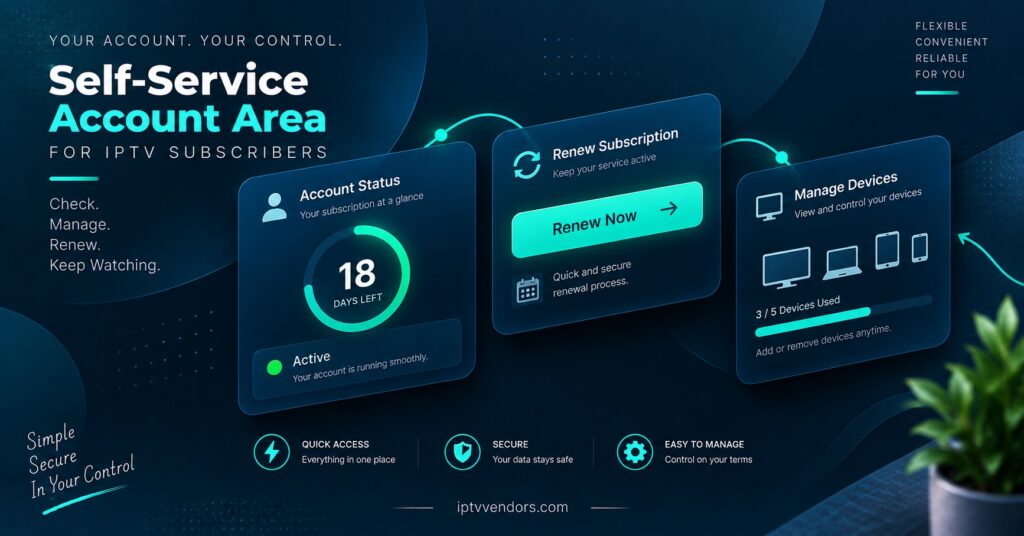
- Current status, plan name and exact expiry date
- Line details or a way to retrieve them again
- Number of connections allowed and how many are currently in use
- A renewal or top-up action, with clear pricing
- Device and app setup instructions, written for non-technical users
- One obvious route to reach you when the portal cannot help
| Portal function | What it removes from your day | Where it stops helping |
|---|---|---|
| Status and expiry display | Repeated “has it run out” messages | Customer still asks why playback failed before expiry |
| Credential retrieval | Resending details manually, often out of hours | Cannot stop credentials being shared once shown |
| Connection count visibility | Arguments about how many devices are allowed | Will not identify which device is using a slot |
| Self-renewal | Chasing payments and manual reactivation | Fails if payment method or pricing is unclear |
| Setup guides | Repeating the same app walkthrough | Useless if the guide does not match the customer’s device |
Notice what is missing. Channel listings, content previews and anything that implies a catalogue do not belong in a customer account area. Keep the portal about the account, the subscription and the technical setup. That keeps you positioned as an infrastructure and service operator rather than a content distributor, which is the correct position for a IPTV reseller to hold.
Pro tip: Display remaining days rather than only a date. Customers read “9 days remaining” and act on it. They read “expires 14 March” and forget.
Self-Service Introduces Risks Your Dashboard Never Had
The moment customers can log in somewhere, you have created an attack surface and a sharing surface at the same time.
Credential exposure is the obvious one. If a portal displays full line details on screen, one screenshot in a group chat can put your connection slots into circulation. You cannot prevent this entirely, but you can reduce the damage: show credentials only after a deliberate action rather than on the landing screen, keep the connection limit strict, and make sure you can see and reset an affected line quickly from your side.
Account takeover is the quieter risk. If password resets run through an email address the customer no longer controls, or through a support route with no identity check, someone else can take the line. Decide in advance what proof you accept before you reset access, and apply it consistently. Resellers who make exceptions for persuasive messages end up making them repeatedly.
Then there is the infrastructure question. A customer portal should never be a thin wrapper that exposes your panel’s API directly to the open web. Whatever front end you use, the credentials for your reseller account stay on your side. If a provider’s portal offering seems to work by handing the browser your panel access, treat that as a reason to ask more questions. The same logic applies when you are comparing providers in the first place, which is covered in more depth in this guide to evaluating a reseller panel before you commit.
One more practical point: put the portal on its own subdomain, and keep your own reseller login somewhere else entirely. Shared hosting, shared login paths and shared password habits are how small operations lose both at once.
Branding, and Whether Customers Trust What They Are Logging Into
Customers judge a portal in about four seconds. If the page carries an unfamiliar provider’s name, or looks like a generic panel interface with a logo dropped in the corner, a proportion of them will assume they have been sent somewhere they should not enter details. You will hear about it, usually as a message asking whether the link is genuine.
This is the practical argument for white-label presentation rather than a vanity one. A portal on your own domain, in your own name, with your own contact route, is easier for customers to trust and easier for you to keep if you ever change upstream supplier. The reverse is also true: a portal branded as your provider quietly teaches your customers who actually supplies the service, which is not a lesson most IPTV panel resellers want to give. If that side of the setup matters to you, the options are laid out in this overview of white label panel arrangements for resellers.
Keep the writing plain. Account areas fail more often on unclear wording than on design. “Your subscription is active until” beats “Subscription status: ACTIVE” for anyone who is not technical, and most of your customers are not.
Match the Portal to How You Actually Sell
There is no single correct answer here, and the right choice depends far more on your sales model than on feature lists.
If you sell through messaging apps and handle everything personally with a small subscriber base, a full portal can be overhead you do not need. Your customers already have a direct line to you and many of them prefer it. A simple status check page, or nothing at all, may serve you better than a login system nobody uses.
Once you are handling renewals across several dozen customers with staggered expiry dates, the calculation changes. Manual renewal chasing becomes the single largest time cost in the business, and self-renewal is worth having even if the rest of the portal stays minimal.
If you run sub-resellers, be deliberate about separation. Sub-resellers need their own management view, and their customers need a portal that does not reveal your position in the chain. Mixing these layers is how ownership disputes start, because a customer who can see two levels of the operation will eventually contact the wrong one.
And if you sell across more than one market, remember the portal is where language problems surface first. A customer who cannot read the renewal screen will message you instead, which removes the benefit entirely.
Rolling It Out Without Breaking What Already Works
Introducing a portal to existing customers goes wrong when it arrives as a surprise. A sensible sequence:
Start with new customers only. They have no existing habit to unlearn, and you get to test the flow on people who are not already frustrated.
Next, run one renewal cycle through it before announcing anything widely. Renewals are where money moves, so this is where errors matter most. Check that a renewal inside the portal actually extends the correct line, and that the expiry date updates where the customer can see it.
Then migrate existing customers in batches at their renewal point, not all at once. Send the portal link with their renewal reminder rather than as a separate announcement, and keep your direct contact route open throughout. Nothing pushes customers away faster than replacing a person they can message with a login screen they did not ask for.
Finally, keep an eye on what happens to the messages you still receive. If a new category appears, usually “I cannot log in”, the portal has added work rather than removed it, and something in the access flow needs fixing before you expand it further. If you are setting the whole customer-facing side up from scratch, the wider groundwork is covered in this walkthrough of building a reseller website and customer front end.
Pro tip: Write your login failure message yourself. The default text on most systems tells the customer nothing and sends them straight to you.
Questions Resellers Ask Before Enabling One
Does a reseller panel usually include a customer portal by default?
Usually not. Panels are built around operator functions such as creating lines, assigning credits and setting expiry dates. Customer-facing access is typically a separate product, an add-on, or something you connect yourself. Ask your provider directly rather than assuming, and ask whether it is branded to you or to them.
Should customers be able to see their full line details in the portal?
They need a way to retrieve them, particularly after reinstalling an app or changing device. Whether that means displaying them permanently is your decision. Requiring a deliberate click to reveal them, rather than showing them on the landing page, reduces casual screenshot sharing without making genuine retrieval difficult.
Can a portal show which device is using a connection slot?
Some panels expose active connection data that can be surfaced, but the detail is usually limited to counts and general session information rather than anything a customer would recognise as a particular device. Promising device-level identification and then failing to deliver it creates more support work than saying nothing.
What happens to the portal if I change provider?
That depends entirely on who owns it. A portal running on your domain and your billing system survives a supplier change, with the underlying lines being reissued. A portal supplied and hosted by your provider generally does not, and your customers lose their login along with everything else. This is worth deciding before you build a customer base around it.
Is it worth adding a portal for fewer than twenty customers?
Rarely. At that size the admin is manageable by hand and the setup time is better spent on acquisition. Revisit it when renewal tracking starts consuming real hours each week.
Where This Leaves You
An IPTV Customer Portal is worth having when routine account admin has grown past what you want to handle personally, and worth skipping when it has not. The value sits in a narrow set of functions done reliably: accurate status, safe credential retrieval, clear connection limits, and a renewal path that works without you. Everything beyond that is optional, and some of it is actively counterproductive.
Be realistic about the limits. Self-service does not resolve playback complaints, it does not stop credential sharing, and it introduces access risks that your reseller dashboard never had. Plan for the login issues, decide your identity checks before you need them, and keep ownership of the domain and the customer relationship on your side.
If you are still deciding, the practical next step is to ask your current provider three things: whether a customer-facing portal exists, whose branding it carries, and what happens to it if you leave. The answers will tell you whether you are buying a tool or renting a dependency. The reseller credit packages and IPTV reseller panel access options are a reasonable starting point if you are comparing what comes included before committing to anything further.
Portal Evaluation Checklist for Resellers
- Confirm whether the portal is included, an add-on, or something you build
- Check whose branding and domain the customer sees at login
- Verify that your reseller credentials are never exposed to the customer front end
- Set your identity check for password resets before the first request arrives
- Decide whether credentials display on load or only after a deliberate action
- Test one full renewal cycle before announcing the portal to existing customers
- Keep a direct contact route visible on every portal screen
- Confirm what happens to customer logins if you change supplier
- Review new support messages after two weeks and fix whatever the portal created