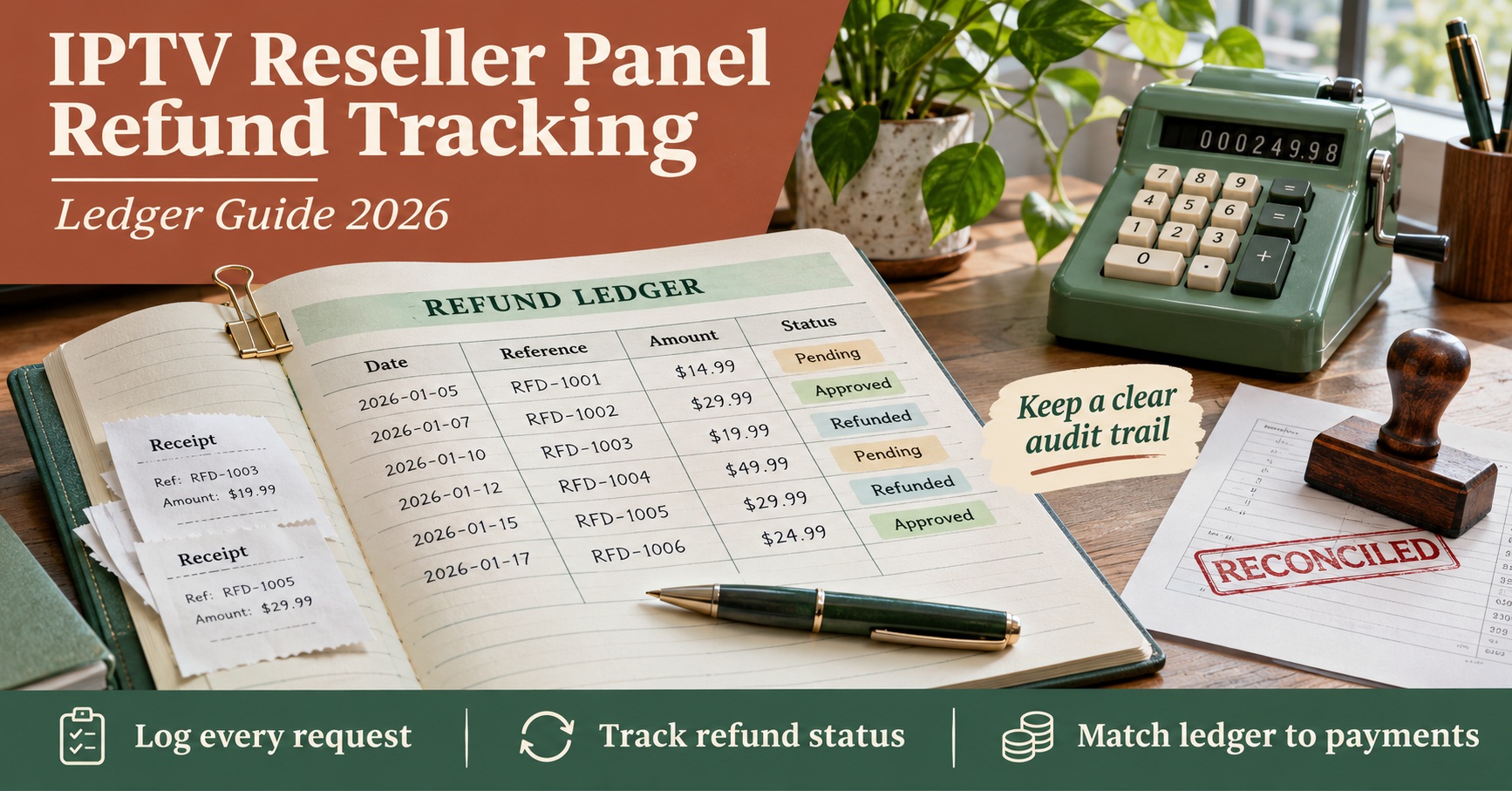

IPTV Reseller Panel Refund Tracking works when every refund gets its own ledger line from the moment a customer asks for money back, linked to the original order, the payment reversal, the action taken on the panel account and whatever the provider does with the credits. Beside that ledger sits an audit trail: a dated, never-edited record of who approved, paid, disabled and closed each refund. With both in place, you can answer the two questions that matter at month end. How much did refunds really cost, and is anyone still watching on a line you’ve already paid back?
A refund rarely happens in one moment, and that’s the reason the ledger needs to exist at all. The money can leave your processor on a Tuesday, the account might not be switched off until Friday, and the provider may or may not return the credits weeks later, if its terms allow it. Each of those steps usually happens on a different screen, often handled by a different person. Track only the cash and you’ll miss the open access and the credits quietly written off, which is where most of the real cost tends to sit.
[ez-toc]
Money, Access and Credits Run on Different Clocks
Think of every refund as three strands that must each reach an end before the refund can be called finished.
The first strand is cash. It starts when you approve the refund and ends when your processor or bank confirms the money has gone back. Its evidence is a refund ID from the processor or a transfer reference from your bank. Chargebacks are the awkward exception here, because the processor pulls the money on its own timetable, not yours, and you often find out after the fact.
The second strand is access. Once money goes back, the customer’s line should be disabled or shortened to match what they’ve paid for. The evidence lives in your reseller dashboard: the account status, the new expiry date and the time it changed. This is the strand that slips most often, simply because the person who processes refunds is rarely the person logged into the panel.
The third strand is credits. Activating the line consumed IPTV credits, and depending on your provider’s terms, some or none of those may come back. Some providers return credits within a set window after activation; others never return them. You can’t assume either way, so the ledger records what actually happened for each refund rather than what you expect.
A refund is closed when all three strands are closed. Until then, it stays visible.
The Ledger: One Row Per Refund, a Dozen Columns at Most
A spreadsheet is perfectly adequate for this at small volume. What matters is that the columns are fixed, so every refund is described the same way and the month can be totalled without detective work.
| Column | What goes in it |
|---|---|
| Refund ID | Its own sequence, such as R-2610-04 (year, month, running number) |
| Order ID | The original sale this refund reverses |
| Request date and channel | When the customer asked, and whether by email, chat or a dispute |
| Reason code | One option from a short fixed list |
| Basis | Your written terms, a goodwill decision, or a legal obligation |
| Amount requested and amount paid | Two separate figures, because partial refunds are common |
| Payment reference | The processor’s refund ID or the bank transfer reference |
| Panel action and date | Disabled, shortened, or left active with a written reason |
| Credits used and credits returned | Taken from the panel log and the provider’s response |
| Status | One value from the status list described further down |
| Owner | A single named person responsible for closing it |
Reason codes deserve more thought than they usually get. Keep the list short: setup failure, service problem, duplicate payment, change of mind, and dispute will cover most cases. Free-text reasons feel more accurate at the time, but you can’t count them, and counting is the point. If “setup failure” accounts for half your refunds in a quarter, that’s an onboarding problem rather than a refund problem, and it belongs in your IPTV reseller panel support workflow as much as in your accounts.
The basis column is there for a different reason. Refund obligations depend on your own terms and, for consumers, on the consumer protection rules where your customers live. Writing down which basis applied to each decision keeps you consistent, and it gives you something concrete to point to if a customer later disputes the outcome.
Pro tip: If the “other” reason code ever covers more than a handful of refunds in a month, read those rows together. There’s usually a new category hiding in them.

An Audit Trail Nobody Can Tidy Up
The ledger shows where each refund stands right now. The audit trail shows how it got there. Keeping them separate is what makes the trail trustworthy, because the ledger gets updated constantly while the trail is only ever added to.
Each entry in the trail needs five things: the date and time, the refund ID, who acted, what they did, and a pointer to the evidence (a processor reference, a panel screenshot filename, a message ID). Nothing is edited or deleted. If someone records the wrong amount, the fix is a new entry saying so, with the corrected figure. That feels clumsy for a week and then becomes the most useful habit in the business, because when a customer, a payment processor or your accountant asks what happened, the answer is already written down in order.
In practice, a separate sheet with edit rights limited to adding rows works, as does a simple form that timestamps each submission automatically. The tool matters less than the rule.
Permissions are the other half of a sound trail. If more than one person works on the business, try to split approving a refund from paying it, and restrict who can disable or delete lines in the IPTV reseller panel. Sub-resellers should not be issuing refunds against your credits without a record reaching your ledger. And keep sensitive data out of the trail entirely. Card numbers and full bank details already sit with your processor and bank; the trail only needs the reference that points to them.
IPTV Reseller Panel Refund Tracking Through One Month
The example below is hypothetical, and every figure is illustrative rather than a real price, fee or provider rule. It assumes a small reseller selling three plans (monthly at £15, six months at £60, annual at £100), a provider that charges one credit per month of service, and a working assumption of £4 per credit.
October 2026 produced four refund requests:
| Refund | Path and amount | Status at 31 October |
|---|---|---|
| R-2610-01 | Order 2041, monthly £15. App wouldn’t run on the customer’s device; full refund within 48 hours; provider returned 1 credit | Closed |
| R-2610-02 | Order 2055, annual £100. Customer left after two months; refunded £70 (two months charged at the monthly rate); provider returned no credits | Closed |
| R-2610-03 | Order 2072, six months £60. Request fell outside the written terms; refused with reason given | Closed as rejected |
| R-2610-04 | Order 2088, monthly £15. Card chargeback with an illustrative £10 dispute fee; line disabled three days late | Open, under review |
Here is the audit trail for R-2610-04, the one that went wrong:
- 14 Oct, 09:12: processor notice received, dispute opened on order 2088, £15 withdrawn (processor reference logged)
- 14 Oct, 09:40: support lead creates R-2610-04, status set to Disputed, owner assigned
- 17 Oct, 18:05: operations disables the panel line and adds the refund ID to the account notes
- 17 Oct, 18:07: support lead logs a flag, access closed 3 days after money left
Now look at what each column says about the month’s real cost. The cash column shows £100 refunded (£15 + £70 + £15). Add the £10 dispute fee and you’re at £110. But the credits column tells a less comfortable story. Refund 01 cost nothing in credits because one came back. Refund 02 consumed twelve credits at activation; two covered months the customer actually used, but the other ten were lost because the provider returned none. Refund 04 used one credit on a service that was never paid for. That’s eleven credits, or £44 at the assumed rate, which brings the true cost of October’s refunds to £154 rather than the £100 the cash column suggests.
Two things stand out from a month like this. The annual partial refund was the costliest by some distance, which might prompt a review of how annual plans are refunded, or of the timing of credit returns with your provider. And the chargeback exposed a gap in the hand-off between support and operations, which no amount of payment matching would have revealed on its own. The rejected request matters too: logging it with a reason means that if the same customer raises a dispute later, the decision and its basis are already on record.
Status Rules That Stop a Refund Going Quiet
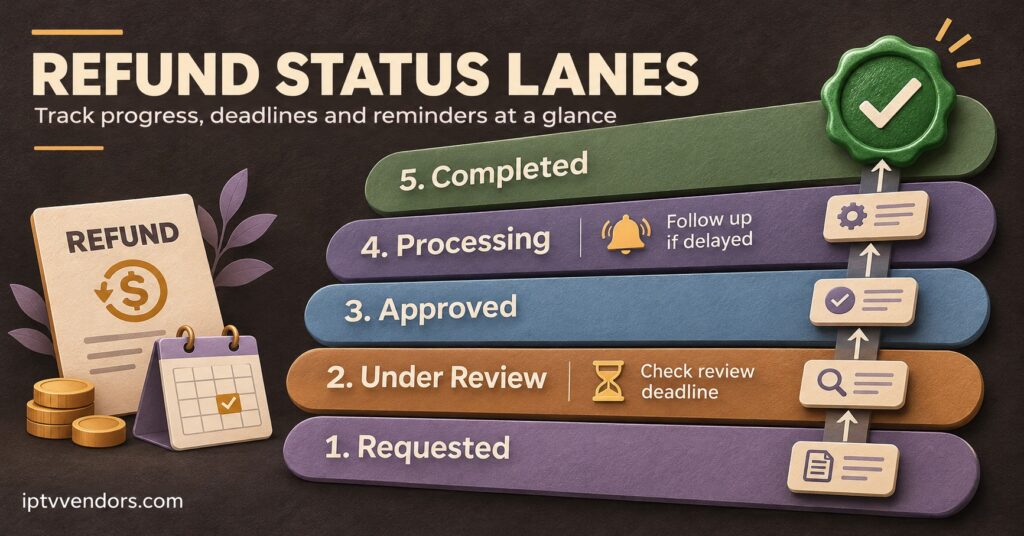
Refunds rarely fail dramatically. They stall. A fixed status list, with a time limit on the risky ones, is what keeps them moving.
A workable sequence is Requested, then Approved or Rejected, then Paid, then Access closed, then Credits settled, then Closed. Chargebacks enter the list at Disputed instead of Requested, since the money has usually gone before you’ve decided anything.
The time limits are your choice, but they should exist and be written down. Sensible starting points might be:
- Requested for more than two working days without a decision gets escalated to the owner
- Paid while the account is still active for more than 24 hours is flagged the same day
- Credits pending for more than 30 days triggers a check of the provider’s terms or a support ticket with the provider
- Disputed refunds are reviewed weekly until the processor confirms an outcome
Each threshold catches a specific leak. The 24-hour rule alone would have caught refund 04 two days earlier.
Month-End Proof That the Ledger Is Complete
A ledger only earns trust if you can show nothing is missing from it. Three cross-checks do that, and none should take long once the ledger is in shape.
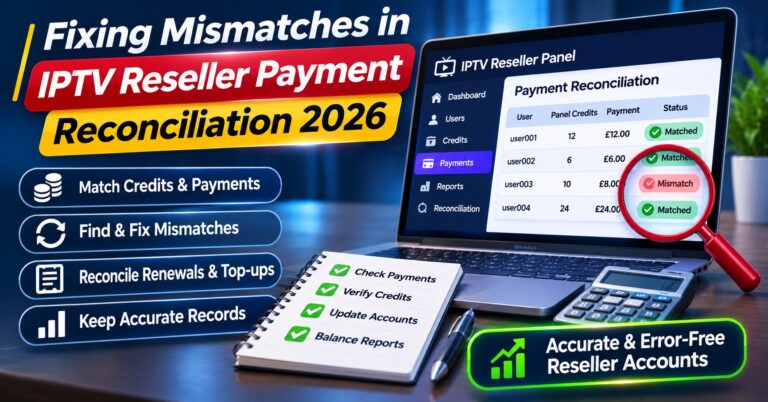
Start with cash. Total the “amount paid” column for the month and compare it with the refund and dispute lines in your processor reports and bank statement for exactly the same dates. Any refund that appears in the processor report but not in the ledger means someone refunded directly from the processor dashboard without logging it. This sits naturally alongside your weekly payment reconciliation run, where refunds already surface as exceptions.
Next, check access. Pull every account disabled or shortened in the panel during the month and match each one to either a ledger row or another documented reason, such as a natural expiry or a security lock. The reverse check matters more: every ledger row with a paid refund should have a matching panel action.
Finally, check credits. The credits returned column should agree with the movement in your panel’s credit balance after purchases and activations are accounted for. If you already keep a separate record for tracking IPTV reseller panel credits, refunds should appear there as their own line rather than disappearing into the general balance.
Partial refunds on longer plans also affect how much revenue you’ve actually earned in a period. If you spread prepaid plans across their service months, the refund reverses the unearned portion, which is covered in more detail in recognising revenue on prepaid plans. Your accountant should confirm the treatment that fits your business.
One limit is worth stating plainly. A complete refund ledger proves that money, access and credits agree with each other. It says nothing about whether an upstream IPTV provider holds proper distribution rights for the content it delivers, which still needs its own due diligence before you work with any provider.
Setting Up Refund Tracking This Week
If you’re starting from scratch, this order works well, because each step gives the next one something to stand on:
- Write down your refund terms in plain language, including how partial refunds on longer plans are calculated
- Find out from your provider, in writing, whether credits are ever returned and within what window
- Create the ledger with the fixed columns above and the short reason code list
- Create a separate audit trail sheet or form that can only be added to
- Decide who approves refunds, who pays them and who changes panel accounts
- Add the refund ID to the panel account notes whenever a line is disabled or shortened
- Set the status time limits and decide who reviews flagged refunds
- Enter every refund from the past month, including rejected requests and chargebacks
- Run the three month-end cross-checks once, and fix whatever they uncover before moving on
Refund Tracking Questions Resellers Ask
Should rejected refund requests go in the ledger?
Yes. A rejected request still involved a decision, and if the customer later raises a chargeback, the recorded reason and basis are your evidence. Rejections also tell you which parts of your terms customers misunderstand.
How should a partial refund on an annual plan be recorded?
As one row with the original order amount, the amount requested and the amount actually paid, plus a short note of the calculation. Record the credits consumed for the months used separately from any unused credits that were lost or returned, so the true cost is visible.
Is a chargeback tracked differently from a normal refund?
It uses the same ledger, but it starts at the Disputed status because the money has usually left before you act. Record any dispute fee as a separate cost, and treat the panel action as urgent, since the customer may have both the money and the service.
Can sub-resellers process refunds themselves?
They can if your arrangement allows it, but every refund that touches your credits should reach your ledger with the same fields. Without that, the month-end credit check won’t balance and you won’t know why.
What happens if the provider returns credits weeks after the refund?
Leave the refund at Credits settled pending until the return actually appears in your panel balance, then add an audit trail entry with the date and number of credits. Don’t record expected returns as if they’ve happened.
Closing the Loop on Every Refund
IPTV Reseller Panel Refund Tracking comes down to refusing to let a refund close until cash, access and credits have each reached their end, and keeping an audit trail that explains every step without being rewritten. The ledger shows the real monthly cost, which is often well above what the cash figures suggest, and the status time limits stop the expensive gaps, such as a paid-back line still running, from lasting longer than a day. A good first move is to take last month’s refunds, chargebacks included, enter them into the ledger and run the three cross-checks. Whatever doesn’t match is your starting list.


[…] IPTV panel resellers take orders through messaging apps rather than a checkout page. That’s workable, but the consent […]