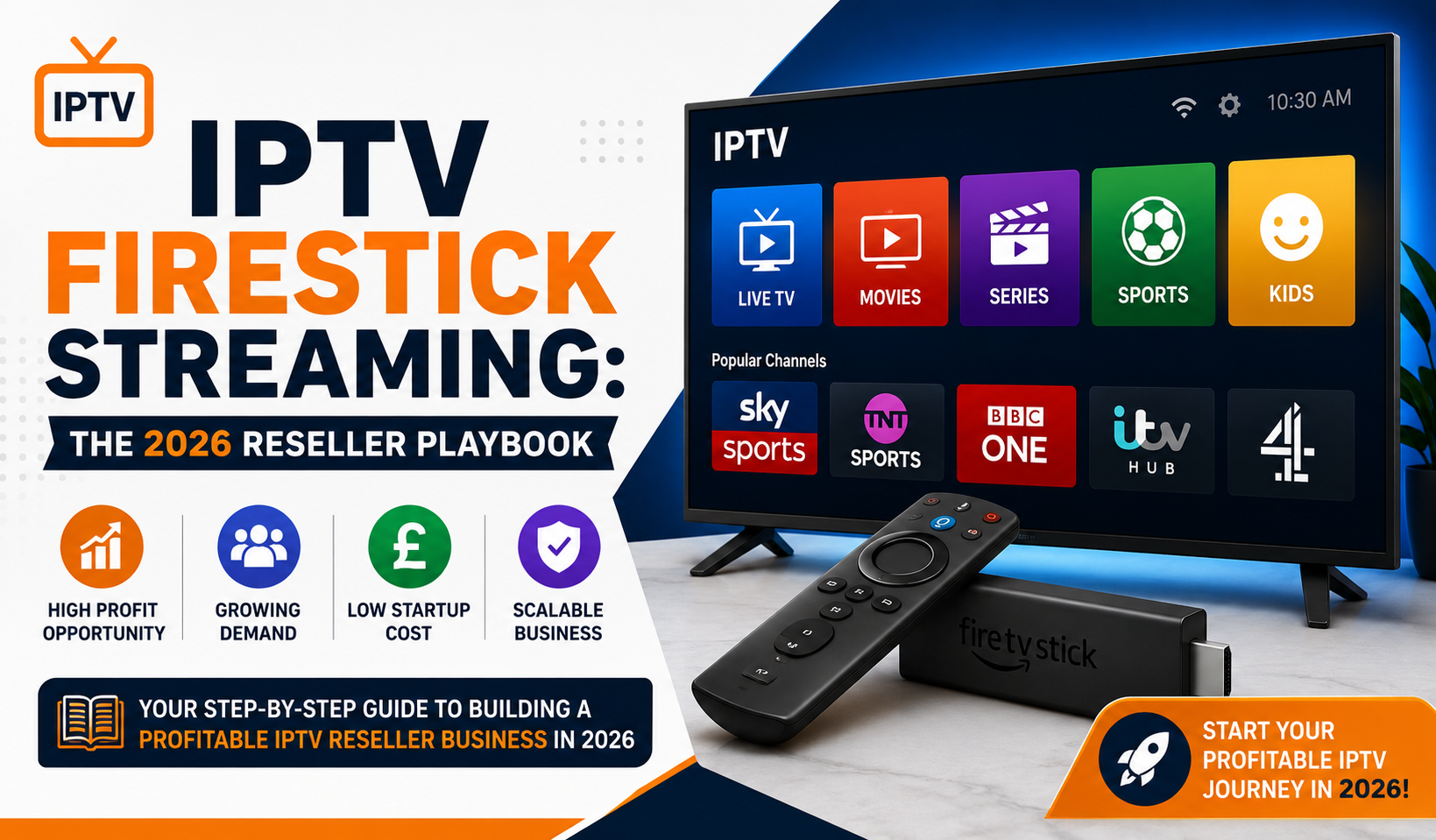

IPTV Firestick Streaming only runs smoothly when the hardware, DNS, player app, and backend infrastructure are all dialed in together, get one of those wrong and buffering shows up no matter how good the rest of the setup is. Here’s the moment that makes that obvious to almost everyone.
There’s a moment every IPTV Firestick Streaming user knows. You’ve loaded the app, picked your channel, leaned back, and then the wheel starts spinning. That loading circle becomes the most hated symbol in your living room. And if you’re a reseller, multiply that frustration by every single subscriber pinging your inbox at 9 PM on a Saturday night.
The Firestick remains the single most popular device for IPTV consumption in 2026, and yet most people, subscribers and resellers alike, treat it like a plug-and-play toy. It isn’t. IPTV Firestick Streaming sits at the intersection of hardware limitations, network configuration, ISP interference, and server-side delivery. Get one layer wrong and the whole stack collapses.
This article strips the surface-level advice away. No “restart your router” nonsense. We’re going deep into what actually makes IPTV Firestick Streaming work reliably, how IPTV resellers UK can reduce their churn by fixing problems subscribers don’t even know they have, and why certain infrastructure choices will make or break your 2026 operation.
The Firestick’s Dirty Secret: Hardware Bottlenecks Nobody Mentions
Most guides treat every Firestick model the same. That’s a mistake. The Fire TV Stick Lite, the standard 4K, and the Fire TV Stick 4K Max have meaningfully different chipsets, RAM allocations, and Wi-Fi standards. When subscribers complain about IPTV Firestick Streaming quality, half the time the device itself is throttling playback before the stream even reaches the player.
The 4K Max supports Wi-Fi 6E. The Lite doesn’t. That gap matters more than people think, especially in households where multiple devices compete for bandwidth on a congested 2.4GHz band.
Pro Tip: If a subscriber reports constant buffering, ask which Firestick model they own before touching anything on your panel. A Lite model on a 2.4GHz network in a busy household will struggle regardless of server quality.
Quick Model Comparison for IPTV Firestick Streaming:
| Feature | Fire TV Stick Lite | Fire TV Stick 4K | Fire TV Stick 4K Max |
|---|---|---|---|
| Processor | Quad-core 1.7GHz | Quad-core 1.7GHz | Quad-core 2.0GHz |
| RAM | 1GB | 2GB | 2GB |
| Wi-Fi | 802.11ac | 802.11ac | Wi-Fi 6E |
| Best for | Basic SD/HD | Standard 4K | Heavy IPTV use |
Resellers who understand this table save themselves dozens of unnecessary support tickets every month.
DNS Configuration: The Silent Killer of Smooth Playback
Here’s something that will sting: your subscriber’s ISP-assigned DNS is probably sabotaging their IPTV Firestick Streaming experience right now. DNS poisoning has become the quiet weapon of choice for major internet providers across the UK and Europe in 2026. Rather than outright blocking traffic, ISPs redirect DNS queries, causing streams to resolve to dead endpoints or throttled routes.
Changing the Firestick’s DNS to a privacy-focused resolver isn’t optional anymore, it’s survival. Cloudflare’s 1.1.1.1 or Google’s 8.8.8.8 are starting points, but savvier operators point subscribers toward DNS-over-HTTPS configurations that make interception significantly harder.
The Firestick doesn’t natively support DoH at the system level. The workaround? Configure it at the router. If the subscriber can’t touch their router, a secondary option is running a DNS proxy app directly on the Firestick, though this eats into the already-limited RAM on lower-end models.
- Change DNS under Settings → Network → Advanced on the Firestick
- Use 1.1.1.1 (primary) and 1.0.0.1 (secondary) as a baseline
- For households with tech-savvy users, configure DoH at router level
- Test resolution speed using a DNS benchmark app sideloaded onto the device
IPTV Firestick Streaming quality jumps noticeably once DNS poisoning is eliminated from the chain. Resellers who include a one-page DNS setup guide with every new subscription see measurably fewer “it’s not working” messages.
The Player App Matters More Than People Think
Subscribers almost never think about their player app. They install whatever the reseller recommends and assume the job’s done. But IPTV Firestick Streaming performance varies wildly depending on whether someone is using a basic M3U player, an Xtream Codes API-based app, or a custom-skinned EPG client.
The player handles stream decoding, EPG rendering, buffer management, and catch-up indexing. A poorly optimized player on a Firestick Lite will choke on an HD stream that plays flawlessly on the same connection through a better app.
Pro Tip: Test your panel’s output on at least three different player apps before recommending one to subscribers. What works on an Android box may stutter badly through IPTV Firestick Streaming on a Lite model.
Key things to evaluate in a player for Firestick:
- HLS latency handling: does the player pre-buffer intelligently or does it wait and stall?
- EPG load time: heavy EPG data on a 1GB RAM device will cause the player to freeze on launch
- Codec support: H.265 playback requires hardware decoding, software fallback kills performance
- Auto-reconnect: when a stream drops, does the player retry silently or crash to home?
The best IPTV Firestick Streaming setups pair a lightweight, API-connected player with a panel that serves compressed EPG data. That combination alone eliminates a category of complaints that most UK IPTV resellers blame on “server issues.”
The Infrastructure Piece Most Resellers Skip: Load Balancing and Backup Uplinks
Let’s talk about what happens behind the curtain. Your subscribers press play. The request hits your panel, which routes to a media server, which pulls from an uplink source. If that uplink goes down, and it will, every single subscriber on that source goes dark simultaneously.
IPTV Firestick Streaming reliability isn’t about having one good server. It’s about redundancy. Backup uplink servers aren’t a luxury. They’re the difference between a minor hiccup and a mass exodus to a competitor’s Telegram group.
Load balancing distributes subscriber connections across multiple servers based on geographic proximity, current load, and stream availability. Without it, a Friday night spike in viewership hammers a single node until it buckles. Here’s what that difference looks like side by side:
| Approach | Cheap infrastructure | Premium infrastructure |
|---|---|---|
| Uplinks | Single source, no failover | 2 to 3 redundant uplinks with auto-switch |
| Load balancing | None, all users hit one server | Geographic + load-based distribution |
| Downtime response | Manual restart, hours of outage | Auto-failover within 30 seconds |
| Subscriber impact | Mass complaints, refund demands | Most users never notice the switch |
| Cost | Lower upfront, higher churn | Higher upfront, dramatically lower churn |
If you’re running an IPTV Firestick Streaming reseller operation on single-source infrastructure in 2026, you’re building on sand. Every experienced operator has lost a server at the worst possible moment. The ones who survived had backups already spinning.
ISP Blocking Trends in 2026: What’s Changed and What’s Coming
The enforcement landscape has shifted. Outright IP blocking was the blunt instrument of 2020 to 2023. In 2026, ISPs deploy AI-driven traffic analysis that identifies IPTV Firestick Streaming patterns based on packet behaviour, not just destination addresses.
This means a VPN alone isn’t the guaranteed shield it once was. Some UK and European ISPs now throttle encrypted traffic that matches streaming profiles, sustained high-bandwidth UDP or TCP flows with consistent packet sizes. The stream doesn’t get blocked. It gets degraded just enough that subscribers blame the reseller, not the ISP.
What works now:
- VPN protocols that obfuscate traffic patterns (WireGuard with additional scrambling)
- Split tunnelling so only IPTV traffic routes through the VPN
- Server-side adjustments that vary packet sizes to defeat pattern matching
- Educating subscribers that a slight quality reduction on VPN is normal and preferable to complete blocking
Pro Tip: If multiple subscribers in the same geographic region report degradation at similar times, it’s almost certainly ISP-level throttling, not your server. Map complaints by postcode before troubleshooting infrastructure.
Resellers who stay ahead of ISP blocking trends keep their IPTV Firestick Streaming subscriber base intact. Those who react after the fact lose customers who’ve already found someone else.
Why Subscribers Actually Leave (It’s Rarely the Stream)
Technical excellence means nothing if your subscribers feel ignored. The number one reason IPTV Firestick Streaming customers cancel isn’t buffering, it’s silence. When something breaks and nobody responds for six hours, trust evaporates.
Churn psychology in IPTV follows a predictable pattern:
- Subscriber experiences an issue (buffering, channel missing, EPG blank)
- They message the reseller
- No response for 2+ hours
- They search Telegram or Reddit for alternatives
- They find a competitor offering a free trial
- They’re gone
The fix isn’t technical. It’s operational. Automated status pages, proactive outage notifications via broadcast channels, and templated troubleshooting responses cut churn by a significant margin.
- Set up a Telegram broadcast channel for service status
- Create 5 to 10 templated responses for common IPTV Firestick Streaming issues
- Acknowledge every support message within 30 minutes, even if the fix takes longer
- Offer a small credit extension after confirmed outages, the goodwill costs you almost nothing
The resellers who retain subscribers year after year aren’t always the ones with the best streams. They’re the ones who communicate like professionals when things go wrong.
Panel Credit Management: Pricing Models That Don’t Bleed You Dry
Every reseller buys panel credits. The pricing model you choose determines your margin, your flexibility, and your risk exposure. IPTV Firestick Streaming reselling looks profitable on paper until you factor in credit wastage, refund obligations, and trial abuse.
Most panels operate on a credit-per-subscription model, buy in bulk and you pay less per credit. But bulk buying ties up capital in a product with no guaranteed shelf life. If your provider disappears, and providers do disappear, those credits vanish with them.
Pro Tip: Never hold more than 60 days’ worth of credits with any single provider. Diversify across two panel sources so a sudden shutdown doesn’t wipe your inventory.
Smart pricing strategies for IPTV Firestick Streaming resellers:
- Tiered pricing: charge more for 4K and multi-device plans, less for single-device SD
- No lifetime plans: they attract the worst customers and guarantee future losses
- Trial limits: 24-hour trials maximum, one per household, with device-locked activation
- Renewal incentives: small discounts for 6-month and 12-month renewals reduce monthly churn
The credit model is simple arithmetic, but the operators who survive long-term are the ones who treat it like actual inventory management, not a casual top-up.
Sideloading on Firestick: Getting the Setup Right the First Time
IPTV Firestick Streaming apps don’t live on the Amazon App Store. That means sideloading, and sideloading introduces friction that loses you customers before they even watch a single channel.
The process itself is straightforward: enable developer options, allow unknown sources, use Downloader or a file manager to install the APK. But subscribers mess it up constantly. They download the wrong version, skip permissions, or panic when Amazon’s security warning pops up.
The resellers who eliminate this friction build simple, visual setup guides, ideally a 2-minute video walkthrough hosted on their site. A PDF with screenshots works too, but video converts better because Firestick users are, by definition, visual consumers.
- Always host the correct APK on your own domain, don’t send subscribers to random third-party download sites
- Include the exact Downloader code or URL in the welcome message
- Mention that IPTV Firestick Streaming apps require “Install Unknown Apps” permission specifically for the Downloader app
- Warn subscribers NOT to update the app from inside the player unless you’ve verified the new version
One botched installation creates a support ticket. Multiply that by fifty new subscribers a week and you’ve built yourself a full-time unpaid job. Prevention beats support every time.
Buffering Under Pressure: Match-Day Survival for Resellers
Nothing stress-tests IPTV Firestick Streaming infrastructure like a major sporting event. When a premium match kicks off, every subscriber on your panel hits play within the same five-minute window. Server load spikes, uplinks strain, and any weakness in your chain reveals itself instantly.
Experienced resellers prepare for match days the way event planners prepare for concerts:
- Confirm uplink stability 2 hours before kick-off
- Monitor server load in real-time during the first 15 minutes
- Have a backup stream URL ready to push via broadcast if the primary stutters
- Pre-warn subscribers that minor buffering in the first 5 minutes is normal during peak load
The amateurs scramble during the match. The professionals scrambled two hours before it. IPTV Firestick Streaming on match day is where reputations are built or destroyed, there is no middle ground.
Pro Tip: If your panel supports multi-server routing, manually assign high-demand channels to your strongest server before peak events. Automatic load balancing doesn’t always react fast enough for sudden spikes.
Frequently Asked Questions
Why does my IPTV Firestick Streaming buffer only during peak hours?
Peak-hour buffering typically results from server overload rather than your internet connection. When thousands of subscribers request the same channel simultaneously, under-provisioned servers can’t distribute streams efficiently. Resellers using load-balanced infrastructure with multiple uplink sources experience significantly fewer peak-hour issues because traffic gets distributed across nodes automatically.
Can I use IPTV Firestick Streaming without a VPN in the UK?
Technically yes, but your experience will likely degrade over time. UK ISPs increasingly use AI-driven traffic analysis to identify and throttle streaming patterns. A VPN with obfuscation features prevents this throttling. Without one, you may notice gradual quality drops or intermittent connection failures that worsen month over month.
What’s the best Firestick model for IPTV Firestick Streaming in 2026?
The Fire TV Stick 4K Max remains the strongest choice. Its Wi-Fi 6E support, 2GB RAM, and faster processor handle demanding IPTV applications without the stuttering common on lower-end models. If budget matters, the standard 4K model performs adequately, but avoid the Lite for any serious IPTV use.
How many panel credits should an IPTV Firestick Streaming reseller keep in reserve?
Maintain roughly 45 to 60 days of credit supply based on your average monthly activation rate. Holding less risks running dry during sales spikes. Holding more exposes you to provider instability, if your panel source disappears, excess credits become worthless. Spread your investment across at least two providers.
Does DNS configuration really affect IPTV Firestick Streaming quality?
Absolutely. ISP-assigned DNS servers frequently redirect or slow IPTV-related queries through DNS poisoning. Switching to independent resolvers like 1.1.1.1 or 8.8.8.8 removes this interference. Subscribers who make this single change often report immediate improvements in channel loading speed and stream stability.
How do I reduce customer churn as an IPTV Firestick Streaming reseller?
Churn reduction is primarily a communication problem, not a technical one. Respond to support messages within 30 minutes, maintain a broadcast channel for outage updates, and offer small credit extensions after confirmed downtime. Subscribers leave when they feel ignored, consistent, professional communication retains more customers than perfect uptime ever could.
Is it worth offering free trials for IPTV Firestick Streaming subscriptions?
Trials convert well but need strict controls. Limit them to 24 hours, lock activation to a single device, and allow only one trial per household. Without these limits, trial abuse drains credits and attracts users who never intended to pay. Properly managed trials remain one of the best customer acquisition tools available.
What causes IPTV Firestick Streaming apps to crash on startup?
Startup crashes usually stem from oversized EPG data overwhelming the Firestick’s limited RAM. Players that load the full electronic programme guide on launch consume memory before the stream even begins. Choose a player that loads EPG data on-demand rather than at startup, and ensure your panel serves compressed guide data to reduce the initial memory footprint.
IPTV Firestick Streaming Success Checklist for Resellers
☑ Verify which Firestick model your subscribers use before troubleshooting, hardware limits account for half of all complaints
☑ Include a DNS setup guide (1.1.1.1 / 1.0.0.1) with every new subscription activation
☑ Test your panel’s streams on at least three different player apps on an actual Firestick device before recommending one
☑ Maintain backup uplink servers with automatic failover, single-source infrastructure is a ticking clock
☑ Hold no more than 60 days of panel credits with any single provider and diversify across two sources minimum
☑ Build a Telegram broadcast channel for real-time outage and status updates to reduce inbound support volume
☑ Create a 2-minute sideloading video walkthrough and include the Downloader code in your welcome message
☑ Pre-check uplink stability and assign high-demand channels to your strongest server 2 hours before major events
☑ Respond to every subscriber message within 30 minutes, silence kills retention faster than buffering
☑ Eliminate lifetime subscription plans entirely, they attract problematic customers and guarantee future losses
☑ Visit britishreseller.com for reliable IPTV panel access with credit-based flexibility and multi-device support