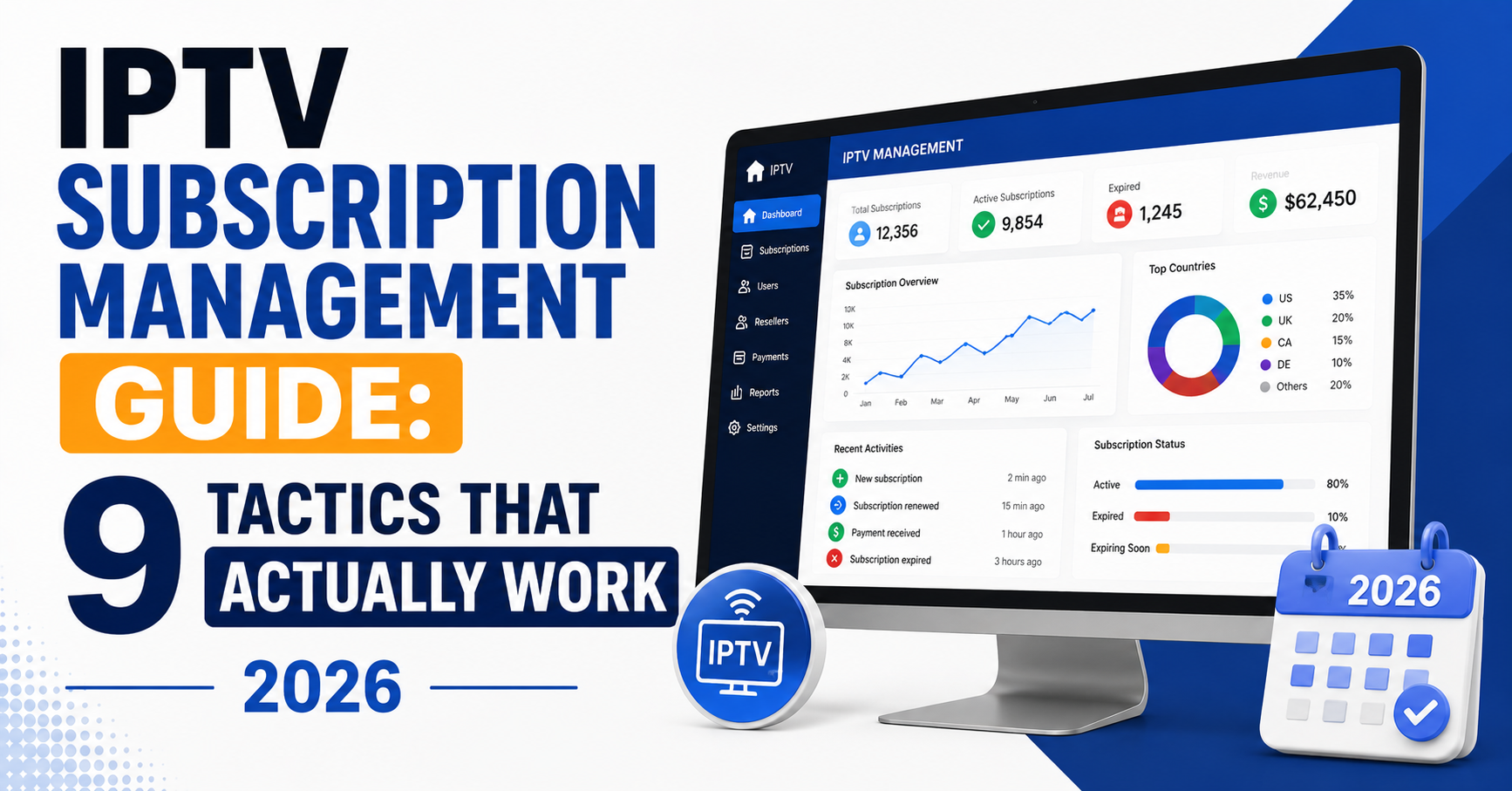

Nobody talks about the part where your panel crashes at 8:47 PM on a Saturday, three Premier League matches are running simultaneously, and 200 subscribers are flooding your WhatsApp with “it’s buffering.” That moment, not some glossy marketing page, is where IPTV subscription management actually happens. And if your systems aren’t built to handle it, you’re already haemorrhaging customers without realising it.
This IPTV subscription management guide isn’t a theory lesson. It’s the accumulated damage report from years of running IPTV reseller operations, losing panels at the worst possible times, migrating entire subscriber bases overnight, and learning, painfully, what separates operators who scale from those who quietly shut down their Telegram channel and disappear.
Whether you’re handling fifty subscriptions or five thousand, the underlying mechanics are identical. Credits, renewals, device limits, DNS routing, load distribution, these are the moving parts that either synchronise into a functioning business or collapse into a support nightmare. Let’s get into it.
What Most Resellers Get Wrong About Subscription Cycles
The biggest misconception in IPTV subscription management? That it ends at activation. You generate a line, send the M3U or Xtream credentials, and move on. That approach works until it doesn’t, and it stops working fast.
Subscription management is a continuous loop. Activation is step one. What follows, renewal tracking, expiry alerts, usage monitoring, credit reconciliation, determines whether that subscriber stays for twelve months or vanishes after thirty days.
Here’s where the framework starts. First, a pre-activation audit: before generating any line, verify your panel credit balance against projected demand. Running out mid-batch is amateur hour. Second, activation logging: record every subscription with device type, connection count, MAG address or app identifier, and activation timestamp. Third, renewal window setup: configure alerts at 72 hours, 48 hours, and 24 hours before expiry. Automated messages convert at nearly double the rate of manual follow-ups. And fourth, post-expiry grace handling: give a 12 to 24 hour buffer before full disconnection. This single tactic reduces churn by a measurable margin.
Pro Tip: Never rely solely on your panel’s built-in expiry notifications. Cross-reference with a spreadsheet or CRM, panels occasionally glitch on timezone calculations, and a missed renewal is a lost subscriber.
Credit Allocation Systems That Don’t Bleed Money
Credits are the lifeblood of your reseller operation. Every IPTV subscription management guide should hammer this point: mismanaging credits is the fastest way to run negative margins without realising it.
Most panels operate on a credit-per-month model. You purchase bulk credits from your provider, then allocate them per subscription, one credit per month, typically, though pricing tiers and trial periods complicate the arithmetic.
The mistake? Not tracking credit burn rate against revenue per subscriber.
If you’re selling twelve-month packages at a discount but your credit cost per month remains fixed, your margin on annual plans might be thinner than you think. Run the numbers quarterly, not annually.
The table below shows how a low-margin operator and an optimised operator handle credit strategy differently:
| Credit strategy | Low-margin operator | Optimised operator |
|---|---|---|
| Bulk purchase timing | Buys when empty | Pre-purchases at volume discounts |
| Trial credit allocation | Full credit per trial | Uses sub-credit trial system |
| Multi-month packages | Flat discount, no tracking | Tiered pricing with margin analysis |
| Credit reconciliation | Monthly (maybe) | Weekly automated audit |
| Wastage on expired trials | 10–15% loss | Under 3% with auto-termination |
If your panel supports sub-credit allocation for trial accounts, use it. Giving a full credit to someone testing your service for 24 hours is like handing out free inventory.
DNS Configuration and Why Subscriptions Fail Silently
Here’s a scenario that destroys subscriber trust without triggering a single error on your panel: DNS poisoning. The subscription shows as active. The credits are deducted. The subscriber’s device resolves to a dead endpoint, and they see nothing but a black screen.
This is an issue that sits at the intersection of infrastructure and customer experience. If you’re not monitoring DNS resolution paths, you’re flying blind.
ISPs, particularly in the UK and parts of Europe, have become increasingly sophisticated with DNS-level blocking since late 2024. By 2026, AI-driven enforcement systems can identify and flag IPTV traffic patterns within hours rather than days.
Your defence layers should include a primary DNS (the provider’s recommended resolver), a secondary DNS (an independent resolver as failover), subscriber-side instructions to pre-configure devices to bypass ISP default DNS where possible, and panel-side monitoring that pings subscriber endpoints every 15 minutes to detect silent failures.
Pro Tip: When a subscriber reports “it was working yesterday and now it’s just black,” the first diagnostic should always be DNS, not server load, not their internet speed. Nine times out of ten in 2026, it’s a resolution issue.
HLS Latency and What It Means for Subscription Quality
Subscribers don’t understand HLS latency. They understand “it’s behind” or “my neighbour saw the goal before me.” But as someone running a subscription management-level operation, you need to understand the mechanics beneath the complaint.
HLS, HTTP Live Streaming, delivers content in small segmented chunks. Each chunk introduces a small delay. Stack those delays across transcoding, CDN routing, and local device buffering, and you get a cumulative lag that ranges from 8 to 30 seconds behind live broadcast.
This matters for subscription management because latency complaints are the number one driver of refund requests during major sporting events. And refund requests, if handled badly, become chargebacks, disputes, and lost reseller credibility.
To manage it operationally, set expectations at the point of sale. A single line in your FAQ or welcome message, “streams may run 10 to 15 seconds behind live broadcast,” cuts complaint volume dramatically. Use low-latency HLS (LL-HLS) panels where available. The trade-off is higher server resource consumption, but the subscriber experience improvement is significant. And during peak events, proactively message your subscriber base. A quick “enjoy the match, slight delay is normal on all IPTV services” neutralises frustration before it begins.
Load Balancing: The Infrastructure Behind Stable Subscriptions
Your subscription management approach is incomplete without addressing the server architecture that sustains those subscriptions. A perfectly managed panel means nothing if the backend crumbles during peak hours.
Load balancing distributes subscriber connections across multiple servers. Without it, a single server handles every stream request, and when 300 people connect at kickoff, that server chokes.
The table below shows how a single server setup compares to a load-balanced one:
| Infrastructure factor | Single server setup | Load-balanced setup |
|---|---|---|
| Peak capacity | 150–250 connections | 1,000+ connections |
| Failover on crash | Total service loss | Automatic reroute |
| Geographic latency | High for distant users | Reduced via regional nodes |
| Cost | Lower upfront | Higher, but scalable |
| Subscriber experience | Inconsistent | Predictable |
The key detail most guides skip: load balancing isn’t just about having multiple servers. It’s about intelligent routing. Your balancer needs to assess server health in real time and redirect new connections to the least-loaded node, not simply round-robin requests across servers that might already be struggling.
Pro Tip: If your provider offers backup uplink servers, activate them, even if they cost extra. A single Saturday evening outage during peak viewing can trigger a cascade of cancellations that costs ten times more than the backup server fee.
Managing Multi-Device Subscriptions Without Losing Control
The “how many devices” question is where IPTV subscription management gets messy. Subscribers want flexibility. They want their living room, bedroom, phone, and tablet all running simultaneously. Your margin, however, depends on enforcing connection limits.
Most panels allow you to set a maximum connection count per subscription, typically one or two simultaneous streams. The problem arises when subscribers share credentials. One subscription meant for a household suddenly serves three different IP addresses across two cities.
This isn’t just a revenue issue. It’s a load issue. Uncontrolled credential sharing inflates your active connection count, consumes server resources you haven’t priced for, and degrades service quality for subscribers who are paying properly.
Practical controls worth building into your workflow include setting connection limits at activation, not after complaints, defaulting to one connection unless the subscriber pays for a multi-device package. Monitor IP diversity too, if a single subscription connects from three or more distinct IPs within 24 hours, flag it for review. Offer legitimate multi-device tiers, a two-connection package at 40 to 50% premium is better than losing the subscriber to a competitor who allows it. And communicate limits clearly, including connection limits in your activation message, since subscribers who know the boundary rarely cross it.
Churn Psychology: Why Subscribers Leave and How to Intervene
Churn in IPTV isn’t random. It follows patterns, and this guide would be incomplete without dissecting them.
The top three churn triggers, validated across multiple UK IPTV reseller operations, are buffering during premium events (not general buffering, specifically buffering during high-demand sports or live events, this is the single largest driver of cancellations), a failed renewal process (the subscriber wanted to renew but couldn’t figure out how, couldn’t reach you, or the payment method was inconvenient, this is entirely preventable churn), and silence after problems (a subscriber experiences an issue, messages you, and gets no response for six hours; by the time you reply, they’ve already found another provider).
Intervention strategies include automating renewal reminders across multiple channels, WhatsApp, email, and panel notification. Respond to support queries within 30 minutes during peak hours, if you can’t manage this alone, bring in a support handler for evenings and weekends. And after resolving any service disruption, send a brief acknowledgment message to all affected subscribers. “We’re aware of the issue earlier this evening. It’s been resolved. Apologies for any interruption.” That message alone retains subscribers who were silently considering leaving.
Pro Tip: Track your churn by cohort, not just overall numbers. If subscribers who joined during a promotional period churn at higher rates, your pricing or onboarding for that cohort needs adjustment, not your general service quality.
Scaling From 100 to 1,000 Subscriptions: What Actually Changes
The jump from small-scale to mid-scale operations isn’t linear. It’s a phase shift. What worked with 100 subscribers actively breaks at 500, and what held at 500 collapses at 1,000.
Here’s what changes, and what most operators underestimate. Support volume scales exponentially, not linearly. At 100 subscribers, you might handle 5 to 10 support queries daily. At 1,000, you’re dealing with 80 to 120, and they cluster around the same peak hours.
Panel performance degrades too. Xtream Codes panels and their derivatives have connection thresholds. If your panel hasn’t been optimised for concurrent API calls, line generation, EPG pulls, connection checks, it starts lagging at scale.
Credit cash flow becomes a real constraint. At 100 subscribers, you might purchase credits monthly. At 1,000, you need a rolling credit reserve, bulk pricing agreements, and a financial buffer for unexpected demand spikes.
The scaling roadmap looks like this: at 100 to 250 subscribers, solo operation is feasible, manual tracking works, a single server is sufficient. At 250 to 500 subscribers, you need a dedicated support channel, automated renewal system, and secondary server. At 500 to 1,000 subscribers, delegate support, implement load balancing, negotiate bulk credit pricing, and consider a second panel as failover. And at 1,000+ subscribers, you’re running a business, not a side hustle, formalise operations, accounting, backup infrastructure, and documented processes for everything.
ISP Blocking in 2026: Adapting Your Subscription Management
Every guide written before 2025 is partially obsolete on this topic. ISP blocking has evolved from crude domain blocking to AI-driven behavioural analysis.
Current enforcement patterns target traffic signatures, since IPTV streams have recognisable packet patterns and AI systems flag sustained high-bandwidth UDP or TCP streams that match known IPTV profiles. They also target DNS query patterns, since repeated lookups to panel-associated domains trigger automated blocks. And deep packet inspection (DPI) is a factor too, since premium ISPs now deploy real-time DPI that can identify HLS segment requests even through standard HTTPS.
What this means for subscription management: you will lose subscribers to blocking events. Not “might,” “will.” The question is how your operation handles it.
Build a blocking response protocol that includes maintaining a list of alternative DNS configurations, updated monthly. Prepare subscriber-facing instructions for VPN setup as a last-resort workaround. Monitor blocking reports from your subscriber base geographically, if a cluster of subscribers in one region simultaneously reports failures, it’s almost certainly an ISP action, not a server issue. And keep backup server addresses that subscribers can switch to when primary endpoints get blocked.
Pricing Models That Protect Margins and Retain Subscribers
Pricing is a topic that most operators treat as an afterthought. They look at competitors, pick a middle number, and hope it works.
That approach ignores a fundamental tension: low prices attract price-sensitive subscribers who churn fastest, while high prices require a service quality level that demands serious infrastructure investment.
The pricing frameworks that work in 2026 include monthly rolling plans, with the highest per-month price and lowest commitment, attracting trial users, accepting that 40 to 50% won’t renew. Quarterly packages are the sweet spot for most resellers, enough commitment to stabilise cash flow, enough flexibility that subscribers don’t feel locked in. Annual packages offer the highest retention but lowest per-month margin, worth offering only if your infrastructure and provider relationship are stable enough to guarantee twelve months of service. And multi-device add-ons deliver incremental revenue with minimal additional cost, a two-connection upgrade at 40% premium is nearly pure margin.
Pro Tip: Never compete on price alone. The resellers who survive long-term compete on reliability and support speed. A subscriber who pays slightly more but never buffers during a major match isn’t shopping around, the one who saved a few pounds and had their stream die at halftime is already searching for alternatives.
Frequently Asked Questions
What does an IPTV subscription management guide actually cover?
An IPTV subscription management guide covers the complete operational workflow for handling subscriber accounts, from initial activation and credit allocation through renewal tracking, device management, troubleshooting, and churn prevention. It goes beyond basic panel navigation to address infrastructure decisions, pricing strategy, and scaling challenges that directly affect subscriber retention and profitability.
How often should I reconcile panel credits against active subscriptions?
Weekly reconciliation is the minimum standard for any reseller handling more than 50 active lines. Credit discrepancies, caused by failed activations, unrecorded trials, or timezone-related expiry miscalculations, compound quickly. Automated reconciliation scripts or spreadsheet cross-checks catch leakage that monthly reviews consistently miss.
Can I manage IPTV subscriptions effectively without load balancing?
Up to approximately 150 to 200 concurrent connections, a single well-configured server can handle the load. Beyond that threshold, you’re gambling with subscriber experience during peak hours. Load balancing isn’t optional at scale, it’s the difference between predictable service and catastrophic Saturday-night failures.
Why do subscribers leave even when the stream quality is good?
Stream quality is only one retention factor. Slow support responses, confusing renewal processes, lack of proactive communication during outages, and inconvenient payment options all drive churn independently of picture quality. A subscription management approach that ignores these soft factors misses the majority of preventable cancellations.
Is DNS configuration really that important for IPTV subscription stability?
Absolutely. DNS poisoning and ISP-level DNS blocking are responsible for a significant percentage of “suddenly stopped working” complaints in 2026. Subscribers see a black screen while the panel shows their subscription as active, creating confusion and eroding trust. Proper DNS failover configuration is a non-negotiable part of modern subscription management.
How do I handle credential sharing without alienating subscribers?
Set clear connection limits at the point of sale and enforce them through panel settings rather than confrontation. Offer legitimate multi-device upgrade tiers so subscribers who need additional connections have a paid pathway. Most credential sharing stems from unclear policies, not deliberate abuse, transparent communication solves the majority of cases.
What’s the best pricing structure for new IPTV resellers?
Start with monthly and quarterly options only. Annual plans require infrastructure stability you probably haven’t proven yet, and refunding a twelve-month package after a provider switch destroys your margin. Once your operation has survived at least six months without a provider change, introduce annual pricing with confidence.
How does AI-driven ISP blocking affect day-to-day subscription management?
AI-driven blocking means that subscriber disruptions are less predictable and more geographically targeted than older block-based approaches. Your workflow needs a rapid-response protocol, alternative DNS settings, backup server addresses, and pre-written subscriber instructions, ready to deploy within minutes of a confirmed blocking event.
IPTV Subscription Management Guide: Your Reseller Success Checklist
- Audit your credit balance weekly, not monthly, and track burn rate against revenue per subscriber tier.
- Configure triple-layer renewal alerts (72h, 48h, 24h) across WhatsApp and panel notifications simultaneously.
- Set connection limits at the point of activation, not retroactively after abuse complaints surface.
- Implement DNS failover with a secondary resolver and document subscriber-side configuration steps before you need them.
- Establish a 30-minute maximum response window during peak viewing hours, delegate if you can’t maintain it solo.
- Run a monthly churn cohort analysis to identify whether specific sign-up periods, pricing tiers, or onboarding methods correlate with higher cancellation rates.
- Activate backup uplink servers now, not after the outage that costs you fifty subscribers overnight.
- Prepare a pre-written ISP blocking response kit, alternative DNS, backup server addresses, and subscriber instructions, stored where you can deploy it in minutes.
- Price for reliability, not competition. Your lowest-price subscribers are statistically your highest-churn segment.
- Start building your reseller panel infrastructure with a trusted provider, explore British Reseller for IPTV panel access built around the operational realities covered in this guide.