
Running an IPTV subscription workflow properly is what separates resellers who scale from those who burn out in their first three months. I have managed panels across multiple markets, and the difference between a smooth operation and a chaotic one comes down to understanding your tools before your customer base grows.
What the IPTV Subscription Workflow Means for Resellers
The IPTV reseller panel is not just a dashboard. It is the entire operational core of your business. Every subscription you sell, every renewal you process, and every customer complaint you resolve passes through it.
What surprises most new resellers is how much the panel does automatically. When you first log in, you see your credit balance, active connections, and expiry alerts all on one screen. That visibility changes how you run the business from day one.
As a reseller, you are not hosting channels or distributing media. You are managing access credentials and subscription lifecycles through a software platform. That distinction matters both legally and operationally.
How the IPTV Subscription Workflow Works in Practice
The workflow begins when a customer places an order. You enter their username and device details into the panel, the system deducts credits from your balance, and an access credential is generated instantly.
Authentication happens on the customer’s end each time they open their streaming app. The app queries the control system, the system checks whether the account is active, and the connection is either approved or denied in under a second. You never need to touch it manually unless something goes wrong.
Real-time synchronization means that any change you make in your dashboard a password reset, a plan extension, a device switch takes effect immediately. That responsiveness is what allows you to resolve support tickets fast.
Become an IPTV Reseller WhatsApp Contact
Managing Credits Without Running Dry
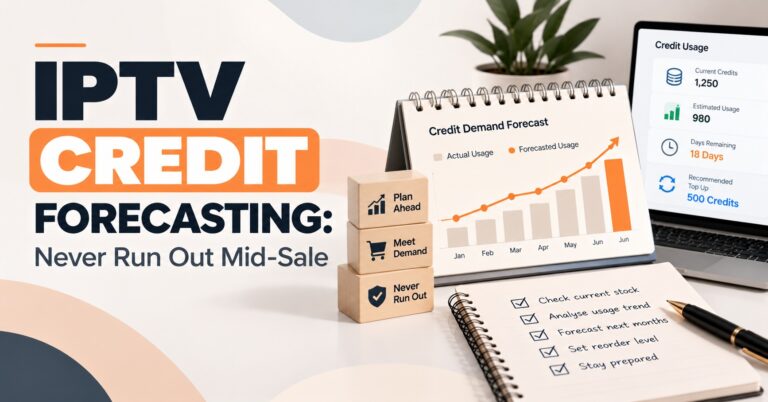
The IPTV credit system is the financial engine of your panel. One credit typically equals one month of service for one user. You buy credits in bulk, then spend them as you activate and renew accounts.
The mistake I see constantly in newer operators is not checking their balance every morning. I once had a busy Saturday renewal period where my balance hit zero overnight. I woke up to six customers messaging me about expired accounts. That situation is entirely avoidable with a daily balance check.
Set a minimum threshold in your head say, enough credits to cover two weeks of expected renewals and replenish before you cross it. Treat your credit balance the same way a physical shop treats stock levels.
User Management and Device Locking in the Panel
Inside a professional panel, every user account shows you connection status, device information, and login history. When a customer reports a problem, you can see exactly what is happening on their account before you even ask them a question. That saves time and builds trust.
Device locking ties a subscription to a specific MAC address or device ID. This prevents one account from being shared across multiple households. I always enable device locking by default it protects revenue and keeps your network authentication infrastructure stable under load.
Package creation is flexible. You can build 1-month, 3-month, and 12-month plans, set different credit costs for each, and display them cleanly on your pricing page. The panel handles the credit deduction automatically when you activate each package.
IPTV Subscription Workflow Step by Step
| Step | Action | What Happens |
|---|---|---|
| 1 | Buy Credits | Your dashboard balance increases |
| 2 | Receive Order | Customer selects a plan from your site |
| 3 | Enter Details | Username and device info added to panel |
| 4 | Activation | Credits deducted, access credential created |
| 5 | Delivery | You send login details and a setup guide |
| 6 | Monitoring | Panel logs confirm successful connection |
| 7 | Renewal | System alerts you before expiry date |
This process takes under five minutes per customer once you know the panel. In your first week, it might take fifteen. Speed comes with repetition.
Common Mistakes to Avoid in the First Month
New resellers consistently underestimate customer support. The panel handles the technical side, but the customer is messaging you. Slow replies lose accounts. I have seen resellers with perfectly functioning panels lose half their base in two months simply because they responded the next day instead of within the hour.
Weak panel passwords are another recurring problem. Your dashboard holds your entire customer list and credit balance. A compromised account can wipe your operation overnight. Use a strong unique password and enable any two-factor options the platform provides.
The third mistake is overselling before testing. Before you take on customers, test the device setup guide yourself on a smart TV, an Android box, and a smartphone. If you cannot walk a customer through setup on those three devices, you are not ready to charge for the service.
What to Look for When Choosing an IPTV Reseller Panel
Prioritise panels that offer real-time connection logs. Without logs, you are guessing when a customer reports a problem. With logs, you can see exactly where and when the issue occurred.
Look for automated expiry alerts. Manually tracking renewal dates across hundreds of accounts is how errors happen. A good panel surfaces upcoming expirations on the dashboard so nothing slips through.
API access matters once you start scaling. If you eventually want to automate your IPTV reseller operations or integrate your panel with a website checkout, you need a platform that supports it. Check for this before you commit, even if you do not need it immediately.
| Feature | Basic Panel | Advanced Panel |
|---|---|---|
| User Creation | Manual only | Automated options |
| Connection Logs | No | Yes |
| Device Locking | No | Yes |
| Expiry Alerts | Basic | Real-time |
| API Access | No | Yes |
| Sub-Reseller Management | No | Yes |
Author Note: Written from direct experience running IPTV reseller panel operations across UK and European markets.
Frequently Asked Questions
What exactly is an IPTV reseller panel and what does it do?
An IPTV reseller panel is a web-based software dashboard that lets you manage subscriptions, credits, and user accounts without any technical background. You log in through a browser, and from one screen you can create accounts, process renewals, check connection logs, and monitor your credit balance. It acts as the operational centre of your entire business. The platform handles the database logic in the background so you can focus on customer-facing work. No server management or coding is required on your end.
How does the credit system work in practice?
Credits are the internal currency of your reseller account. You purchase them in bulk from your panel provider at a wholesale rate, then spend them each time you activate or renew a customer subscription. One credit typically covers one month of service for one user, though this varies by plan length and package type. The panel deducts the correct amount automatically when you process each activation. Keeping your balance healthy is one of the most important daily habits in this business.
Can I manage sub-resellers through the same panel?
Yes, most advanced panels support sub-reseller accounts. You can create a separate login for each sub-reseller, allocate credits to them at a wholesale rate, and monitor their activity from your main dashboard. This lets you build a distribution network without losing oversight. Many experienced operators reach a point where sub-resellers generate more volume than their own direct sales. The key is setting clear credit pricing and support expectations upfront.
What should I do when a customer says their account has stopped working?
Open the panel immediately and find the customer’s account. Check whether the subscription is still active, whether the device ID matches what is on file, and whether there are any recent connection errors in the logs. Most issues are caused by an expired subscription, a device change, or an app that needs reinstalling. In the majority of cases you can diagnose and resolve the problem within two minutes using the panel alone. Only escalate to your provider if the logs show the account is active but connections are still failing.
Is the IPTV reseller business model scalable without extra staff?
For most operators, yes up to a few hundred active customers. The panel automates the technical work, so your time is spent on support and sales rather than manual processing. Beyond a certain volume, automated billing tools and sub-reseller networks reduce the manual load further. The iptv reseller panel plans you choose will determine how much can be automated at each stage of growth. Most successful solo operators reach 200 to 400 active accounts before considering additional help.
If you are ready to put this into practice, start by logging into your panel today and mapping every step of the workflow against your current process. Find where orders are slipping or renewals are being missed, and fix those gaps before adding new customers.