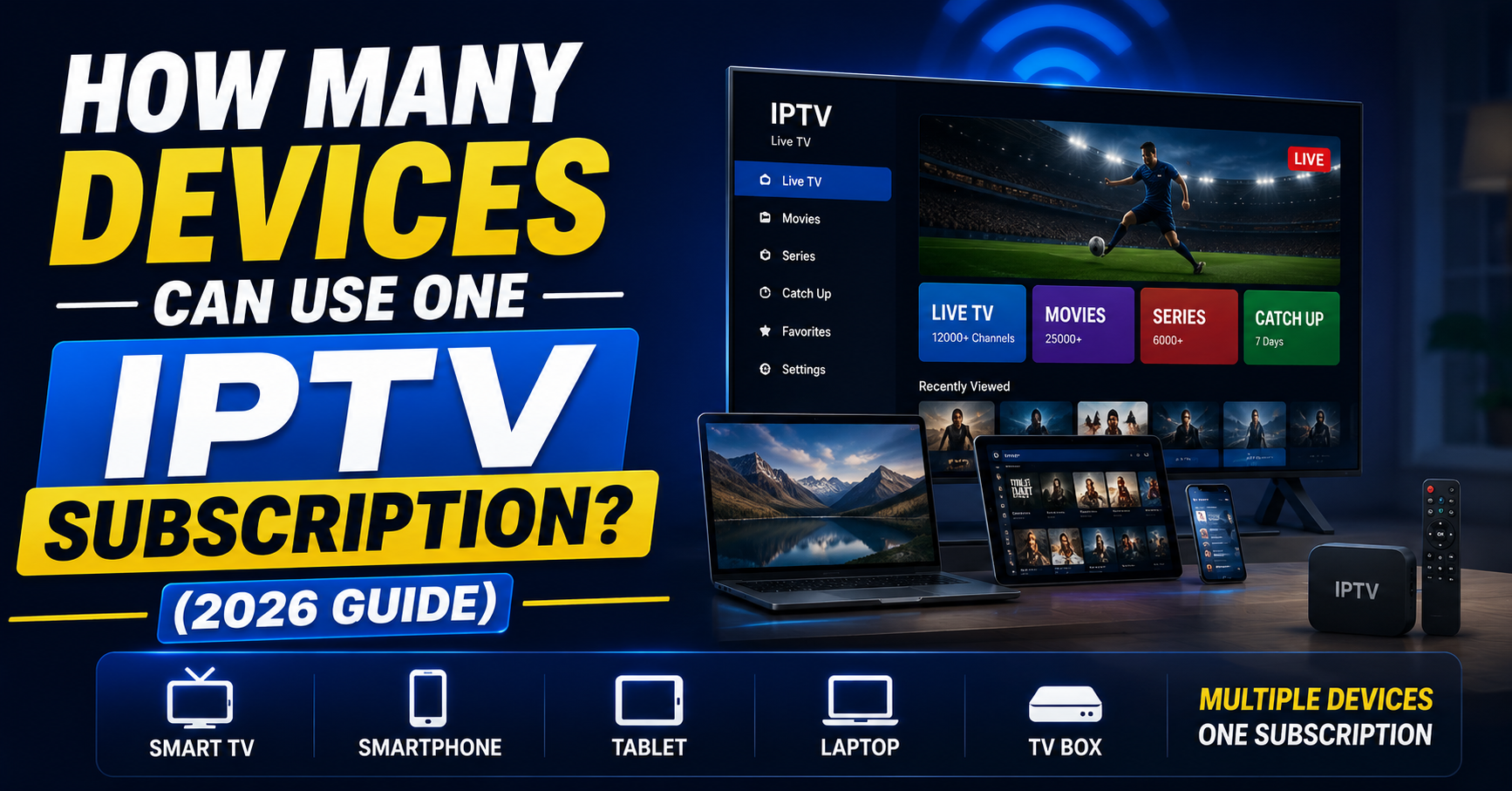

How Many Devices Can Use One IPTV Subscription? The Real Answer
How many devices can use one IPTV subscription depends on connections, not installations. You can install the app on unlimited devices, but only as many can stream simultaneously as your plan’s connection count allows. A “1 connection” plan means one active stream at a time regardless of how many devices have the app installed; a household of three or more generally needs at least 2 connections to avoid constant conflict.
Somewhere right now, a father is staring at a frozen screen while his daughter streams cartoons upstairs and his wife watches a cooking channel in the kitchen. Three devices. One IPTV subscription. And nothing works properly.
That scenario plays out thousands of times daily, and it has almost nothing to do with internet speed. The real bottleneck is something most buyers never ask about, and most resellers never explain clearly enough.
The question “how many devices can use one IPTV subscription” sounds simple. The answer is anything but. It depends on server architecture, panel configuration, connection allocation, and the kind of infrastructure your provider actually runs behind the scenes. This article unpacks all of it, for households trying to share a single IPTV subscription and for UK IPTV resellers who need to explain device limits without losing the sale.
The Standard Connection Model Behind Every IPTV Subscription
Most providers structure their IPTV subscription plans around connections, not devices. That distinction matters enormously. A “1 connection” plan means one active stream at any given time, not one device permanently linked to the account.
You can install your IPTV subscription app on a Firestick, a phone, a tablet, and a smart TV simultaneously. But only one of those devices can stream at once under a single-connection plan.
Pro Tip: When a customer asks “how many devices can use one IPTV subscription,” reframe it: “You can install on unlimited devices. The limit is how many can stream at the same time.”
This reframing alone reduces refund requests. Buyers feel they’re getting flexibility rather than restriction. It’s a subtle shift, but it changes purchasing psychology entirely.
Why “Multi-Device” and “Multi-Connection” Are Not the Same Thing
Here’s where confusion breeds frustration, and chargebacks. Buyers see “multi-device” on a sales page and assume everyone in the household can watch independently. That’s not what it means.
Multi-device refers to app compatibility. Your IPTV subscription works across platforms, Android, iOS, Windows, MAG boxes, smart TVs. Multi-connection means simultaneous streams.
A household of four needs a minimum 2-connection IPTV subscription if viewing habits overlap even slightly. During peak hours, evenings, weekends, match days, a single connection creates constant conflict.
Here’s how the terms actually break down against what buyers assume:
| Term | What it actually means | Buyer expectation |
|---|---|---|
| 1 Connection | One live stream at a time | “Only works on one TV” |
| Multi-Device | App installs on many platforms | “Everyone can watch” |
| 2 Connections | Two simultaneous streams | “Enough for a couple” |
| 4 Connections | Four simultaneous streams | “Whole family sorted” |
Resellers who clarify this table at the point of sale see measurably lower churn within the first billing cycle.
The Technical Reality Behind a Second Device Connecting
When a second device attempts to connect on a single-connection IPTV subscription, the panel doesn’t politely queue it. Depending on server configuration, one of three things happens: the first stream drops, the second request gets denied, or both devices experience buffering as the server briefly tries to serve two threads before killing one.
That third scenario, the double-buffer, is what makes customers assume their internet is the problem. It’s not. It’s connection enforcement at the panel level, and it happens in milliseconds.
Panels built on Xtream Codes-based architecture handle this through MAC or device-token binding. Every active stream registers a token. When the connection cap is reached, new tokens get rejected.
Pro Tip: If you’re a reseller fielding “buffering” complaints from families, ask how many devices are running before troubleshooting anything else. Eighty percent of the time, the issue is concurrent usage exceeding their IPTV subscription plan.
The Household Split: How Real Families Actually Use an IPTV Subscription
Forget the spec sheet for a moment. Here’s what actual usage looks like in a family of four sharing one IPTV subscription.
Monday evening: one person watches live sport. No conflict. One connection is fine.
Saturday afternoon: two kids on tablets, one parent on the main TV, another streaming on a phone. That’s four simultaneous demands on what might be a 1- or 2-connection IPTV subscription. The result is a support ticket, or worse, a PayPal dispute.
The pattern is predictable. Weekday usage rarely exceeds one connection. Weekend and evening usage spikes to three or four. Smart IPTV resellers recommend 2-connection packages as the baseline for any household over two people and upsell 4-connection plans to families.
Three scenarios that trigger multi-device conflict:
- Live sports events where multiple household members watch different matches
- School holidays when children stream content throughout the day
- Evening overlap when everyone settles into separate viewing after dinner
Each of these is a conversion opportunity, not a complaint. Frame the upgrade as solving a real pain point they’ve already felt.
How Resellers Should Price Multi-Connection IPTV Subscription Plans
Pricing multi-connection IPTV subscription plans isn’t just about doubling the cost for double the connections. That model leaves money on the table and confuses buyers.
The most effective pricing structure uses diminishing increments. If a 1-connection plan costs £X, a 2-connection plan should cost roughly £X × 1.6, and a 4-connection plan around £X × 2.5. The buyer perceives increasing value with each tier, which pushes them toward the higher plan.
This isn’t theory, it’s behavioural pricing that major streaming platforms have used for years. The difference is that with IPTV, your panel credits scale linearly but your pricing doesn’t have to.
Pro Tip: Never list a 1-connection IPTV subscription as your “recommended” plan. Anchor on the 2-connection option and let the 1-connection serve as a decoy. Conversions to 2+ connections jump noticeably when the cheapest plan is visually de-emphasised.
Why Connection Limit Workarounds Don’t Actually Work
Let’s address what people actually search for, and what you’ll never find in a sanitised FAQ.
Some users attempt to bypass connection limits using VPN splitting, dual-app instances, or staggered reconnection timing. None of these methods work reliably. Panels track connections by authentication token, not by IP address or device fingerprint alone. Splitting traffic across VPN nodes doesn’t create a second authorised token.
The only legitimate way to run more devices than your connection cap allows is to purchase additional connections or a separate IPTV subscription line entirely.
For resellers, this matters because buyers who feel “tricked” by connection limits become vocal critics. Transparency at the sales stage eliminates this entirely. State the connection count clearly. Show the comparison table. Let them choose.
Load Balancing, HLS Latency, and Why Connection Count Affects Stream Quality
Here’s the infrastructure angle that most articles on “how many devices can use one IPTV subscription” never touch.
Every concurrent connection on a server consumes bandwidth, memory, and CPU cycles. Providers running lean infrastructure, single uplink, no CDN distribution, minimal load balancing, start degrading stream quality as total concurrent connections across all users climb.
A 2-connection IPTV subscription on a well-architected platform with backup uplink servers and geographic CDN nodes performs better than a 4-connection plan on a budget provider running everything from a single dedicated box.
HLS (HTTP Live Streaming) latency compounds this. Each additional connection adds decode overhead. On servers without proper segment caching, every concurrent stream re-requests the same segments independently rather than being served from cache.
Here’s how budget and premium infrastructure actually compare on this:
| Infrastructure element | Budget provider | Premium provider |
|---|---|---|
| Uplink servers | Single, no failover | Multiple with auto-failover |
| CDN distribution | None | Multi-region edge nodes |
| HLS segment caching | No caching | Aggressive local cache |
| DNS protection | Basic | Anti-poisoning + rotation |
| Connection handling | Hard kill on cap | Graceful queue + notification |
Resellers sourcing from premium-tier providers can confidently sell 2- and 4-connection IPTV subscription plans without worrying about quality degradation during peak hours.
ISP-Level Detection and Multi-Connection IPTV Subscription Traffic in 2026
The 2026 landscape for IPTV traffic looks different from even two years ago. ISPs now deploy AI-driven deep packet inspection that flags sustained, high-bandwidth HLS streams, particularly when multiple concurrent streams originate from a single residential IP.
A household running a 4-connection IPTV subscription generates a traffic signature that looks noticeably different from standard browsing or even legitimate streaming platforms. The packet structure, request frequency, and server endpoints create a pattern that modern detection systems recognise.
This doesn’t mean multi-connection plans are unviable. It means resellers and users need to understand DNS management and traffic routing. Recommending reliable DNS configurations, and explaining why the default ISP DNS is a liability, is now part of the reseller’s job.
Pro Tip: Advise customers on a multi-connection IPTV subscription to configure DNS at router level rather than per-device. This ensures consistent routing across all connected devices and avoids the fragmented resolution that triggers inconsistent behaviour.
What Happens When You Share an IPTV Subscription Across Separate Households
Account sharing is the elephant in the room. Can one IPTV subscription be used across two different homes?
Technically, if the connection count allows it, yes, two people in two locations can stream simultaneously on a 2-connection plan. The panel doesn’t enforce geographic restriction unless the provider specifically enables geo-locking on the account level.
But here’s the operational reality. Shared accounts across households generate twice the support tickets. Different ISPs, different network configurations, different devices. When something breaks for one user, the other person’s credentials get tangled into the troubleshooting process.
For resellers, the cleaner play is to sell separate IPTV subscription lines to each household and offer a “household bundle” discount rather than encouraging account splitting. Your panel credit cost per line stays the same, but your support overhead drops significantly.
How Connection Limits Get Managed on the Panel Side
Panel management is where connection limits become actionable. Most panels allow resellers to set connection counts per user, typically 1, 2, or 4. Some panels support custom values.
The workflow is straightforward. When a customer purchases a 2-connection IPTV subscription, you allocate two connections against their line in the panel. If they request a temporary upgrade, say, for a tournament weekend, you bump it to four and revert afterward.
This flexibility is a retention tool. The customer feels accommodated. You’ve used minimal additional credits. And you’ve created a reason for them to contact you directly next time they need something, reinforcing the relationship.
Key panel management actions for multi-connection plans:
- Set connection limits per subscription line at point of activation
- Monitor concurrent usage to identify customers who consistently hit their cap
- Offer timed upgrades during high-demand periods as a paid add-on
- Track which connection tier generates the lowest churn rate in your customer base
Frequently Asked Questions
How many devices can I install my IPTV subscription on?
There’s no hard limit on installations. You can load the app on every compatible device in your home, Firestick, smart TV, phone, tablet, laptop. The restriction applies only to simultaneous streaming, which depends on your connection plan. Install freely, but only your allocated number of connections can be active at once.
Does a 2-connection IPTV subscription mean two devices forever?
No. It means two simultaneous streams. You can switch between devices as often as you like. Watch on your phone during lunch, then switch to your TV in the evening, it only counts as one connection because you’re not streaming on both at the same time.
Can I use one IPTV subscription in two different houses?
If your plan supports multiple connections, two people in different locations can technically stream at the same time. However, different ISP environments can create inconsistent performance. Most UK IPTV resellers recommend separate lines for separate households to avoid troubleshooting complexity.
Why does my IPTV subscription buffer when my family watches together?
The most common cause isn’t internet speed, it’s exceeding your connection limit. If three family members try to stream on a 1-connection plan, the server rejects or degrades extra connections. Upgrading to a 2- or 4-connection IPTV subscription resolves this immediately.
What’s the difference between connections and devices on an IPTV subscription?
Devices refer to hardware where the app is installed. Connections refer to active simultaneous streams. A 1-connection IPTV subscription installed on five devices still only allows one live stream at any moment. The distinction is critical when choosing your plan.
Is a 4-connection IPTV subscription worth the extra cost?
For households with three or more regular viewers, absolutely. The cost difference between 2 and 4 connections is typically modest compared to the frustration of constant stream conflicts. It’s the most recommended tier for families and shared living situations.
How do resellers set connection limits on an IPTV subscription?
Resellers configure connection counts through their panel during line activation. Most panels allow 1, 2, or 4 connections per line. Some support custom values. Adjustments can be made in real time, making it easy to upgrade or downgrade customers as needed.
Does using a VPN add extra connections to my IPTV subscription?
No. VPNs route your traffic through a different server but don’t create additional authorised connections. Your IPTV subscription panel tracks authentication tokens, not IP addresses. A VPN changes your visible location but cannot bypass your allocated connection cap.
Your Multi-Device IPTV Subscription Checklist: Execute This Week
- Audit your current plan offerings, make sure connection counts are stated explicitly on every sales page, not buried in terms
- Build a simple comparison visual (1 vs 2 vs 4 connections) and place it above the fold on your checkout page
- Set your default recommended plan to 2 connections, not 1, anchor the buyer’s decision upward
- Configure your panel to allow temporary connection upgrades for high-demand weekends and bill them as micro-add-ons
- Draft a one-paragraph explainer distinguishing “devices” from “connections” and paste it into your pre-sale FAQ or chatbot script
- Monitor your churn data by connection tier, if 1-connection plans churn fastest, consider removing them from prominent display
- Review DNS guidance for multi-connection households and include router-level configuration instructions in your onboarding email
- Visit British Seller for current panel sourcing and reseller infrastructure insights that map directly to the multi-connection strategies covered here