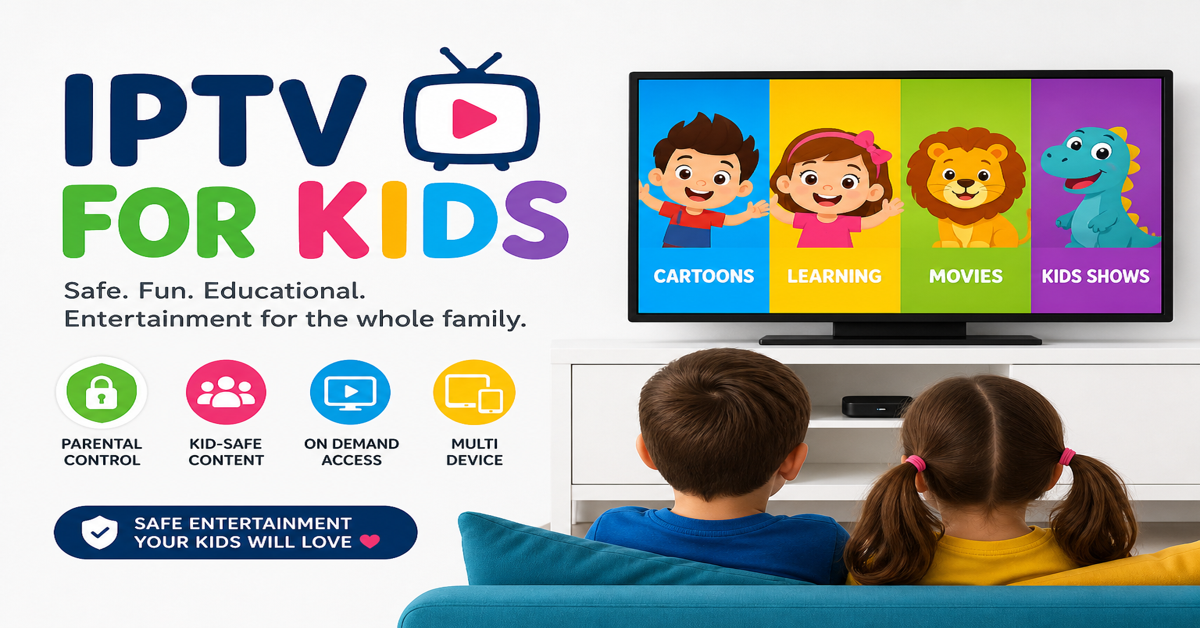

IPTV for kids is only safe when adult content is removed at the panel level, not hidden behind a device PIN. A separate curated playlist has to be built from scratch so there’s nothing inappropriate for a child to stumble into, locked or not. Anything less, a PIN code, an app-level filter, a “just don’t let them use it unsupervised,” eventually fails.
There is a moment every parent dreads, walking into the living room to find their seven-year-old staring at something they absolutely should not be watching. It happened to one of our customers last year. They had purchased a standard IPTV subscription, handed the Firestick remote to their child, and assumed the service worked like a children’s TV channel. It did not. The default playlist had everything on it, premium sports, international feeds, and adult content sitting three clicks away from the cartoons.
That one incident cost us the customer, their trust, and a referral network of at least four other households they would have sent our way. IPTV for kids is not just a niche offering. It is a retention and reputation decision every reseller needs to take seriously.
This guide is not written for the parent who wants to know what IPTV stands for. It is written for the parent who has already decided they want IPTV for kids in their home and needs to know exactly what questions to ask, what to demand from their provider, and what proper setup actually looks like, before anything goes wrong.
The Default Playlist Problem Most Parents Never See Coming
IPTV for kids requires deliberate configuration. The default state of most IPTV reseller panel is a full channel list, every category the upstream provider carries, delivered as-is to whoever purchases a subscription. That means adult entertainment categories, unclassified international feeds, late-night content blocks, and channels with no age rating whatsoever sit in the same list as animated programming and children’s networks.
The assumption baked into most reseller setups is that the subscriber is an adult managing their own viewing. There is no automatic child safety layer. There is no system that detects a young viewer and adjusts accordingly. What you see is what everyone in the household sees.
This is the gap that parents rarely understand when they sign up. They compare IPTV to a standard satellite or cable package and assume similar safeguards exist. They do not, unless someone builds them in deliberately.
Pro Tip: Before your child uses any IPTV service, ask your reseller one direct question: “Has adult content been removed from my playlist, or just hidden behind a PIN?” These are two completely different things. Removal means it cannot be reached at all. A PIN means it is still there, waiting for the right combination of curiosity and an unlocked screen.
The Only Reliable Fix: Removing Adult Content at the Package Level
Device-side parental controls sound reassuring. Most Smart TVs, Firestick launchers, and IPTV apps offer some version of a PIN or content lock. In practice, these controls fail more often than they hold. Children figure out PINs. Apps update and reset settings. A new device gets configured without the restriction being reinstated. The lock that felt solid six months ago quietly stops working.
The only configuration that actually protects IPTV for kids is removal at source, meaning the playlist or package your household receives should not contain adult content at all. Not locked. Not hidden. Gone.
When we set up IPTV for kids for a family customer, the process starts at the panel level, not the device level. Adult categories are stripped from the M3U playlist before it is ever assigned to that account. The child browsing the channel list sees children’s networks, family films, educational content, and general entertainment. There is nothing else to navigate into accidentally or intentionally.
Here’s how the different protection layers actually compare:
| Configuration type | Can child access adult content? | Reliability |
|---|---|---|
| Device PIN only | Yes, if PIN is discovered or reset | Low |
| App-level content lock | Yes, after app update or reinstall | Medium |
| Playlist filtered by reseller | No, content does not exist in feed | High |
| Separate kids-only package | No, built from scratch without adult categories | Highest |
The table above is not theoretical. It reflects what actually happens when parents rely on the wrong layer of protection.
What Actually Belongs in a Kids-Safe Channel Lineup
Building IPTV for kids properly means thinking about the channel list as a curated product, not a filtered version of an adult one. The distinction matters. A curated kids package starts from zero and adds only what is appropriate. A filtered adult package starts full and removes what is obvious, which means edge cases slip through.
A well-built IPTV for kids playlist typically includes:
- Dedicated children’s network categories organized by age group
- Animated series and classic cartoon libraries
- Educational programming covering science, nature, and language
- Family films in a separate VOD section, rated appropriately
- General family entertainment with no late-night scheduling bleed
What it should not contain, and what often gets missed in a basic filter job:
- Unclassified international feeds with no content rating
- Sports channels that carry betting advertisements in breaks
- News channels, which are not age-inappropriate but are also not what a child’s package is for
- Any VOD category labelled “uncensored,” “uncut,” or with no rating metadata
Pro Tip: Ask your reseller to send you a screenshot of the category list before the subscription goes live on any device a child will use. If they cannot or will not do this, that tells you everything about how seriously they take configuration quality.
Ora Player: The App That Actually Works for Family Streaming
Most IPTV for kids conversations get stuck on content filtering and never reach the question of which app to actually use. That is a mistake, because a poorly chosen app can undermine even a well-filtered playlist.
For family use, Ora Player is the standout choice based on real deployment experience. It handles HLS streams cleanly without the micro-buffering that cheaper apps introduce. It supports EPG (the electronic programme guide), meaning children see a familiar TV-style grid rather than a raw scrolling channel list. That matters more than it sounds. A child who can see “what is on now” and “what is on next” behaves like a normal TV viewer. A child staring at a list of five hundred channel names starts pressing things randomly.
Ora Player also does not require technical knowledge to operate day-to-day. Once it is configured, it stays configured. There are no prompt screens asking for API keys, no periodic re-authentication dialogs, and no settings buried in menus that a child might accidentally navigate into.
The buffering question for kids’ channels is largely a non-issue on quality infrastructure. Children’s content does not demand the same bandwidth as a 4K live sports stream. On a stable connection with a provider running proper load balancing and backup uplink servers, IPTV for kids runs without interruption. The peak-hour pressure that causes sports streams to occasionally stutter simply does not apply to cartoon channels at the same intensity.
Why Setup Should Never Be Left to the Parent
Here is what separates a reseller worth keeping from one worth leaving: whether they configure IPTV for kids for you, or send you a text file and wish you luck.
M3U URLs, portal addresses, EPG source links, app settings, none of this is intuitive for a parent whose technical experience extends to connecting a printer. Expecting a family customer to self-configure their child’s IPTV setup is how resellers lose family customers permanently. One failed attempt, one confused phone call that goes unanswered, and that household moves on.
Remote configuration using tools like Any Desk or TeamViewer takes under fifteen minutes for an experienced reseller. The app gets installed, the filtered playlist gets loaded, the EPG gets mapped, the stream gets tested, and the parent gets handed back a device that simply works.
This is also where trust is built with family subscribers. They are not buying a credential, they are buying a working, safe television service for their children. The reseller who treats it that way keeps that customer for years. The reseller who sends a setup guide and disappears loses them in the first week.
Pro Tip: When you complete a remote setup for IPTV for kids, record a thirty-second screen capture showing the channel categories. Send it to the parent via WhatsApp. It takes thirty seconds and eliminates every “is it safe?” follow-up question before it gets asked.
What AI-Driven ISP Blocking Means for Family Subscribers in 2026
ISP blocking in 2026 operates differently from the blanket domain blocks of earlier years. Modern enforcement uses deep packet inspection and AI-driven traffic pattern analysis to identify IPTV streams at the network level, not by domain name, but by stream behaviour. A stream that delivers consistent 30-second HLS segments on a fixed cadence gets flagged and throttled even if the domain has never appeared on a blocklist.
For IPTV for kids specifically, this creates an interesting operational dynamic. Children’s content streams are typically lower bitrate, shorter segment duration, and delivered on lighter server load than premium sports feeds. In some cases this makes them less visible to traffic pattern analysis tools. In other cases, the same ISP enforcement that disrupts a live football match also disrupts a children’s cartoon if both are running through the same server infrastructure.
The mitigation is provider-side, not subscriber-side. A provider running multiple uplink servers, with automatic failover built into the stream delivery layer, absorbs most enforcement attempts without the subscriber ever knowing an issue occurred. The stream switches paths. The child keeps watching.
What a family subscriber can do from their end is limited. Ensuring they are connected to a 5GHz Wi-Fi band rather than 2.4GHz reduces local congestion. Using a quality router with QoS settings prioritising streaming traffic helps. Beyond that, the infrastructure question is entirely the UK IPTV reseller’s responsibility.
The Loyalty Dynamic: Why Family Subscribers Are Your Most Valuable Accounts
There is a pattern that shows up consistently across reseller operations: family subscribers churn slowly but leave decisively. A single adult buying IPTV for their own use will tolerate occasional buffering, work around minor disruptions, and stay as long as the price is competitive. A parent who bought IPTV for kids has a completely different threshold.
One incident of inappropriate content reaching their child and the subscription is cancelled that day. No negotiation. No second chance. The damage is not just the lost subscription, it is the lost referral network, because parents talk to other parents. A family subscriber who has a bad experience does not stay quiet about it.
The inverse is equally true. A family subscriber whose child has never seen anything inappropriate, whose streams never buffer during morning cartoons, and who received a remote setup that required zero effort on their part, that subscriber renews without being asked.
IPTV for kids, configured and managed correctly, is not a charitable concession to family customers. It is the highest-margin, lowest-churn segment available to any reseller willing to treat it seriously.
Frequently Asked Questions
Can IPTV for kids be set up without the child accessing adult content?
Yes, but the configuration must happen on the provider’s side, not just the app side. Device-level parental controls can be bypassed or forgotten. The more reliable method is having your reseller build a separate playlist that excludes adult, violence, and unrated content entirely. This way, no pin code or app setting stands between your child and inappropriate material.
Which IPTV app works best for kids’ streaming without buffering?
Ora Player consistently performs well for family use. It handles HLS streams cleanly, supports EPG display so kids can browse like a real TV guide, and does not require technical knowledge to operate. For households where children use the app independently, Ora Player’s simple interface reduces accidental navigation into wrong sections.
What channels should be in an IPTV for kids package?
A properly built kids’ IPTV package should include dedicated children’s network categories, educational content, animated programming, and family films, with news, sports betting content, adult entertainment, and unclassified international feeds completely removed. The cleaner the playlist, the less chance of a child stumbling onto something unsuitable.
How do I know if my reseller has actually removed adult content from my kids’ package?
Test it yourself before handing the device to your child. Browse every category in the channel list. Check VOD sections. If you see categories labelled “Adults,” “XXX,” or unverified international feeds, the package has not been properly filtered. A trustworthy reseller either filters by default for family plans or configures it remotely for you upon request.
Can my reseller set up IPTV for kids remotely without me doing anything technical?
Yes, and this is what separates a proper reseller from someone just selling credentials. A good reseller can configure the app, load the cleaned playlist, set up EPG, and test the connection remotely using tools like AnyDesk or TeamViewer. Parents should not be expected to understand M3U files or portal URLs. If your reseller will not help with setup, find one who will.
Does IPTV for kids work on tablets and Smart TVs?
Yes. Most IPTV apps including Ora Player are available across Android tablets, Amazon Fire tablets, Android Smart TVs, and Firestick. For younger children, tablets are often preferred since screen time apps can be layered on top. For the living room, a Firestick or Android TV box running Ora Player gives the cleanest lean-back experience.
What happens if the kids’ IPTV stream goes down during a show?
With a quality provider running load-balanced infrastructure and backup uplink servers, mid-stream drops are rare on kids’ channels which carry lower bandwidth demand than live sports. If buffering does occur, it is usually an ISP-side issue or a local Wi-Fi problem rather than a server failure. A competent reseller will resolve outages quickly, family subscribers are among the most loyal but also the fastest to leave after a bad experience.
Success Checklist: IPTV for Kids: Reseller Execution Steps
- Strip adult content categories from the playlist at panel level, do not rely on device PINs
- Build a separate kids-specific M3U with curated categories only, do not use a filtered version of the adult playlist
- Install and configure Ora Player remotely for every family subscription, do not send setup instructions and hope for the best
- Map EPG correctly so children see a programme guide, not a raw channel list
- Send a screenshot of the category list to the parent via WhatsApp before marking the setup complete
- Test VOD sections manually, adult content often survives basic category filters inside VOD libraries
- Flag family accounts in your panel so any playlist update is checked against the kids configuration before it goes live
- Follow up at the 30-day mark, family subscribers who feel looked after do not leave
For a fully managed IPTV for kids setup with content filtering handled at the source, visit britishseller.co.uk, the UK’s trusted IPTV panel for family-safe IPTV subscriptions.