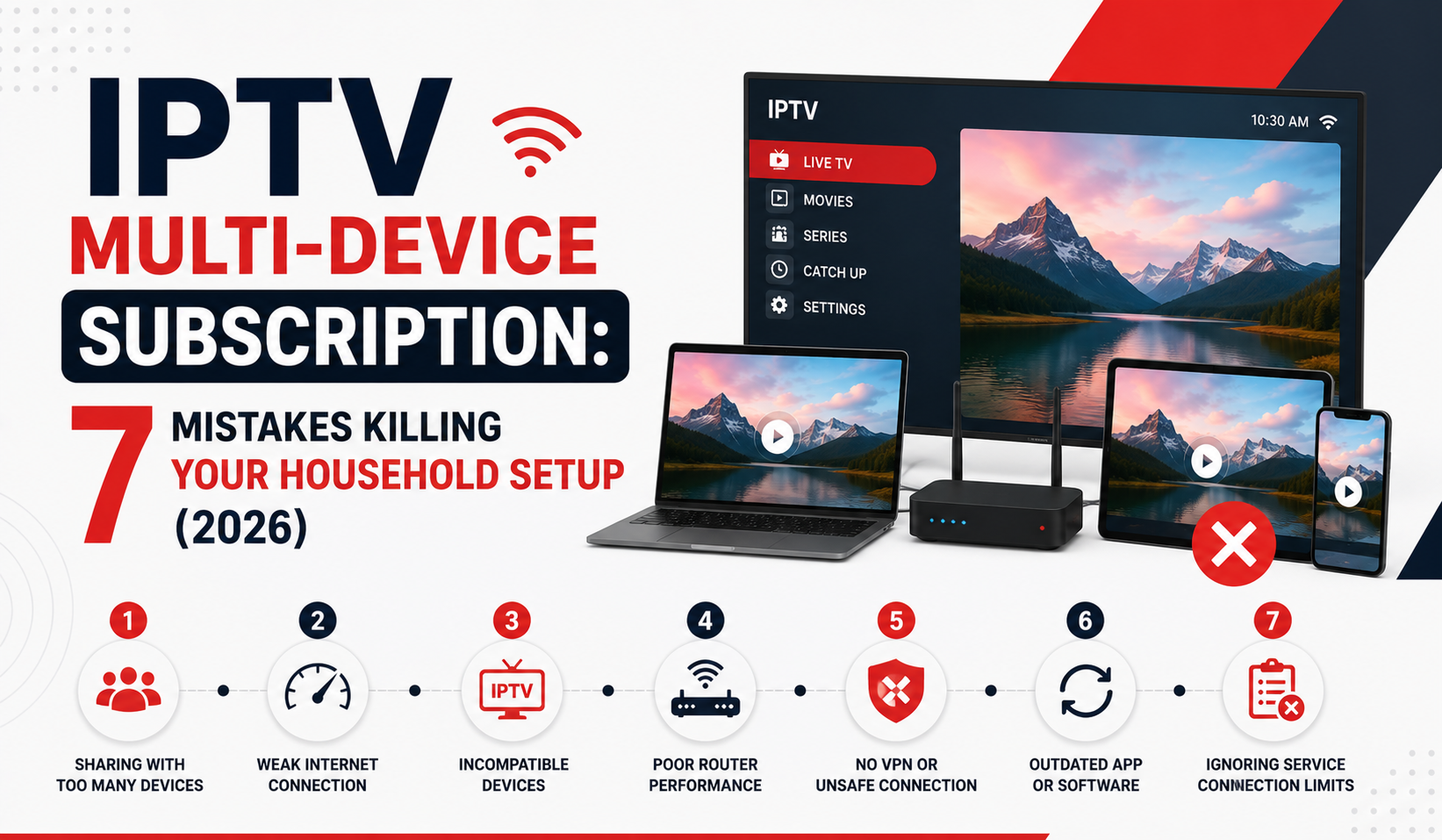

Somewhere between the third frozen screen and the fifth “Dad, it’s buffering again,” most households realise their IPTV multi-device subscription isn’t actually built for multiple devices. It’s built for one stream wearing a trenchcoat pretending to be four.
That distinction matters more in 2026 than it ever has. ISP-level deep packet inspection has matured, CDN costs have shifted, and the gap between a properly architected IPTV multi-device subscription and a cheap single-connection plan resold with inflated device counts has never been wider. If you’re a family trying to watch three different things at once, or an IPTV reseller packaging household plans, this is the operational reality you need to understand.
Not the marketing version. The infrastructure version.
What “Multi-Device” Actually Means at the Server Level
When a provider advertises an IPTV multi-device subscription allowing four or five simultaneous connections, there’s a backend question most buyers never ask: are those connections load-balanced across separate uplink servers, or are they all pulling from the same single origin?
The answer determines everything, picture quality, buffering frequency, and whether your service survives peak hours on a Saturday evening when every major sporting event hits at once.
A properly structured IPTV multi-device subscription distributes each device connection across available server nodes. The panel recognises the MAC address or device token, authenticates it against the subscription tier, and routes the stream through whichever uplink has the lowest current latency.
A poorly structured one? Every device in the household hammers the same server. One congested node means every screen in the house stutters simultaneously.
Pro Tip: Before committing credits to any IPTV multi-device subscription package, ask your provider whether connections are distributed or stacked. If they don’t understand the question, that’s your answer.
The Household Bandwidth Equation Nobody Calculates
Here’s a calculation most families skip entirely. They upgrade to an IPTV multi-device subscription, connect four screens, and blame the provider when everything buffers. But the bottleneck isn’t always upstream.
Each HD stream typically requires 8 to 12 Mbps of stable throughput. A 4K stream pushes that to 25 to 35 Mbps. So a household running an IPTV multi-device subscription across four devices simultaneously needs, at minimum, roughly 55 Mbps sustained for 2 devices on HD plus 1 on 4K plus 1 on SD, approximately 40 to 48 Mbps sustained for 4 devices all on HD, or 75 to 105 Mbps sustained for 3 devices on 4K.
That’s sustained throughput, not the number your ISP advertises. The advertised figure is theoretical peak. Your actual usable bandwidth after Wi-Fi overhead, other household internet usage, and ISP throttling during peak hours is often 40 to 60% of that headline number.
A 100 Mbps fibre connection, in real-world conditions, might deliver 55 to 65 Mbps to your streaming devices. That’s enough for three HD streams comfortably. Four gets tight. Add a teenager uploading to social media and a smart doorbell streaming to the cloud, and your IPTV multi-device subscription starts competing for scraps.
The table below shows how different household scenarios stack up against a typical 100 Mbps fibre line:
[TABLE 1 HERE]
Why QoS Configuration Matters More Than Connection Speed
Quality of Service settings on your router can rescue an IPTV multi-device subscription from buffering oblivion, yet fewer than 10% of households touch these settings.
QoS lets you prioritise streaming traffic over background activity. Without it, your router treats a Windows update download with the same urgency as a live football stream. With it, you can ensure IPTV packets get priority lane access on your local network.
Most modern routers support basic QoS. Higher-end models allow per-device prioritisation, which is exactly what an IPTV multi-device subscription household needs. Set each streaming device, whether it’s a Formuler box, FireStick, or Smart TV app, to high priority. Demote everything else.
Pro Tip: If your router supports SQM (Smart Queue Management), enable it. It handles bufferbloat far more intelligently than basic QoS and keeps your IPTV multi-device subscription stable even when someone in the house starts a large download.
The Reseller’s Dilemma: Pricing Multi-Device Plans Without Bleeding Credits
This is where resellers consistently miscalculate. You’re buying credits from your panel provider at a fixed rate per connection. An IPTV multi-device subscription allowing four simultaneous streams costs you four times the single-connection credit rate, or does it?
Not always. Some panels offer multi-connection lines at a discounted credit rate. Others charge per connection with no volume break. And some advertise “multi-device” but actually provision a single connection that simply allows re-authentication from different devices, not simultaneous use.
The margin difference is significant. One panel might charge 1 credit per connection, meaning 4 credits for a 4-device line, so your cost is 4x and your retail price needs to reflect that. Another might charge 2.5 credits for a 4-device line as a bundled rate, offering better margin, but check if all four connections actually stream simultaneously. A third might charge 1 credit under a “multi-device” label but only allow 1 concurrent stream, and you’ll get complaints within 48 hours.
Before building an IPTV multi-device subscription tier into your storefront, test the actual concurrent stream limit yourself. Don’t trust the label. Load four devices. Hit play on four different channels. Wait five minutes. If any stream drops, your “multi-device” plan is fiction.
ISP Blocking in 2026: How Multi-Device Setups Get Flagged Faster
Single-connection IPTV usage often flies under ISP radar. But an IPTV multi-device subscription generates a traffic pattern that’s harder to disguise, multiple sustained high-bandwidth streams running simultaneously from the same household IP, all using HLS or MPEG-TS protocols on non-standard ports.
In 2026, AI-driven traffic classification has become standard among major UK and European ISPs. These systems don’t just look at DNS queries anymore. They analyse packet timing patterns consistent with live streaming, sustained bitrate profiles that match known IPTV stream signatures, multiple concurrent connections to the same server IP range, and TLS certificate metadata from known IPTV CDN endpoints.
An IPTV multi-device subscription amplifies every one of those signals. Four devices means four streams, four sustained connections, and a traffic fingerprint that practically waves a flag.
Mitigation steps resellers should communicate to subscribers include using a reputable VPN on the router level rather than per-device (this avoids DNS leaks from forgotten devices), ensuring the IPTV provider rotates server IPs and uses modern TLS configurations, avoiding port 80 or 8080 for playlist URLs since these are the first ports ISPs inspect, and switching DNS to encrypted providers (DoH or DoT) to prevent DNS-based blocking.
Pro Tip: Router-level VPN with split tunnelling is the gold standard for an IPTV multi-device subscription. Route only IPTV traffic through the VPN. Everything else goes direct. This preserves bandwidth for non-IPTV usage while protecting the streams that matter.
Device Token Management: The Hidden Churn Driver
Here’s something most IPTV multi-device subscription providers don’t talk about publicly. Device token limits cause more customer churn than buffering does.
A typical multi-device plan might allow four simultaneous connections but only register eight total device tokens. Every time a subscriber sets up the service on a new phone, replaces a FireStick, or reinstalls an app, a new token gets consumed. After eight registrations, the line locks, and the subscriber contacts you, furious, convinced they’ve been scammed.
This is a panel-level configuration issue. Some panels allow UK IPTV resellers to reset device tokens manually. Others require escalation to the provider. A few modern panels offer automatic token rotation with a 30-day expiry on unused devices.
If you’re selling an IPTV multi-device subscription at scale, your support ticket volume around device tokens will exceed every other issue category within three months. Build a self-service token reset into your workflow, or budget for the support hours.
This means documenting the token limit clearly on your sales page, sending an onboarding message explaining the device registration process, creating a simple guide for subscribers on how to deregister old devices, and setting up a WhatsApp or Telegram shortcut for quick token resets.
Back-Up Uplink Servers: Non-Negotiable for Multi-Device Reliability
A single-connection subscription can tolerate a provider running lean on infrastructure. If one server goes down, one subscriber buffers for ten minutes while the provider reroutes. Annoying, but survivable.
An IPTV multi-device subscription household running four streams? When a server drops, four streams die at once. That’s not an inconvenience, it’s an entire family staring at loading circles during a live event. That subscriber doesn’t file a support ticket. They file a chargeback.
This is why backup uplink servers aren’t a premium feature. They’re the baseline for any provider selling IPTV multi-device subscription plans. The architecture should include a primary uplink server per region, at least one secondary uplink with automatic failover, health-check monitoring that reroutes connections before full failure, and geographic redundancy (don’t put primary and backup in the same data centre).
Here’s how budget and premium infrastructure compare on this front:
| Scenario | Devices | Estimated bandwidth needed | Realistic on 100 Mbps fibre? |
|---|---|---|---|
| Family movie night (all same stream) | 1 active stream | 10–30 Mbps | Yes, easily |
| Split viewing (2 HD, 1 SD) | 3 streams | 25–35 Mbps | Yes |
| Full household (3 HD, 1 4K) | 4 streams | 55–65 Mbps | Marginal |
| Heavy use (4K + gaming + uploads) | 4+ streams | 80–110 Mbps | Unlikely without QoS |
EPG and Catch-Up: The Multi-Device Features That Close Sales
An IPTV multi-device subscription isn’t just about simultaneous live streams. The features that convert browsers into subscribers, and keep them from churning, are the ones that make the service feel like a legitimate platform rather than a grey-market workaround.
Electronic Programme Guide integration across all devices gives households the experience they’re accustomed to from traditional broadcast. Consistent EPG data means every device in the home shows the same schedule, the same now/next information, and the same channel logos. Inconsistent EPG across devices is an immediate credibility killer.
Catch-up and timeshift functionality matters even more for multi-device households. When four people share a subscription, scheduling conflicts are constant. If one family member watches a programme live and another wants to watch it two hours later on a different device, catch-up support turns a potential friction point into a feature advantage.
Pro Tip: When evaluating panels for your IPTV multi-device subscription offering, test EPG consistency across at least three different app platforms (Smarters, TiviMate, native STB). EPG mismatches between apps erode subscriber trust faster than buffering does.
Scaling From 50 to 500 Multi-Device Lines: What Breaks First
Every reseller who’s grown past 50 active IPTV multi-device subscription lines has hit the same wall. The infrastructure that handled a small subscriber base starts cracking under load, but not where you’d expect.
The streams themselves usually hold. Panel providers build for scale on the streaming side. What breaks is everything around the streams.
Support volume climbs first. Multi-device subscribers generate 3 to 4x the support requests of single-device users. More devices mean more setup questions, more “it works on the TV but not on the phone” tickets, and more password reset requests.
Credit management becomes harder too. At 50 lines, you can track credit usage manually. At 500 IPTV multi-device subscription lines, you need automated credit monitoring or you’ll discover you’ve oversold your panel balance during a renewal wave.
Renewal coordination is the third pressure point. Multi-device household subscribers tend to pay monthly. At scale, you’re processing renewals daily. Without automated renewal reminders and a streamlined payment-to-activation pipeline, you’ll lose subscribers to lapses.
Practical fixes include automating renewal reminders at 7 days, 3 days, and 1 day before expiry, using a CRM or spreadsheet with expiry date tracking for every IPTV multi-device subscription line, pre-purchasing credits in bulk before predicted renewal waves, and building a FAQ document that handles 80% of multi-device support queries without human intervention.
The Psychology of the Multi-Device Buyer
Understanding who buys an IPTV multi-device subscription, and why, changes how you position the product entirely.
The household buyer isn’t comparing your service against another IPTV provider. They’re comparing it against the total cost of three or four separate streaming platform subscriptions. Their mental math is: “If I pay for this one IPTV multi-device subscription, I can cancel two or three other services and still get more content.”
That’s a value-consolidation buyer. They’re motivated by simplification and savings, not by access to any single channel. Your marketing should reflect that. Don’t list channel counts. Frame the offering around total household entertainment cost reduction.
The reseller buyer thinks differently. They’re evaluating the IPTV multi-device subscription tier as a product line extension. They want to know margin per line, support burden, and churn rate. They need hard numbers, not lifestyle marketing.
Speak to both audiences, but never in the same sentence. Segment your sales pages. Household buyers get the savings narrative. Reseller buyers get the margin spreadsheet.
Frequently Asked Questions
How many devices can actually stream at once on an IPTV multi-device subscription?
It depends entirely on the plan tier and the panel provider’s configuration. Most IPTV multi-device subscription packages allow between two and five simultaneous connections. The key distinction is simultaneous versus registered, some plans let you install on unlimited devices but only stream on a set number at any given moment. Always verify concurrent limits, not just device registration limits, before purchasing.
Does using an IPTV multi-device subscription increase the risk of ISP blocking?
Yes, marginally. Multiple concurrent streams from one household IP create a larger traffic footprint that AI-driven ISP monitoring tools can identify more easily. Using a router-level VPN with split tunnelling specifically for IPTV traffic significantly reduces this risk. Encrypted DNS settings add another layer of protection for your IPTV multi-device subscription.
What internet speed do I need for a 4-device IPTV setup?
For four simultaneous HD streams, you need at least 45 to 50 Mbps of real-world sustained throughput, not the advertised speed from your ISP. If any device streams in 4K, add another 20 to 30 Mbps per 4K stream. A fibre connection of 150 Mbps or higher gives comfortable headroom for a full IPTV multi-device subscription household.
Can I use different IPTV apps on each device with one multi-device plan?
In most cases, yes. A single IPTV multi-device subscription typically works across apps like Smarters, TiviMate, and native set-top box software. However, EPG data and interface features may vary between apps, so test each platform to confirm consistency before rolling out across the household.
Why do some multi-device IPTV plans buffer even on fast internet?
Buffering on a fast connection usually points to one of three issues: the provider’s uplink server is congested, your router isn’t prioritising IPTV traffic (no QoS configured), or the provider doesn’t use load-balanced infrastructure. An IPTV multi-device subscription amplifies all three problems because every device in the home suffers simultaneously.
How do resellers price an IPTV multi-device subscription profitably?
Margin depends on the credit cost structure of your panel provider. Some panels charge per connection, while others offer bundled multi-connection rates at a discount. Calculate your cost per concurrent stream, add your margin, and compare against competitors. Most resellers find that IPTV multi-device subscription plans need at least a 40% markup above credit cost to cover the higher support overhead.
What happens when I exceed the device token limit on my plan?
Exceeding the token limit locks out new devices until a token is cleared. This usually requires contacting your reseller for a manual reset, though some modern panels allow self-service token management. To avoid this, deregister devices you no longer use and avoid reinstalling apps unnecessarily, which generates new tokens against your IPTV multi-device subscription.
Is it better to buy one multi-device plan or multiple single-device plans for a household?
A single IPTV multi-device subscription is almost always more cost-effective and easier to manage than separate single-device plans. You get unified billing, one set of credentials, and typically a lower per-device cost. Multiple single plans mean multiple renewals, multiple logins, and no shared EPG or catch-up, creating more hassle for the same household.
Your IPTV Multi-Device Subscription Launch Checklist
- Test concurrent stream limits on your panel before listing any multi-device tier, load four devices, four different channels, five minutes minimum.
- Calculate your real credit cost per concurrent connection and set your retail price with a minimum 40% margin to absorb support overhead.
- Configure QoS or SQM on your own test router and document the setup process for subscribers, this single step eliminates 30% of buffering complaints.
- Verify that your provider uses backup uplink servers with automatic failover, ask directly and test by checking stream continuity during known maintenance windows.
- Build a device token reset workflow before your first multi-device sale, WhatsApp shortcut, Telegram bot, or panel self-service portal.
- Create a subscriber onboarding message covering device limits, token registration, recommended apps, and VPN setup for router-level protection.
- Test EPG consistency across Smarters, TiviMate, and at least one STB platform, mismatches erode trust and drive churn.
- Set up automated renewal reminders at 7-day, 3-day, and 1-day intervals to prevent accidental subscription lapses.
- Segment your sales pages: household buyers see cost-consolidation messaging, IPTV Panel reseller buyers see margin analysis and credit structures.
- Explore trusted panel providers and credit packages at BritishSeller.co.uk to source reliable multi-device infrastructure for your storefront.