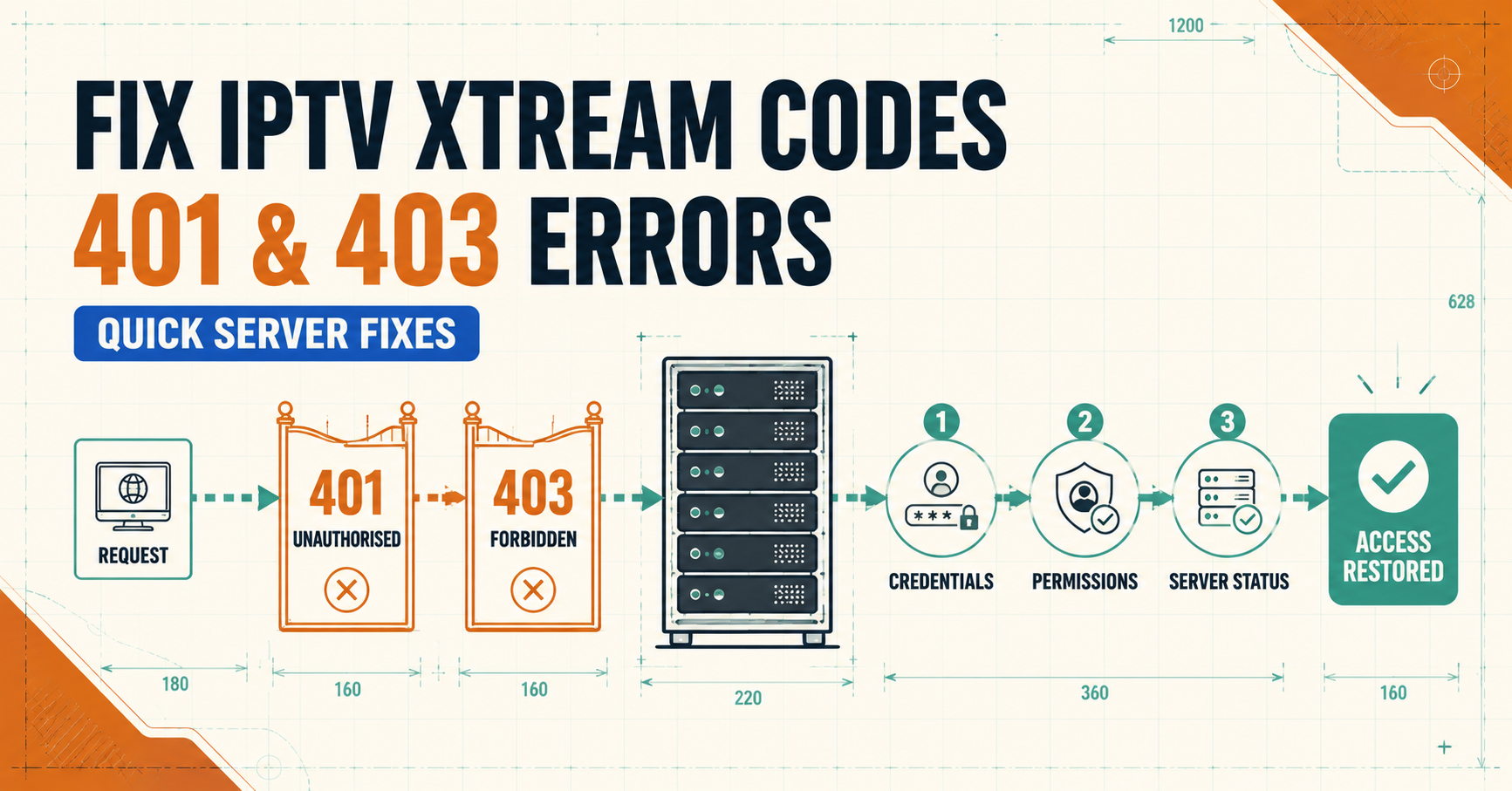

IPTV Xtream Codes 401 403 Errors show up when a panel refuses a login request instead of streaming, and the two codes point to different problems. A 401 means the server didn’t accept your credentials. A 403 means it recognised them but is blocking the connection anyway, usually because of an IP restriction, a connection limit, or a suspended account. Working out which one you’re actually looking at is the first step, because the fix for each is different, and treating them the same way wastes time.
IPTV Xtream Codes 401,403 Errors: What Each Code Actually Means
Both errors come from the same authentication layer on an Xtream Codes panel, but they’re triggered at different points in the login process.
A 401 (Unauthorized) fires before the server has decided whether to let you in. It’s the panel saying “I don’t recognise this username, password, or URL combination.” Nothing about your account status matters yet, because the request never got that far.
A 403 (Forbidden) fires after the credentials have already been accepted. The panel knows exactly who you are and refuses the connection anyway. That distinction matters because it tells you where to start looking. A 401 points you toward what you typed. A 403 points you toward the state of the account or the connection itself.
Why a 401 Error Shows Up on Xtream Codes Panels
Most 401 errors come down to something small in the login string. The three fields, server URL, username, and password, all have to match exactly, and a single wrong character breaks the request. Common causes include:
- A typo in the username or password, particularly with copy-pasted credentials that picked up a trailing space
- The server URL missing the port number, or using http where https is required (or the other way round)
- A trailing slash at the end of the URL that some apps don’t strip automatically
- Credentials that were regenerated on the panel side without the app being updated to match
None of these involve the account’s actual status. The subscription could be perfectly valid and still throw a 401 if the app is sending the wrong string.
Why a 403 Error Shows Up on Xtream Codes Panels
A 403 is a different animal. The server has matched the credentials to a real account and decided, for one reason or another, not to serve it. The usual suspects:
- The subscription has expired or been suspended on the panel side
- The account has hit its maximum number of concurrent connections, and something else is already using that login
- The connecting IP address is blocked, geo-restricted, or flagged as a VPN or datacentre address
- The account was banned for sharing credentials outside its permitted connection limit
- A firewall or CDN sitting in front of the server is blocking the request based on user-agent or request pattern
Pro tip: Before assuming the account itself is the problem, check whether a second device or app is already logged in. Most UK IPTV reseller panel cap concurrent streams per account, and a second login attempt while one’s active often looks identical to a suspension from the user’s side.

A Quick Way to Tell Which One You’re Dealing With
If you’re not sure which error you’ve got, or the app just shows a generic “login failed” message, work through this short sequence before contacting support:
- Note the exact error text or code shown in the app, not just “it won’t load”
- Try the same credentials in a different app, such as TiviMate compared against OTT Navigator, to rule out an app-specific bug
- Try the login on a different network, ideally mobile data instead of home Wi-Fi, to rule out an IP block
- Check whether the subscription’s expiry date has actually passed
- Confirm no other device is currently streaming on the same account
Fixing a 401 Error Step by Step
Start with the basics before assuming anything is broken on the server side. Delete the existing playlist entry in your app rather than editing it, since some apps cache the old string even after you’ve changed a field. Re-enter the server URL exactly as supplied, including the port number, then re-enter the username and password separately rather than pasting them together. If the credentials were recently reset by whoever manages the panel, confirm you’ve got the current set and not an old one saved somewhere. If all of that still fails, the account itself may have been suspended, which would actually point toward a 403 rather than a genuine 401, so it’s worth checking the account status directly at that point.
Fixing a 403 Error Step by Step
Check the subscription’s expiry date first, since this is the single most common cause. If it’s still active, close every app and device that might be using the same login, wait a minute or two for the session to clear on the server, then try again from one device only. If the connection still fails, switch networks to rule out an IP-level block, particularly if you’re on a VPN, a corporate network, or an ISP known for aggressive filtering. Persistent 403 errors that survive a network change and a confirmed active subscription usually mean the account has been flagged or banned, at which point the reseller or provider managing that panel needs to look at it directly.
When the Fault Sits With the Reseller Panel, Not the App
Not every 401 or 403 is something the end user can fix. Server-side misconfigurations, an expired SSL certificate on the panel, or a firewall rule that’s too aggressive can throw both errors even when the customer’s credentials and connection are fine. This is one of the practical reasons the quality of the underlying IPTV reseller panel matters more than most new resellers expect. A panel with poor uptime or inconsistent credit handling generates a steady stream of authentication complaints that have nothing to do with what the customer is doing wrong.
Preventing Repeat Errors on a Reseller Account
For resellers managing multiple customer accounts, a few habits cut down on repeat 401 and 403 tickets significantly.
Pro tip: Keep a record of each customer’s exact login string as issued, not just the username and password. When a customer reports a login failure, comparing the string they’re using against what was actually issued takes seconds and rules out half the common causes immediately.
Set expiry reminders a few days before each subscription lapses rather than letting customers discover it through a 403 error. Where the panel supports it, cap concurrent connections at a sensible number for the package sold, and make that limit clear to the customer up front so a second-device login doesn’t look like a fault. Server and routing quality also plays a part here, and the practical side of that is covered in more depth in this guide to IPTV latency and connection stability, which touches on some of the same infrastructure factors that cause intermittent 403s.
Pro tip: If you’re fielding the same login complaint from several customers at once, check the panel’s own status page or contact your upstream provider before troubleshooting each customer individually. A shared server issue looks identical to dozens of individual account problems until you compare notes.
IPTV Xtream Codes 401,403 Errors: What Each Code Actually Means
Frequently Asked Questions
Does a 403 error always mean my subscription has expired?
No. Expiry is the most common cause, but a 403 can also come from an IP block, a concurrent connection limit being exceeded, or an account flagged for other reasons. Check the expiry date first since it rules out the simplest explanation quickly.
Can changing my IP address fix a 403 error on Xtream Codes?
Sometimes, if the block is IP-specific rather than account-specific. Switching from home Wi-Fi to mobile data is a quick way to test this without changing any settings.
Why does the same Xtream Codes login work on one device but not another?
This usually points to an app-side issue rather than the account, particularly malformed request strings or outdated cached credentials in one specific app.
Is a 401 error always a typing mistake in the URL or credentials?
Not always, but it’s the most common cause by a wide margin. Deleting and re-entering the playlist from scratch resolves the majority of 401 cases.
Should I contact my reseller or the app developer first?
If the same login fails across multiple apps and networks, contact whoever manages the panel, since the fault is more likely to be account or server-side rather than app-specific.
Conclusion
IPTV Xtream Codes 401,403 Errors are rarely mysterious once you separate the two. A 401 almost always means something in the login string doesn’t match, and a 403 almost always means the credentials matched but something else, expiry, a connection limit, or an IP block, is stopping the session. Working through the diagnostic sequence in order, rather than guessing at a fix, saves time on both sides of the reseller relationship. If the problem persists after ruling out the obvious causes, it’s worth raising it with whoever manages the panel directly rather than repeatedly re-entering the same credentials.
Xtream Codes Troubleshooting Checklist
- Note the exact error code or message shown, not just “won’t connect”
- Delete and re-enter the playlist rather than editing an existing one
- Confirm the server URL, port, username, and password match exactly
- Test the same login on a second app to rule out an app-side bug
- Test on a different network to rule out an IP block
- Confirm the subscription’s expiry date hasn’t passed
- Check whether another device is already logged in on the same account
- Contact the IPTV panel provider if the issue persists across networks and apps