
Most Resellers Don’t Understand What’s Actually Delivering Their Streams
Here’s something that separates a reseller who survives twelve months from one who folds after three: understanding what happens between the server and the screen. When someone says IPTV CDN explained, they’re really asking how thousands of concurrent streams reach living rooms across different countries without turning into a pixelated mess. And most people selling panels have never once thought about it.
A CDN — content delivery network — isn’t some abstract cloud concept. It’s a physical chain of edge servers, caching nodes, and routing logic that decides whether your customer watches the match in crisp HD or stares at a loading wheel during the second half. If you resell without understanding this chain, you’re essentially selling a product you can’t troubleshoot, can’t evaluate, and can’t defend when things go sideways.
This article is IPTV CDN explained from the ground up. Not theory. Not marketing language lifted from a hosting provider’s sales page. This is what the infrastructure actually does, why it fails, and what you — as a IPTV Panel reseller or someone running a household subscription — should be demanding from your provider in 2026.
What a CDN Actually Does Inside an IPTV Ecosystem
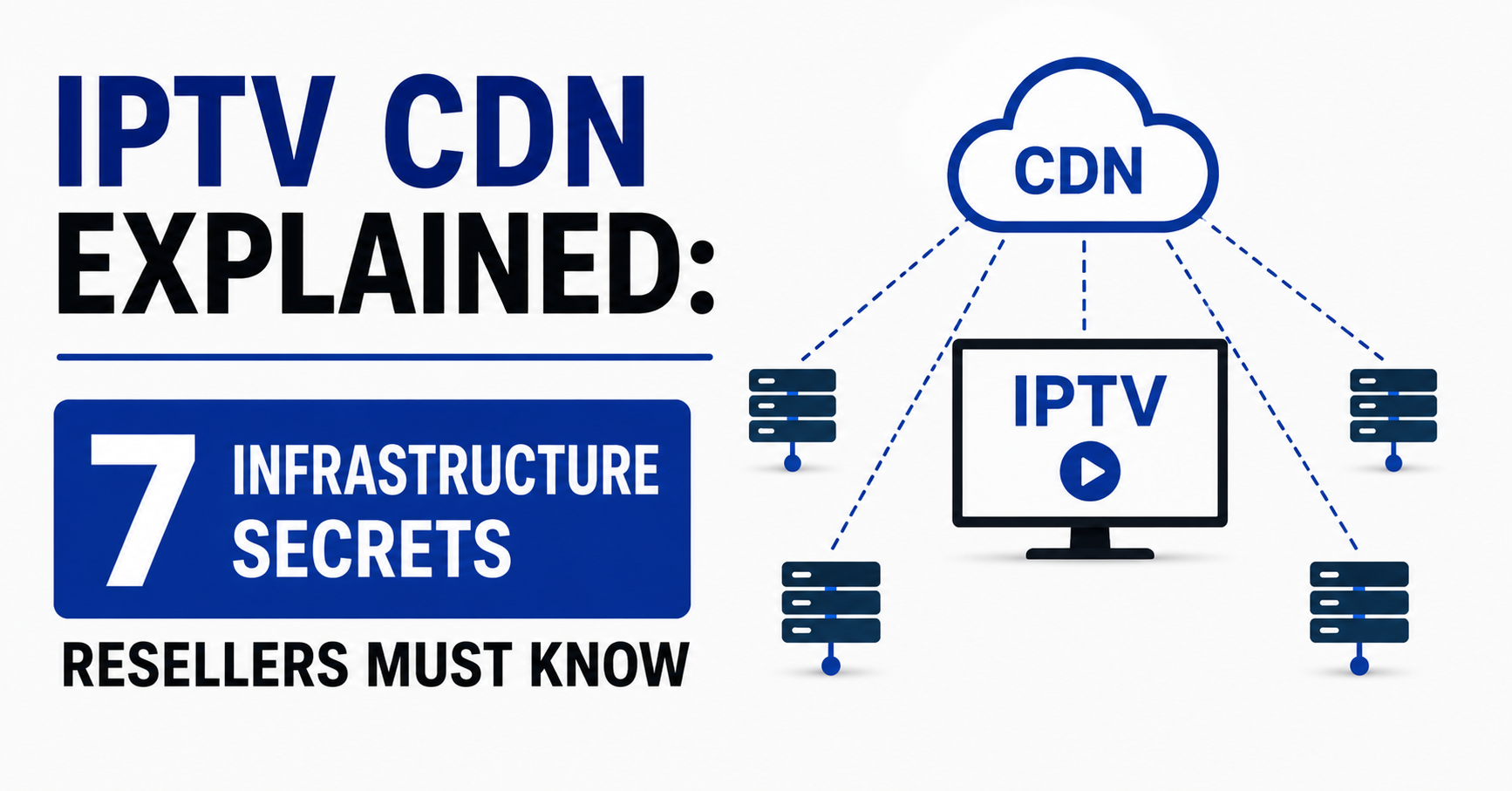
Strip away the jargon and a CDN does one job: it shortens the distance between the stream source and the viewer. Without it, every request goes back to a single origin server. With it, cached copies of the stream sit on edge nodes distributed across regions.
For IPTV specifically, this matters more than it does for regular websites. A webpage is a few kilobytes. A live HD stream is a continuous flow of segmented data — usually delivered via HLS or MPEG-DASH — that demands consistent low-latency throughput. One hiccup in the chain and the buffer wheel appears.
When people search for IPTV CDN explained, they’re often confused about why two providers using “the same channels” deliver completely different viewing experiences. The answer is almost always CDN architecture. One provider runs three edge nodes across Western Europe. Another runs fifteen with intelligent failover. Same content. Vastly different reliability.
Pro Tip: Ask your provider how many edge locations they maintain and whether they use anycast routing. If they can’t answer, they’re renting someone else’s infrastructure blindly — and so are you.
Edge Servers, Origin Pulls, and Why Geography Is Profit
Let’s get into the mechanics. When IPTV CDN explained reaches the technical layer, you’re dealing with three core components:
- Origin server — where the stream is ingested and transcoded
- Edge nodes — regional caching servers that store and serve stream segments to nearby viewers
- Load balancer — the routing brain that decides which edge node handles which viewer request
A subscriber in Manchester shouldn’t be pulling their stream from a server in Frankfurt. That extra 30–40ms of latency doesn’t sound like much, but multiply it across every HLS segment request over ninety minutes of live sport, and you get micro-buffering that drives churn.
Geography is directly tied to profit. Resellers who work with providers that maintain UK-based or nearby edge nodes see fewer complaints, fewer refund requests, and longer customer lifetimes. Those using providers with a single-region setup watch their WhatsApp blow up every Saturday at 3pm.
HLS Latency and Segment Delivery — The Detail Nobody Talks About
Most guides that claim to have IPTV CDN explained skip the segment-level detail entirely. Here’s what actually happens during a live stream:
The origin server chops the live feed into small time-based segments — typically two to six seconds each. These segments get pushed to edge nodes. The viewer’s player requests each segment sequentially via an M3U8 playlist file that updates in near-real-time.
Now here’s the critical part. If an edge node is slow to cache a new segment, or if the playlist file itself is stale by even a few seconds, you get one of two problems:
- The viewer’s player stalls waiting for the next segment (buffering)
- The stream falls behind real-time, and the viewer is watching “live” content on a 20-second delay compared to someone on terrestrial broadcast
Neither is acceptable during premium sports streams. And both are CDN-level failures, not channel source issues.
Pro Tip: If your customers complain about being “behind” on goals compared to social media, it’s not the channel source — it’s segment propagation latency across your provider’s CDN. This is the first thing to investigate.
DNS Poisoning, ISP Blocking, and How CDNs Became the Frontline in 2026
This is where IPTV CDN explained gets uncomfortable, but it’s reality. Major ISPs across Europe — particularly in the UK — have escalated their blocking strategies significantly through 2025 and into 2026. The old method was simple DNS blocking: redirect the domain to a dead page. Easy to bypass, easy to rotate around.
The 2026 landscape is different. AI-driven deep packet inspection now identifies HLS traffic patterns associated with IPTV streaming, even when the domain and IP rotate. Some ISPs are flagging CDN edge node IP ranges entirely, which means a single enforcement action can knock out service for thousands of viewers simultaneously.
What does this mean for CDN architecture?
- Providers need rotating edge IPs with automated failover
- Backup uplink servers are no longer optional — they’re survival infrastructure
- DNS-over-HTTPS and encrypted SNI are becoming baseline requirements, not advanced features
Resellers who don’t understand this layer get blindsided. One morning the streams work. By lunchtime, half your subscriber base is down and you have no idea whether it’s the source, the CDN, or an ISP block. When IPTV CDN explained is understood properly, you can at least diagnose the layer where the failure lives.
Cheap vs Premium CDN Infrastructure — What You’re Actually Paying For
This is where theory meets your wallet. Here’s a comparison that every reseller needs to internalise before choosing or switching providers:
| Feature | Budget CDN Setup | Premium CDN Setup |
|---|---|---|
| Edge locations | 1–3 (single region) | 10–20+ (multi-region) |
| Failover | Manual or none | Automated with health checks |
| IP rotation | Static IPs, easily blocked | Dynamic rotation on schedule |
| HLS segment caching | Delayed propagation | Sub-second edge push |
| Load balancing | Round-robin (dumb) | Geo-aware, latency-based |
| Backup uplinks | None | Redundant origin paths |
| ISP block resilience | Low — single point of failure | High — distributed and rotating |
| Cost to reseller | Cheaper credits, higher churn | Higher credits, lower churn |
The maths are simple. You pay less per credit with a budget provider, but you lose 30–40% of customers within 60 days to buffering and downtime. A premium setup costs more upfront but retains subscribers through reliability. When people want IPTV CDN explained in business terms, this table is the answer.
Pro Tip: Calculate your true cost per subscriber by factoring in churn rate, not just credit price. A £1 credit that loses you three customers costs far more than a £1.50 credit that keeps them for six months.
Load Balancing Failures — Why Saturday Afternoons Break Everything
If there’s one scenario that exposes weak CDN infrastructure instantly, it’s a full Premier League Saturday. Every major match kicking off simultaneously means a sudden, predictable spike in concurrent connections. And this is precisely where load balancing either earns its keep or collapses.
IPTV CDN explained at the load-balancing layer comes down to one question: can the system redistribute traffic in real-time when a single edge node gets saturated? Budget setups use round-robin distribution, which just cycles through available servers regardless of their current load. Premium setups use latency-aware or capacity-aware balancing, sending new requests to whichever node has headroom.
The difference is tangible. Round-robin during a peak event sends 500 new connections to a node already struggling with 2,000. Intelligent balancing redirects them to a node running at 40% capacity in a nearby region.
- Resellers should ask: what’s the provider’s tested concurrent user limit per edge node?
- What’s the failover trigger — manual restart, or automatic rerouting?
- Is there a burst capacity agreement with the CDN host?
If your provider can’t answer these questions, they haven’t stress-tested their infrastructure. And you’ll find out the hard way, at the worst possible moment.
Panel Credits, CDN Costs, and the Pricing Squeeze Resellers Ignore
Here’s a dimension most people overlook when they see IPTV CDN explained: the economics that flow downstream into your panel. CDN infrastructure is the single largest operational cost for any serious IPTV provider. Edge servers, bandwidth, IP rotation, failover systems — none of it is cheap.
When a provider offers credits at rock-bottom prices, one of two things is true:
- They’ve cut CDN spend to maintain margins (your customers suffer)
- They’re operating on unsustainable economics and will disappear within months
Either outcome destroys your reseller business. The credit price is not the bargain. The infrastructure behind the credit is.
This is why experienced resellers test before committing volume. Take a small credit allocation. Run it during peak hours across multiple devices and connection types. Check for buffering, channel-switch speed, and EPG loading times. These are all CDN-dependent metrics.
Pro Tip: Channel-switch speed is one of the most overlooked CDN performance indicators. If it takes more than 2–3 seconds to load a new channel, the edge caching strategy is weak. Your customers notice this even if they can’t articulate why the experience feels sluggish.
Customer Churn Psychology and the CDN Connection Most Resellers Miss
IPTV CDN explained isn’t just a technical topic. It directly feeds into customer retention psychology. Research on streaming behaviour consistently shows that viewers abandon a stream after just a few seconds of buffering. Not minutes — seconds.
For a household subscriber paying monthly, one bad experience during a live event is enough to trigger a cancellation message. They don’t know what a CDN is. They don’t care about edge nodes. They know the stream froze during a crucial moment, and they blame you — the reseller — not the infrastructure chain you can’t see.
This is why understanding CDN architecture isn’t optional for resellers. It’s your first line of defence against churn. When a customer complains about buffering:
- You can check whether it’s an ISP-level block (DNS or DPI)
- You can test whether the edge node in their region is responding
- You can switch them to a backup server or recommend a VPN if the issue is ISP-side
Without CDN knowledge, your only response is “restart your device.” And that response is why resellers lose subscribers.
Backup Uplink Servers — The Safety Net That Pays for Itself
Any reseller who’s been through a full origin server outage knows the panic. Channels go dark. Customers flood your messages. And if your provider has no backup uplink, you sit and wait while your reputation burns.
IPTV CDN explained at the resilience layer is about redundancy. A properly architected system maintains at least two independent origin paths. If the primary ingest goes down — whether from a hardware failure, a rights enforcement action, or a bandwidth cap — the backup uplink takes over and the edge nodes continue serving cached and live segments without interruption.
In 2026, this isn’t a luxury feature. It’s baseline. The frequency of enforcement actions against stream sources has increased, and providers without backup uplinks experience full blackouts multiple times per month during peak sporting seasons.
Pro Tip: Ask your provider directly: “If your primary origin goes down right now, what happens?” If the answer involves the words “we’re working on it” or “it usually comes back quickly,” find a different provider. Your business depends on their redundancy, and vague answers mean there isn’t any.
Scaling a Reseller Operation Without Outgrowing Your CDN
There’s a painful growth trap that catches resellers who start strong. You build a customer base of 50–100 subscribers. Everything runs smoothly. You invest in marketing, grow to 300 subscribers, and suddenly the experience degrades. Buffering increases. Complaints spike. You haven’t changed anything — but your provider’s CDN wasn’t built for the load you’re now contributing to.
When IPTV CDN explained meets scaling strategy, the key metric is concurrent connection headroom. Every edge node has a ceiling. Every origin server has a throughput limit. As a reseller, your growth directly adds to the provider’s total concurrent load. If they haven’t scaled their CDN ahead of demand, your success becomes your problem.
Smart resellers manage this by:
- Splitting their subscriber base across two providers (redundancy and load distribution)
- Monitoring peak-time performance weekly, not just when complaints arrive
- Keeping a secondary panel active and ready to migrate subscribers if primary quality drops
Scaling isn’t just about selling more credits. It’s about ensuring the infrastructure behind those credits can absorb the growth.
Frequently Asked Questions
What does IPTV CDN explained mean in simple terms?
IPTV CDN explained refers to how content delivery networks distribute live TV streams from a central server to viewers via regional edge nodes. Instead of every viewer connecting to one server, the CDN places cached stream segments closer to each viewer’s location, reducing latency and buffering. It’s the infrastructure layer that determines whether streams play smoothly or stall constantly.
How does a CDN reduce buffering on IPTV streams?
A CDN caches HLS or MPEG-DASH stream segments on edge servers near the viewer’s region. This shortens the data travel distance, allowing the player to pull segments faster than if it were reaching back to a distant origin server. Faster segment delivery means the playback buffer stays full, preventing the loading wheel from appearing during live content.
Can I check whether my IPTV provider uses a good CDN?
You can’t see the CDN directly, but you can test for its quality. Measure channel-switch speed, check for micro-buffering during peak hours, and test across multiple ISPs. If performance varies dramatically between regions or times of day, the CDN likely has limited edge coverage or poor load balancing. Consistent performance across conditions indicates strong infrastructure.
Why do IPTV streams work fine during the day but buffer at night?
Peak-time buffering is almost always a CDN capacity issue. Evening hours and weekends bring a surge in concurrent viewers that saturates underpowered edge nodes. Providers with properly scaled CDNs handle this spike through intelligent load balancing and burst capacity. Budget providers simply don’t have enough edge resources to absorb peak demand.
Is IPTV CDN explained differently for resellers versus regular subscribers?
The core technology is the same, but the implications differ. Subscribers experience CDN quality as picture smoothness and reliability. Resellers experience it as churn rate, complaint volume, and business sustainability. A reseller needs to understand CDN architecture to evaluate providers, diagnose issues, and protect their customer base — it’s operational knowledge, not just technical curiosity.
How do ISP blocks in 2026 affect IPTV CDN performance?
Modern ISP enforcement uses AI-driven deep packet inspection that can identify IPTV streaming patterns regardless of domain rotation. When an ISP blocks a CDN edge node IP range, all viewers routed through that node lose service simultaneously. Providers combat this with rotating edge IPs, encrypted transport, and automated failover — but budget providers often lack these countermeasures entirely.
Do backup uplink servers matter for IPTV CDN reliability?
Absolutely. Backup uplinks provide an alternative origin path when the primary stream source goes offline. Without them, an origin failure causes a complete blackout across the entire CDN. In 2026, enforcement frequency has made backup uplinks essential rather than optional. Any provider operating without redundant origins will experience repeated full outages during peak seasons.
What should a new reseller look for when evaluating IPTV CDN quality?
Test during peak hours, not off-peak. Check channel-switch speed, EPG loading time, and whether HD streams hold steady without dropping to SD. Ask the provider about edge node count, failover protocol, and concurrent connection limits. If they deflect technical questions or only talk about channel count, their CDN investment is likely minimal. Quality infrastructure providers welcome technical scrutiny.
Your Reseller Execution Checklist
- Audit your current provider’s CDN — request edge node count, failover protocol, and concurrent connection limits this week.
- Run a peak-hour stress test — test your service across three different ISPs during a Saturday 3pm kick-off window and document buffering, channel-switch speed, and any outages.
- Confirm backup uplink existence — ask your provider directly what happens if the primary origin server drops. Accept nothing less than a specific, immediate failover plan.
- Calculate true cost per subscriber — factor in your monthly churn rate against credit cost. If you’re losing 30%+ of subscribers within 60 days, your infrastructure is the problem, not your pricing.
- Set up a secondary panel — maintain a tested backup provider with active credits so you can migrate subscribers within hours if your primary CDN degrades.
- Monitor ISP blocking patterns — track which ISPs in your customer base are actively enforcing and have VPN guidance or alternative connection instructions ready to send immediately.
- Review your provider quarterly — CDN quality isn’t static. Providers cut costs, lose peering agreements, or get targeted by enforcement. Re-test every 90 days as if you were choosing them for the first time.
- Build your infrastructure knowledge — the more you understand about CDN architecture, the better your provider conversations, your troubleshooting, and your business decisions. Start with resources from experienced reseller networks like British Reseller to stay current on what’s working in 2026.