
The IPTV panel you choose determines how efficiently you can manage accounts, respond to customer issues, and scale your business without adding hours of manual work to your day. Most new operators underestimate this. They focus on finding customers before they understand the tool they will be using to serve them, and that sequence creates problems that are harder to fix once a customer base is in place.
What an IPTV Panel Means for Running a Reseller Business
The panel is your operational workspace. Every customer account you hold, every credit you spend, and every subscription renewal you process runs through it. Without a panel, managing more than a handful of customers requires spreadsheets, manual tracking, and constant risk of errors. With a well-designed one, the same operational tasks scale cleanly from ten customers to several hundred.
The visible layout matters more than most guides acknowledge. When you log in each day, you should see your credit balance, your active user count, and your upcoming expirations without navigating away from the main screen. If the information you need for daily operations is buried in submenus, that friction compounds across every working session.
How an IPTV Panel Works in Practice
The panel connects to a centralized database that stores every user’s credentials, subscription duration, and linked device. When you create an account, the software writes that data to the database immediately. When a customer opens their streaming app, the app queries the same database to verify whether the account is active and whether the connecting device is authorized. The whole process takes under a second.
On your side of the panel, you see the result as an account status. Active means the customer has access. Expired means the subscription period has ended. Suspended means you or an administrator manually blocked the account. Each status has a specific cause and a specific fix, and the panel gives you the tools to apply that fix immediately.
Real-time synchronization is what makes same-day customer support possible. When I process a renewal, the customer’s app authenticates successfully on the next connection attempt, usually within seconds of my confirmation. That speed is the difference between a customer who contacts you once about a renewal and one who cancels because access took too long to restore.
Credit Management and Account Lifecycle Tracking
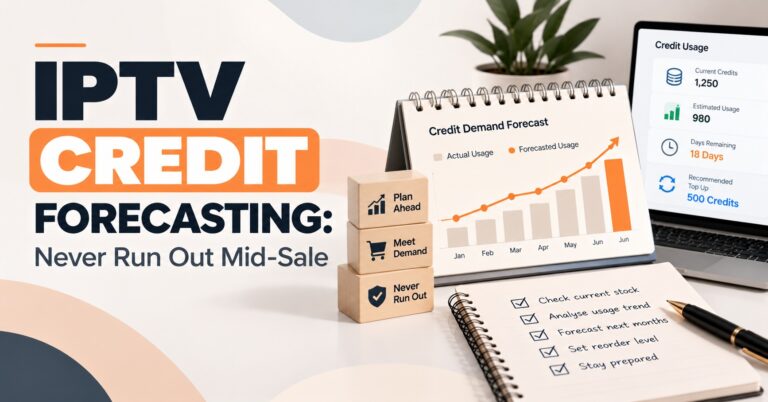
Credits are the inventory of a UK IPTV reseller business. Each credit represents a unit of subscription time, typically one month per user, and your credit balance tells you exactly how much capacity you have to activate or renew accounts right now. When the balance drops to zero, all activation and renewal activity stops until you top up.
The practical approach is to treat your credit balance the way a retailer treats stock levels. Check it daily. Set a minimum threshold based on your weekly renewal volume, and top up before you reach it, not after. Your panel’s credit transaction history shows your consumption pattern clearly once you have a month of data, use that history, not estimates, to drive your purchasing decisions. The credit system top-up guide explains the volume tiers available and what each costs per credit.
Renewal clustering is the specific risk that catches new operators by surprise. When multiple accounts expire in the same week, common if you onboarded several customers together, your balance can drop significantly in a short window. Review the expiration date list at the start of every day. Contact customers due to renew within seventy-two hours before their service stops, not after. This one habit prevents the majority of churn that new resellers mistakenly attribute to price competition.
Device Compatibility and Account Security
Modern customers use a wide range of hardware. Smart TVs, Android streaming boxes, iOS and Android mobile devices, and laptops all need to authenticate against the same account credentials. A panel that supports both M3U links and Xtream Codes API covers the full spread of commonly used streaming applications across all these device types. If your panel only supports one protocol, you limit the devices your customers can use and the applications you can recommend.
Device locking is the security feature that protects your revenue directly. When you link a customer’s device identifier to their account, only that device can authenticate successfully, regardless of whether someone else has the login credentials. Every unlocked account is a potential multiple-viewer situation on a single credit. I lock every account by default and frame it to customers as account protection rather than a restriction. Refer to the device setup guide to learn how to locate device identifiers across the hardware types your customers commonly use.
Panel account security protects your credit balance, which has direct financial value. A compromised login can result in fraudulent activations that drain your credits before you notice the balance drop. Use a unique password for your panel, one you do not use anywhere else. Enable two-factor authentication if your provider supports it. Treat your panel credentials as the most sensitive access point in your business.
Feature Comparison: Basic vs Advanced Panel
| Feature | Basic Panel | Advanced Panel |
|---|---|---|
| User Creation | Yes | Yes |
| Credit Management | Yes | Yes |
| Real-Time Logs | No | Yes |
| Sub-Reseller Support | No | Yes |
| Device ID Locking | Yes | Yes |
| Automated Renewal Alerts | No | Yes |
Common Mistakes to Avoid When Using an IPTV Panel
Not checking credits daily is the first and most disruptive mistake. A zero balance does not announce itself in advance, it stops your ability to operate mid-workflow, often at the worst possible moment. Daily credit checks take ten seconds. Add it to the start of your working routine alongside the expiration date review and it becomes automatic within a week.
Skipping the logs section is the second mistake. Most new operators do not look at authentication logs until a customer complains about something they cannot explain. By that point, they are diagnosing retrospectively with incomplete information. Learning to read the logs proactively, checking them when something seems off rather than only when a complaint arrives, is the skill that turns good operators into genuinely responsive ones.
Setting prices without calculating margin is the third mistake. New resellers often price based on what they think customers will pay rather than what covers costs and generates growth. Calculate your cost per credit, factor in a realistic allowance for support time, and set your retail price from that foundation. Undercutting competitors to acquire customers quickly is a growth strategy that often produces customers who leave just as quickly when a cheaper option appears. Review the IPTV reseller panel plans comparison to understand what features your chosen tier includes before you build a pricing structure around it.
What to Look for When Choosing an IPTV Panel
Dashboard usability is the first criterion. The main screen should show your credit balance, active user count, and expiration date list without requiring any navigation. Filter and sort controls on the user list should be immediate and intuitive. You will use these every day, how long it takes to find what you need compounds into significant time over months of operation.
Support responsiveness from the provider is the second criterion. Test this before you pay anything. Send a pre-sales question and measure the response time. A provider who is slow to respond to a prospect will be slower to respond to a paying customer with a live issue. Fast panel infrastructure means nothing if the support behind it is unavailable when you need it at eleven o’clock on a Sunday night.
Sub-reseller support is the third criterion if scaling is the plan. Review the sub-reseller panel setup guide before you commit to a tier. Building a network of sub-resellers on a platform not designed for it creates credit tracking and management problems that grow proportionally with your volume. Choose the platform capability for where you are going, not just where you are today.
Author Note: Written from direct experience running IPTV reseller panel operations across UK and European markets.
Frequently Asked Questions
How do I decide between a basic panel and an advanced one when starting out?
Start by mapping your six-month growth intention against the feature comparison. If you plan to stay at direct retail sales with under fifty customers, a basic panel is sufficient. If you intend to build a sub-reseller network, need detailed logs for customer support, or want automated renewal alerts, an advanced panel pays for itself quickly in time saved and churn prevented. The mistake is choosing a basic panel to save money and then discovering you need to migrate to an advanced one once you have a customer base already attached to the first platform.
What is the best way to handle a customer whose account keeps expiring early?
Open the account in the panel and check the subscription length applied at creation against the credit transaction record. A mismatch between the two, for example, one credit deducted for what should have been a three-month activation, indicates a data entry error at setup. Correct the expiration date in the account settings and note the discrepancy so you can be more careful at the next account creation. This is one of the most common panel errors and it is fully correctable, but it requires you to check the transaction log rather than just the account status.
Can I manage the panel effectively from a mobile phone?
Most modern panels are accessible through a mobile browser, which covers routine daily tasks like credit checks, expiration date reviews, and individual account lookups. Full administration work, reviewing analytics, setting up sub-resellers, or doing a thorough weekly audit, is more practical on a larger screen. If mobile management is a priority for your workflow, test the panel’s mobile browser interface before committing. Some providers offer a dedicated app, but this remains the exception rather than the standard across most platforms.
How do I handle a customer who wants to upgrade from a one-month to a twelve-month plan mid-subscription?
The cleanest approach is to let the current subscription run to its natural expiration date and then activate the twelve-month plan from that point. This avoids any credit calculation complexity and keeps the account lifecycle simple to track. If the customer wants the upgrade applied immediately, you can adjust the expiration date in the account settings to reflect the additional time, but you will need to calculate and deduct the additional credits manually. Which approach you take depends on how your panel handles manual expiration date adjustments and whether the customer has already paid for the upgrade.
Is there a way to test the panel before committing to a provider?
Most reputable providers offer a Iptv trial account or a demo dashboard access. If a provider does not offer any form of trial, treat that as a signal worth noting. A trial lets you test the workflow for creating accounts, checking the credit balance, reviewing logs, and navigating the interface under no commercial pressure. The questions you cannot answer during a trial, because the feature is missing or inaccessible, are the questions most worth asking the provider directly before you pay for a credit package.
IPTV reseller customer support on WhatsApp
Before you make your next credit purchase, open your current panel and check the transaction history from the past thirty days. Your actual weekly consumption rate is in that data, and it should be driving your purchase quantity, not an estimate.