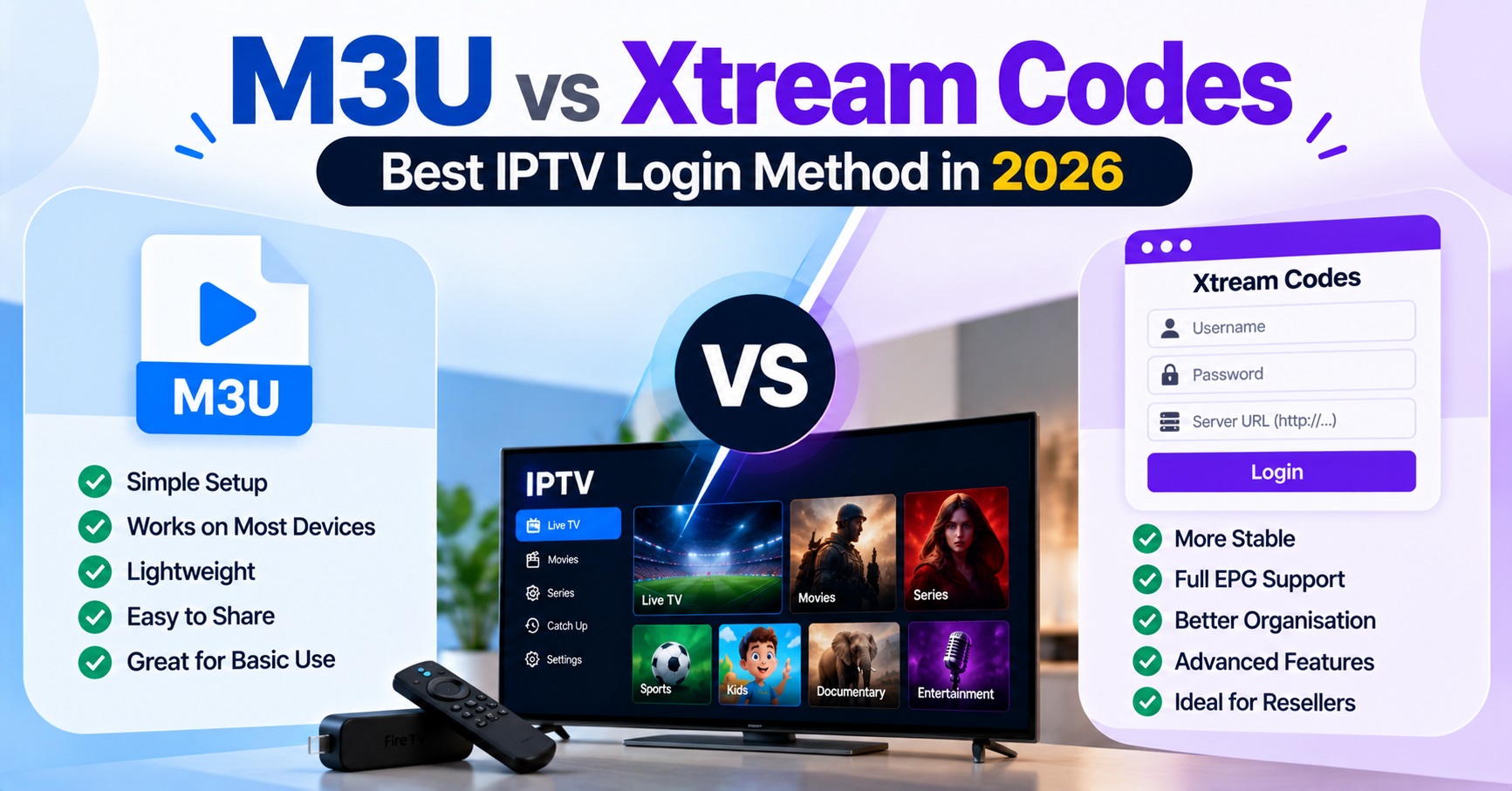

In the M3U vs Xtream Codes choice, use the Xtream Codes login first if your app offers it, and keep the M3U link as a fallback. Xtream Codes asks for three details (server address, username and password) and lets the app build its own channel list. M3U is one link that loads a single playlist file.
Both methods point at the same subscription, so neither unlocks extra content. The difference is how the app talks to the panel, and that decides which problems your customers hit and which ones you end up fixing on a support chat. The wrong choice rarely breaks a line completely. It usually shows up as a missing guide, a slow first load or a link that quietly stops working after a password change.
One account, two ways of asking for it
Think of the subscription as a locked room and the login method as the door you walk through. An M3U link is a web address that returns a plain-text file listing the streams on the account. The app downloads that file, reads it from top to bottom and shows the channels it finds. Unless the app refreshes the link on a schedule, what the customer sees is whatever the file contained when it was last fetched.
Xtream Codes works differently. The app signs in with the server address, username and password, then asks the panel for categories, live lists and on-demand lists separately, usually as the customer opens each section. Because the app is talking to the panel rather than reading a saved snapshot, changes on the panel side tend to appear sooner.
There is also a naming point worth knowing. “Xtream Codes” today describes a login format that many panels and player apps support, not a promise about what any provider offers. Whether a particular panel exposes it, and whether it exposes the older playlist address alongside it, depends on how that panel is set up.
M3U vs Xtream Codes in daily use: what the customer notices
Customers do not care about protocols. They notice three things: how long the first load takes, whether the TV guide works, and whether the app still works next week.
On the first load, an M3U link makes the app digest the entire playlist in one go. On a large account and an older streaming stick, that can mean a long wait or an app that restarts itself. Xtream Codes spreads the work across sections, so a weak device is usually less likely to choke on it, although this varies with the app.
The TV guide is where the two methods behave least alike. With M3U, the guide is a separate source that the playlist may or may not point to, so a customer can have working channels and an empty guide. With Xtream Codes, apps typically pull guide data through the panel itself, which is why many support teams find fewer “channels but no guide” complaints on Xtream logins. It is not guaranteed, because some apps handle guide data poorly regardless of method.
Longevity is the last point. A customer who pastes an M3U link into an app that never refreshes it will eventually have a stale list. An Xtream login keeps working as long as the three details stay valid.
| Situation | Better first choice | What to watch |
|---|---|---|
| Modern app with a login screen asking for server, username and password | Xtream Codes | A single typo in the server address looks like a dead account |
| Basic media player that only accepts a web address | M3U | No automatic refresh in many players |
| Low-powered older device with a very large account | Xtream Codes | Some apps still load heavy lists slowly |
| Customer wants a backup route when an app update misbehaves | Keep both available | Two sets of details to manage and secure |
| App has no guide support through the panel | M3U plus a separate guide source | An extra thing for the customer to configure |
Where the password ends up
This is the part most guides skip. An M3U link normally carries the username and password inside the address itself. That means the credentials travel wherever the link goes: pasted into a chat, saved in a browser history, forwarded to a relative, or screenshotted into a support ticket. Anyone who sees the link has the login.
Xtream Codes keeps the same credentials, but they sit in separate fields inside the app. People are less likely to paste three fields into a group chat than a single link, so accidental sharing is less common. The risk has not vanished, because the username and password still work on their own, but the habits around it tend to be safer.
For a reseller, this has a practical consequence. Changing a customer’s password breaks the old M3U link and the old Xtream login at the same moment, so a “my link stopped working” message often traces back to a password reset the customer forgot about. If you also run team members or sub-resellers, tighten your own access first, and see this guide on protecting your IPTV reseller panel sign-in for the panel side of the same problem.

The support tickets each method creates
Every login method has its own favourite failure, and knowing them saves time.
With M3U, the usual suspects are a link copied with the last characters missing, a link that was generated before a password change, and a player that treats the file as a one-time import. Some links also let you choose the stream output format when the link is generated, and picking the wrong one can leave a particular device unable to play anything even though the link itself is valid. If the customer says the playlist loads but nothing plays, that is the first thing to check.
With Xtream Codes, trouble usually starts at the server field. A missing port number, the wrong web prefix, or a stray space at the end of the address will look exactly like a wrong password. Username typos are the second most common cause, especially when a customer types the details from a screenshot on a small screen.
Pro tip: When a customer says the login does not work, ask them to read the server address aloud, character by character, before you touch anything on the panel. It sounds basic, but it removes a surprising share of tickets without a single account change.
A third issue sits outside both methods. If a customer signs in on more than one screen and the second one fails, the cause is often the connection allowance rather than the method. This explanation of how connection limits work on a single line is worth sending to anyone who keeps blaming the app.
What a reseller should send in the welcome message
Most resellers either send everything or send whatever is quickest. Both approaches cost you time later.
A cleaner approach is to send the Xtream Codes details as the main login, with a short line naming the app type they suit, and keep the M3U link ready but unsent. If the customer’s app has no login screen, or the first method fails, you send the second without rebuilding anything. This avoids the common situation where a customer holds two links, uses the older one, and then reports that nothing has updated.
Do not send the credentials in a public group or an open channel, and avoid sending the link in the same message as the account’s expiry details. Splitting the information means a forwarded message exposes less.
If you brand your own player app, the choice may be made for you, because the app decides which method it speaks. That is one of the quieter reasons to understand what you own with a white label player app before promising customers a particular login style.
Choosing a default for your customer base
A default should reflect your customers’ devices, not your own preference. If most of your customers use current phones and TV boxes with proper IPTV apps, Xtream Codes as the default will generate fewer guide complaints and fewer stale-list problems. If a large share use basic players or older equipment that only takes a link, M3U needs to be your default, with clear instructions on refreshing it.
There is no need to pick one forever. A sensible pattern is to record which method each customer actually uses, so that when you update credentials you know exactly whose link will break. IPTV panel Resellers who keep this note rarely end up in the “it worked yesterday” loop.
One neutral point belongs here. IPTV is a delivery technology, and whether a given service is lawful depends on the rights held by the people supplying the content and the rules in the customer’s own country. Neither login method changes that, and nothing in this comparison is a statement about the legitimacy of any particular service.
FAQ
Can a customer use M3U and Xtream Codes on the same account at once?
Yes, both can point at the same line, but they share the same connection allowance. Two apps streaming together count as two connections whichever method each one uses.
Why does the channel list load but the TV guide stays empty?
On M3U, the guide often comes from a separate address that the app has not been given or cannot reach. Try the Xtream Codes login in the same app, or confirm that the guide source is set.
Does changing the password break both methods?
Yes. The password sits inside the M3U link and inside the Xtream Codes fields, so both stop working until the customer updates them.
Is Xtream Codes always faster than M3U?
Not always. It often feels quicker on large accounts because the app loads sections as needed, but speed also depends on the device, the app and the connection.
Should I give customers the M3U link just in case?
Keep it ready, but send it only when the first method fails. Sending both at once tends to create confusion and extra links to protect.
Conclusion
The practical answer to M3U vs Xtream Codes is to lead with Xtream Codes where the app supports it, because it refreshes more naturally, handles guide data more reliably and keeps credentials in separate fields. Keep M3U as the dependable second route for simple players and for the days an app update misbehaves. Neither method fixes a poor connection, an exceeded connection limit or a password nobody remembers changing, so check those before blaming the login type. Your next step is simple: note which method each of your customers uses today, so the next credential change does not catch you by surprise.
Reseller Checklist: Before You Send Login Details
- Confirm the customer’s app has a login screen or only accepts a web address
- Decide which method is the primary and which is the fallback for that customer
- Send the server address, username and password in a private chat only
- Record the method used against the customer’s account
- Remind the customer that a password change breaks every saved link and login
- Check the connection allowance matches the number of screens they plan to use
- Keep the second method ready but unsent until it is needed