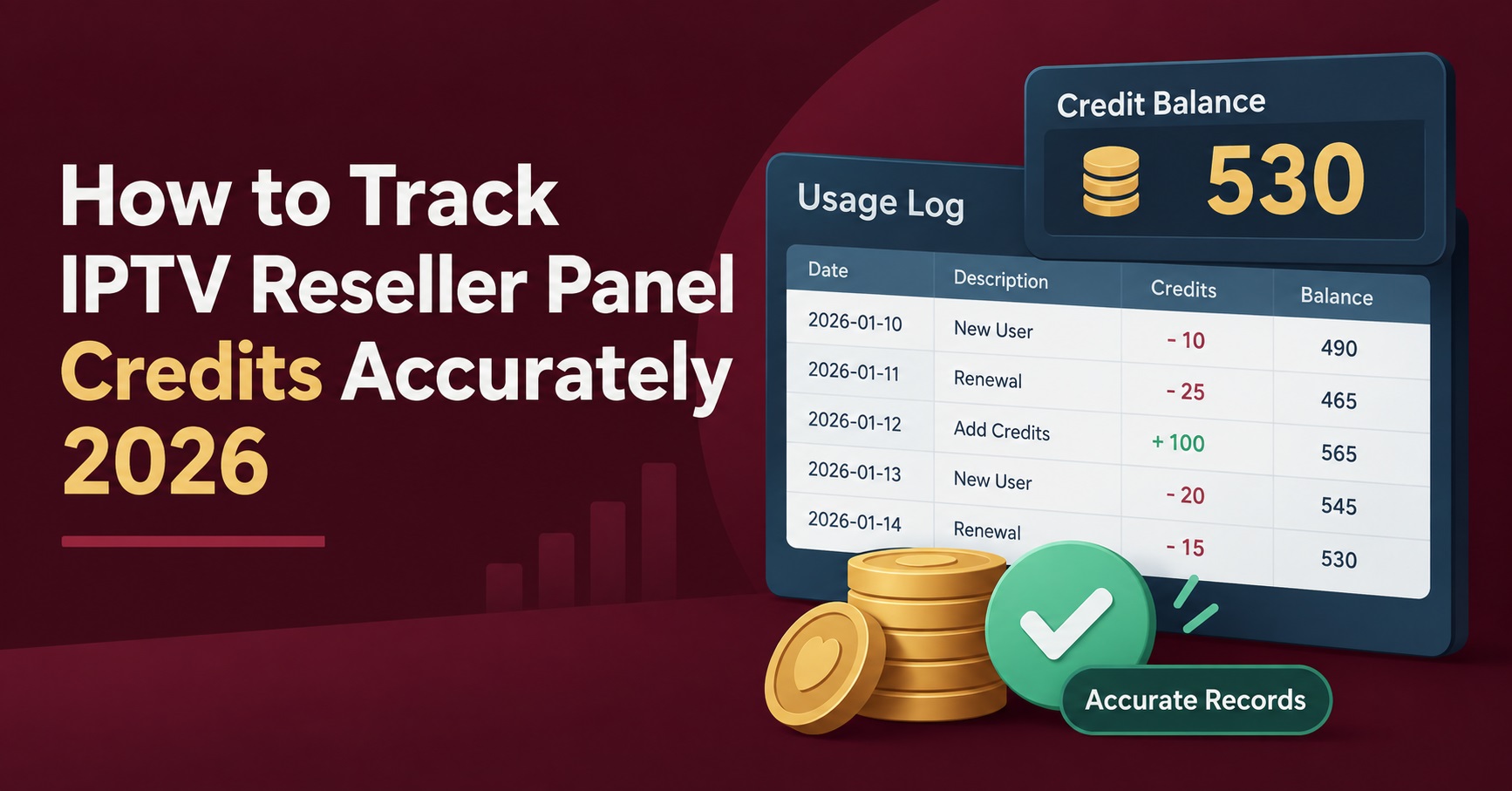

To track IPTV reseller panel credits reliably, you need two records that agree with each other: the live balance shown in your dashboard, and a ledger you maintain yourself showing where every credit went. The panel tells you what remains. It rarely tells you what is coming, who owes you money for a line already activated, or which subscriptions renew in the same fortnight. Resellers who run out of credits mid-week almost never run out because the balance was hidden. They run out because nobody was reading it as a forecast.
What Your Dashboard Records, and What It Quietly Leaves Out
Most credit-based panels are built around the same logic. One credit converts to one month of an IPTV subscription, so a twelve month line costs twelve credits at the moment of creation. The dashboard deducts instantly, updates the remaining balance, and moves on.
That deduction is accurate. The problem is that it is also final and undated in any useful sense. Your panel knows a customer line exists and when it expires. It does not know that the customer paid you for six months but you activated twelve by mistake, or that three of last month’s lines were free trials you never intended to convert, or that a sub-reseller took a block of credits from your allocation and has not yet passed on the payment.
The gap is not a flaw in the software. Panels are provisioning tools. They control access, expiry dates, and connection limits. They were never designed to be your accounts book, and treating them as one is where most credit confusion begins.
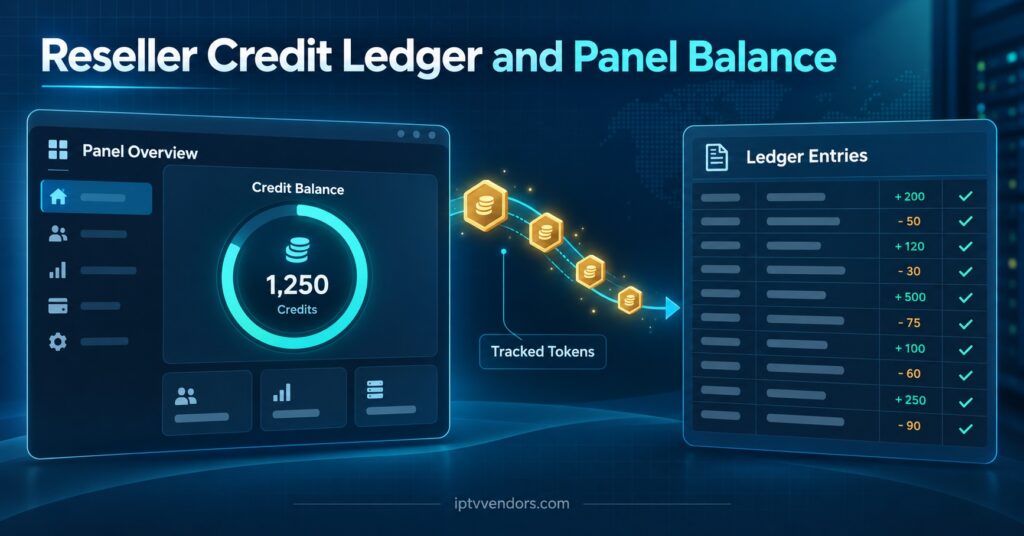
Build a Ledger That Sits Beside the Panel
A spreadsheet is enough. The point is not sophistication, it is that every credit leaving your balance gets a line and a reason. Once that habit exists, reconciliation takes minutes rather than an evening.
Six columns cover almost every situation a working reseller runs into:
| Column | Why it earns its place |
|---|---|
| Date and customer reference | Lets you match a deduction to a specific line when the panel shows only an expiry |
| Credits used | The actual deduction, not the plan you sold |
| Months sold and price charged | Exposes the gap between what you activated and what you were paid for |
| Type: paid, trial, replacement, sub-reseller | Separates genuine revenue from cost you absorbed |
| Renewal due date | Turns your ledger into a forward calendar |
| Payment received: yes or no | The single column that catches most losses |
The type column does more work than it looks. Trials, goodwill replacements after a service issue, and credits handed to a sub-reseller all reduce your balance identically inside the panel, yet they mean completely different things to your margin. Without that distinction, you cannot tell whether a thin month was caused by weak sales or by generosity you never measured.
Pro tip: Record the deduction in your ledger before you create the line in the panel, not after. Resellers who log afterwards forget roughly the same small percentage of lines every month, and those are the ones that never get invoiced.
How to Track IPTV Reseller Panel Credits on a Weekly Rhythm
Daily checking is unnecessary and tends to fade after a fortnight. A fixed weekly slot survives much longer, and weekly is frequent enough to catch problems while they are still small.
The routine has four parts and should take under fifteen minutes once your ledger is populated.
First, open the panel and note the current balance as a plain number. Second, add up the credits your ledger says you spent since the last check. Third, compare the two. Fourth, look at the next twenty-eight days of renewal dates in your ledger and count the credits those renewals will consume.
If the first two figures match, you have nothing to investigate. If they differ by even one or two credits, deal with it that week. Discrepancies do not stay small. A two credit gap that goes unexamined for three months becomes a twenty credit gap with no memory attached to it, and by then you are guessing rather than reconciling.
That fourth step is the one most resellers skip, and it is the one that prevents emergencies. Knowing you have sixty credits left is useless on its own. Knowing you have sixty credits and forty of them are already committed to renewals in the next four weeks is a decision you can act on today.
Reading the Balance as a Forecast Rather Than a Number
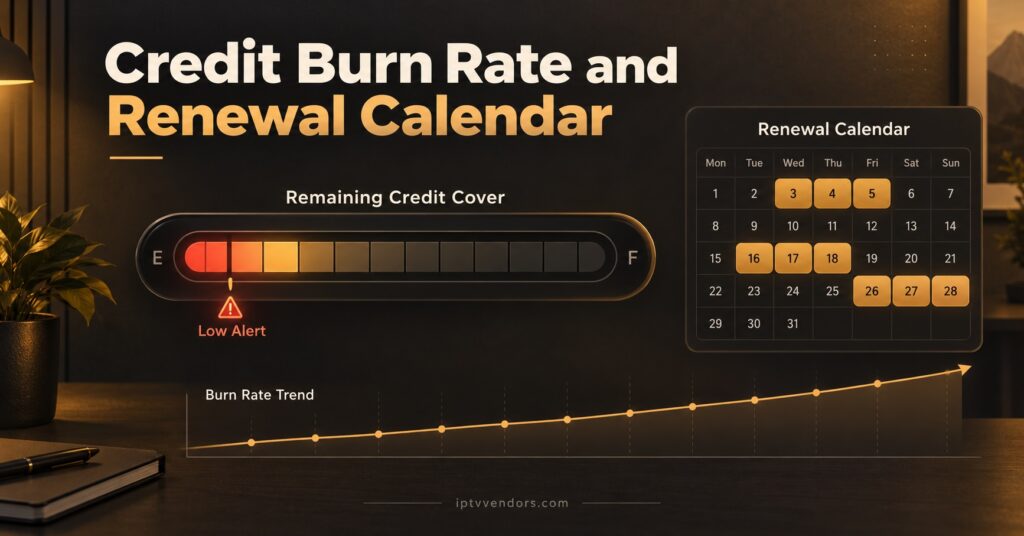
Your burn rate is simply the credits you spend in a typical month across new activations, renewals, trials, and replacements. Once you have two or three months of ledger entries, that figure becomes fairly stable and unusually useful.
Divide your current balance by your monthly burn and you get the number of months your panel can keep operating without a top-up. Most resellers find they are comfortable ordering when that figure drops below roughly six weeks of cover, which leaves room for a payment delay or a slower response than usual without any customer noticing.
Renewal clustering deserves separate attention. Because credits are consumed at activation rather than spread across the term, a promotion that signed up fifteen annual customers in one week creates a renewal spike in the same week a year later. If you run seasonal offers, your credit demand will be lumpy rather than flat, and a plain monthly average will understate what you need in those specific weeks. Reading your renewal dates as a calendar, not a total, is what makes the difference.
Pro tip: Set a reorder threshold as a number of credits, write it at the top of your ledger, and top up when you cross it rather than when the balance looks low. A written threshold removes the judgement call at exactly the moment you are least likely to make it well.
Where Credits Quietly Disappear
Almost every unexplained shortfall traces back to one of a handful of causes. None of them are dramatic, which is precisely why they persist.
| Leak | What it looks like in the panel | Corrective action |
|---|---|---|
| Trials never closed | Active lines with no matching ledger entry | Log every trial with an end date and review the list weekly |
| Wrong term activated | A twelve month expiry on a customer who paid for three | Confirm the term aloud or in writing before creating the line |
| Duplicate accounts after a fault | Two lines for one customer, one unused | Disable the old line rather than leaving it running to expiry |
| Sub-reseller draw with no invoice | Balance falls with no customer attached | Give sub-resellers their own ledger rows and payment status |
| Test lines for device checks | Short-term lines created and forgotten | Use a clear naming prefix so they are visible at a glance |
Sub-reseller arrangements cause the most persistent confusion because the credits leave your balance while the commercial relationship stays open. If someone under you is selling IPTV subscription plans on your allocation, treat their draw exactly as you would a customer debt, with a date, an amount, and a payment status. Resellers exploring white label IPTV panel setups should decide the credit accounting rules before the first allocation goes out, not after a disagreement.
Signs Your Tracking Has Drifted
You will usually feel the drift before you can prove it. The tell-tale signs are consistent.
You find yourself opening the panel to answer a question a customer asked about their own account. You cannot say, without checking, how many credits you will need next month. A renewal reminder surprises you. You top up in a hurry more than once a quarter. You have stopped recording trials because there were too many to bother with.
Any two of those together mean the ledger has fallen behind the panel. Rebuilding is less painful than it sounds: export or list your active lines, enter each one with its expiry date, mark payment status where you can remember it, and accept that the oldest entries will be approximate. Accuracy from today forward matters more than perfect history.
Choosing a Panel That Makes Tracking Easier
Not every dashboard gives you the same visibility, and the differences show up under pressure rather than during a demo. Before committing to a provider, check whether the panel shows a running credit history rather than only a current total, whether expiry dates are exportable or at least sortable, whether trials are distinguishable from paid lines in the account list, and whether credits expire on a schedule of their own.
That last point matters more in the UK reseller market than most people expect, because panels vary on it. Some providers let credits sit indefinitely until converted, which suits resellers with irregular sales cycles. Others attach a validity window. Ask directly and get the answer in writing. Our own guide to evaluating reseller dashboards covers the wider feature comparison, and the current credit packages and top-up options show how balances are structured in practice.
Pro tip: When comparing an IPTV reseller panel UK providers offer against an overseas one, ask what happens to your balance if you pause trading for two months. The answer reveals more about the provider than any feature list.
Frequently Asked Questions
How many credits does a twelve month subscription use?
On most credit-based panels, one credit equals one month, so a twelve month line consumes twelve credits at the moment of creation. Confirm the ratio with your provider before your first activation, since a small number of panels price longer terms differently.
Do credits get returned if I delete a customer line early?
Usually not. Credits are consumed when the subscription is generated rather than held in escrow against the remaining term, which is why activating the wrong duration is an expensive mistake rather than a reversible one. Check your provider’s specific policy, as a few will make a manual adjustment for genuine errors reported quickly.
Should I track free trials in the same ledger as paid customers?
Yes, but in a separate category. Trials consume real credits and belong in your cost picture, though mixing them into your revenue rows will distort every margin figure you calculate afterwards.
What is a sensible reorder point for credits?
Work it out from your own burn rate rather than copying a number. Take your average monthly credit usage, decide how many weeks of cover you want as a buffer, and set the threshold accordingly. Six weeks of cover suits most small operations.
How do I handle credits allocated to a sub-reseller who stops paying?
Suspend further allocations immediately and keep the existing lines running only as long as their customers have paid you or your sub-reseller. Credit exposure grows quickly in these arrangements because the deduction happens up front while payment arrives later.
Can I rely on the panel alone if I only have a handful of customers?
You can, up to a point. The panel is usually sufficient below roughly twenty active lines, but the habit of keeping a ledger is far easier to establish early than to retrofit once renewal dates are scattered across the year.
The Practical Takeaway
Track IPTV panel credits by treating the dashboard as a source of truth for what remains and your own ledger as the source of truth for what happened and what is coming. The panel handles provisioning. The ledger handles the commercial reality that provisioning creates. Neither is complete without the other.
Start this week. Enter your active lines with their expiry dates, mark which ones are paid, set a reorder threshold in writing, and put a fifteen minute reconciliation in the diary for the same day each week. Within two months you will have a burn rate you can trust, and the question of whether you have enough credits for next month stops being a guess.
Reseller Credit Control Checklist
- Record every deduction in your ledger before creating the line in the panel
- Categorise each entry as paid, trial, replacement, or sub-reseller allocation
- Log the renewal date at the same time as the activation, not later
- Reconcile the panel balance against your ledger once a week, on a fixed day
- Investigate any discrepancy the same week, however small
- Count committed renewal credits for the next twenty-eight days, not just the total balance
- Calculate your monthly burn rate once you have three months of entries
- Write a reorder threshold at the top of your ledger and top up when you cross it
- Give sub-reseller allocations their own rows with a payment status column
- Name test and trial lines with a visible prefix so they never get mistaken for customers
- Confirm with your provider whether unused credits carry an expiry window