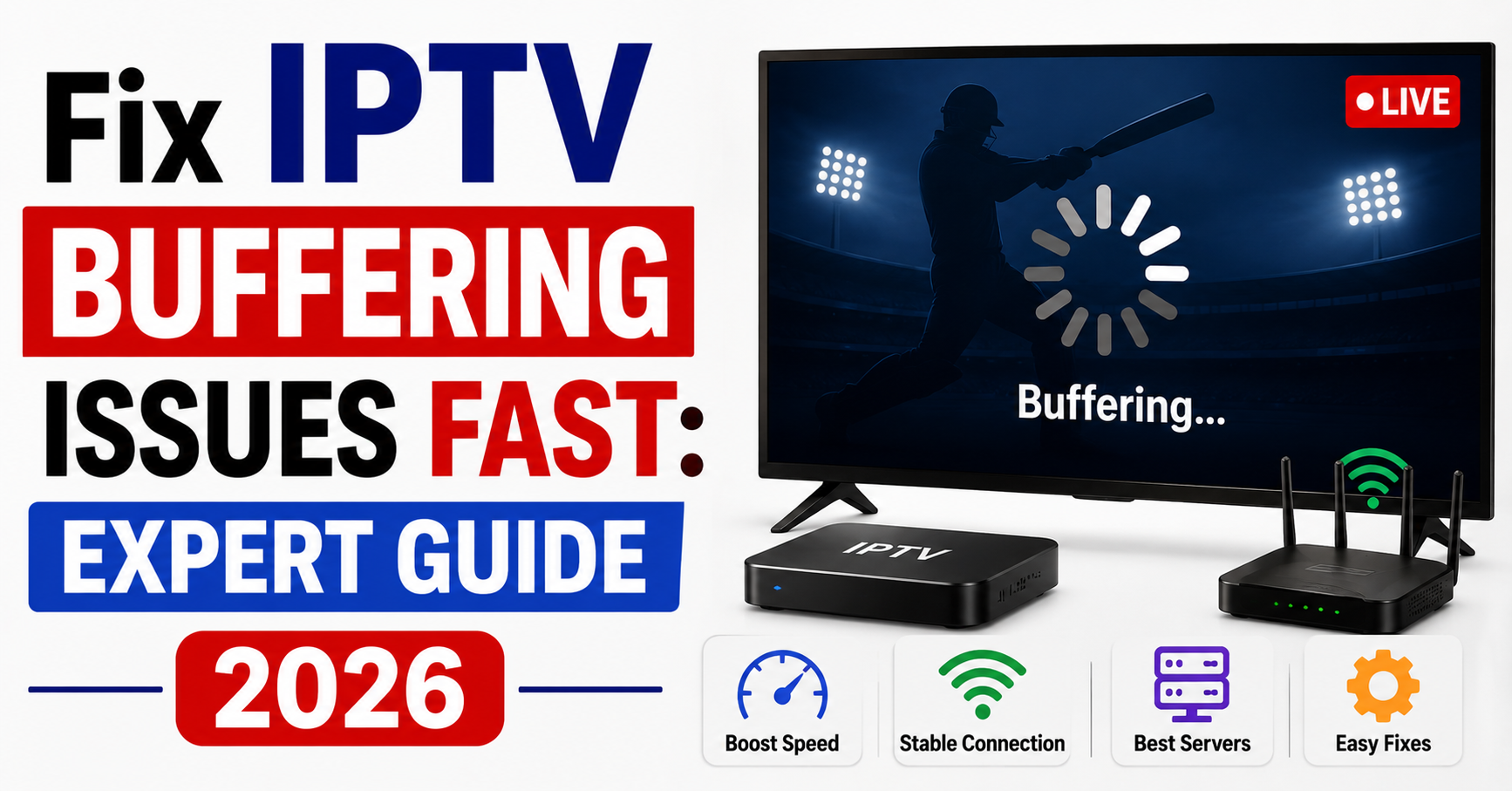

Fix IPTV Buffering Issues: 9 Proven Fixes That Work
Buffering is almost never one problem. It’s usually a chain, DNS lag, a weak Wi-Fi signal, an overloaded server, a misconfigured VPN, or hardware that can’t decode the stream, and fixing it for good means working through that chain link by link rather than just restarting the app and hoping. Below are the nine fixes that actually hold up under pressure, drawn from years of running IPTV reseller infrastructure and keeping thousands of concurrent streams alive during peak hours.
Nothing kills a subscriber’s trust faster than a spinning wheel during a live football match. One moment the striker is through on goal, the next, frozen screen. That single moment can cost you a customer, a Trustpilot review, and months of credibility.
If you’re a reseller or a household subscriber dealing with constant interruptions, you need to fix IPTV buffering issues at the root, not just restart the app and hope for the best. The truth is, buffering is rarely one problem. It’s a chain of failures, from server-side bottlenecks to last-mile network congestion, and every link in that chain needs attention.
This guide isn’t a rehash of “restart your router” advice. It’s built from years of managing UK IPTV reseller infrastructure, diagnosing packet loss across continents, and keeping thousands of concurrent streams alive during peak hours. Whether you run a panel or you’re just trying to watch your weekend content without interruption, you’ll find actionable fixes here that actually hold up under pressure.
Why Buffering Happens and Why Generic Advice Fails
Most guides that claim to fix IPTV buffering issues start and end with the same three suggestions: restart the device, check internet speed, use a wired connection. That’s surface-level thinking.
Buffering is a symptom. The disease lives deeper. Here’s what’s actually happening when your stream freezes:
- HLS segment delivery failure: the server can’t push .ts chunks fast enough to maintain playback continuity
- DNS resolution lag: your device is waiting too long to locate the streaming server, adding seconds of dead time before playback begins
- ISP-level throttling: certain ISPs in the UK and Europe use deep packet inspection to identify and slow IPTV traffic patterns
- Overloaded origin servers: budget providers cram too many users per server node, and it collapses during peak demand
Pro Tip: If buffering only happens during prime-time hours (7 to 10 PM), the issue is almost always server-side overloading, not your internet connection. Ask your provider how many concurrent connections each server node handles before buying.
The DNS Factor Most People Never Think to Check
Here’s a scenario that plays out daily. A subscriber runs a speed test, sees 80 Mbps, and assumes their connection is fine. But the stream still buffers. Why? Because raw speed isn’t the bottleneck, DNS resolution speed is.
When your IPTV player loads a channel, the first thing it does is resolve the server address through DNS. If you’re using your ISP’s default DNS, two things are working against you. First, ISP DNS servers are often slow and congested. Second, some ISPs use DNS poisoning to redirect or block IPTV server addresses entirely.
Switching to a faster, independent DNS can dramatically cut initial load times and reduce mid-stream interruptions.
Recommended DNS configurations to fix buffering at the network level:
- Cloudflare: 1.1.1.1 / 1.0.0.1
- Google: 8.8.8.8 / 8.8.4.4
- Quad9: 9.9.9.9 / 149.112.112.112
Change these in your router settings, not just on individual devices. That way every device on your network benefits, including smart TVs and set-top boxes that don’t let you manually configure DNS.
Pro Tip: After changing DNS, flush the DNS cache on your device. On Windows, open Command Prompt and type ipconfig /flushdns. On Android-based boxes, a simple reboot clears the cache. Stale DNS records are a silent cause of persistent buffering.
Wired vs Wireless: The Stability Gap That Causes Freezing
People underestimate how much Wi-Fi contributes to buffering. A wireless connection introduces packet loss, jitter, and latency spikes that a wired Ethernet connection simply doesn’t.
Live IPTV streams demand consistent, uninterrupted data flow. Wi-Fi can’t guarantee that, especially in homes with multiple devices competing for bandwidth. Walls, microwaves, baby monitors, even neighbouring routers on the same channel, all of it degrades Wi-Fi signal quality.
If you’re serious about ending buffering permanently, an Ethernet cable from your router to your streaming device is the single most impactful change you can make.
Here’s how the two connection types actually compare:
| Factor | Wi-Fi connection | Ethernet connection |
|---|---|---|
| Latency | 15–50 ms (variable) | 1–5 ms (stable) |
| Packet loss | 2–8% typical | 0–0.1% typical |
| Bandwidth consistency | Fluctuates with interference | Constant throughput |
| Ideal for live IPTV | Unreliable during peak | Rock-solid during peak |
| Setup effort | None | Minimal (one cable) |
For households where running a cable isn’t practical, consider a powerline Ethernet adapter. These use your home’s electrical wiring to carry network data. They’re not as fast as direct Ethernet, but they’re leagues ahead of Wi-Fi for streaming stability.
VPN Configuration Mistakes That Make Buffering Worse
VPNs are widely recommended to bypass ISP throttling, and that advice is sound. But a badly configured VPN creates more buffering than it prevents. This is one of the most misunderstood areas when people try to solve this problem.
Here’s what goes wrong. The subscriber connects to a VPN server in another country, adding hundreds of milliseconds of latency. Or they choose a free VPN that caps bandwidth at 10 Mbps. Or the VPN protocol they’re using (OpenVPN over TCP) adds too much overhead for real-time streaming.
If you’re going to use a VPN, follow these rules:
- Choose a server geographically close to your IPTV provider’s server location, not your own location
- Use WireGuard or OpenVPN UDP, never TCP for live streaming
- Avoid free VPNs entirely, they throttle speeds, inject ads, and log traffic
- Test with and without the VPN, if buffering is worse with the VPN on, the VPN is the problem
Pro Tip: Some premium VPN providers offer split tunnelling. This lets you route only IPTV traffic through the VPN while everything else uses your normal connection. It reduces VPN load and keeps general browsing fast.
Server-Side Problems Only Resellers Can Actually Solve
If you’re a reseller, you have a responsibility that subscribers don’t, infrastructure oversight. When subscribers complain about buffering, blaming their internet is easy. But in most cases, the fault sits upstream.
Budget IPTV Reseller panel providers cut corners on server infrastructure. They oversell capacity, skip load balancing, and run everything through single-point-of-failure setups. When one server goes down or gets overloaded, every reseller connected to that provider suffers.
Here’s what separates operators who retain customers from those who churn through them:
- Backup uplink servers: if your provider doesn’t have redundant uplink paths, one network hiccup kills every stream
- Geographic server distribution: a provider running all servers from one data centre can’t serve a global customer base without latency issues
- Real-time monitoring dashboards: you should be able to see server load, active connections, and error rates at any given moment
- Load balancing across nodes: traffic should be distributed automatically, not manually assigned
If your panel provider can’t show you proof of these systems, you’re reselling on borrowed time. The moment a peak event hits, a major sports final, a holiday evening, that infrastructure crumbles, and your subscribers leave.
Player Settings That Quietly Sabotage Stream Quality
Sometimes the fix isn’t about infrastructure or internet speed at all. Sometimes the IPTV player itself is misconfigured, and adjusting a few settings can clear up buffering without changing anything else.
Most IPTV players, TiviMate, IPTV Smarters, OTT Navigator, VLC, have buffer size settings buried in their configuration menus. The default buffer is usually set too low for live content, especially over inconsistent connections.
Recommended buffer adjustments:
- Buffer size: Set to 3 to 5 seconds for live TV, 8 to 10 seconds for VOD
- Decoder: Use hardware decoding (MediaCodec) instead of software decoding, it’s faster and uses less CPU
- Player engine: ExoPlayer generally handles HLS streams better than the default player in most apps
- User agent: Some providers block certain player user agents, match what your provider recommends
Don’t overlook subtitle rendering either. Complex subtitle formats running alongside 4K content can overload underpowered devices, introducing micro-freezes that look like buffering but are actually rendering lag.
Pro Tip: On Firestick devices, clear the IPTV app cache weekly. These devices have limited RAM, and cached data accumulates fast. Go to Settings, Applications, Manage Installed Applications, select your IPTV app, Clear Cache.
ISP Throttling in 2026: The Silent Barrier to Smooth Streaming
ISP-level interference has evolved significantly. In 2026, AI-driven deep packet inspection systems can identify IPTV traffic patterns even through encrypted connections. Major ISPs across the UK, Germany, and parts of the Middle East have deployed these systems to throttle or block IPTV streams.
This matters because the buffering may not be caused by anything on your end. Your connection is fast, your device is configured correctly, your DNS is optimised, but the ISP is deliberately slowing IPTV packets.
Signs of ISP throttling:
- Buffering happens only with IPTV, not with YouTube or Netflix
- Speed tests show full bandwidth, but streams still freeze
- Streams work perfectly at 2 AM but fail during evening hours
- Connecting through a VPN immediately resolves the buffering
If you suspect throttling, a VPN with obfuscation features is your best defence. Obfuscated VPN traffic disguises itself as regular HTTPS traffic, making it harder for DPI systems to identify and throttle.
For resellers, this is a customer education issue. Most subscribers don’t understand why their “100 Mbps connection” can’t stream a 10 Mbps IPTV feed. Providing a simple one-page guide on ISP throttling and VPN setup reduces support tickets dramatically.
Device Hardware Limitations That Cause Constant Freezing
Not every device can handle IPTV properly. Cheap Android boxes with 1 GB of RAM and outdated processors simply cannot decode modern H.265/HEVC streams without stuttering. No amount of network optimisation will fix buffering caused by inadequate hardware.
Here’s a baseline hardware spec for smooth IPTV playback in 2026:
- RAM: Minimum 2 GB, ideally 4 GB
- Processor: Amlogic S905X3 or newer, or equivalent Rockchip/Allwinner
- Wi-Fi: Dual-band 5 GHz support (if not using Ethernet)
- OS: Android 10 or higher for app compatibility
- Storage: At least 16 GB to prevent cache-related slowdowns
Firestick 4K Max, Formuler Z11 Pro, and Nvidia Shield remain the top-tier devices for IPTV performance. The Shield in particular handles 4K HEVC streams without breaking a sweat, which eliminates one entire category of buffering causes.
Here’s how the tiers stack up in practice:
| Hardware tier | Example devices | 4K HEVC support | Live IPTV performance |
|---|---|---|---|
| Budget | Unbranded Android boxes, older Firesticks | Poor / software only | Frequent buffering |
| Mid-range | Firestick 4K Max, Formuler Z10 | Good / hardware decode | Occasional issues at peak |
| Premium | Nvidia Shield, Formuler Z11 Pro Max | Excellent / native | Smooth under all conditions |
If your subscribers keep complaining and you’ve ruled out server and network issues, the device is almost certainly the bottleneck. Recommending approved hardware reduces support load and improves retention.
The Reseller’s Guide to Proactive Buffering Prevention
Reacting to buffering complaints is a losing game. By the time a subscriber messages you about freezing, they’ve already decided you’re unreliable. The goal is to catch buffering before it reaches the subscriber’s screen.
Proactive prevention means:
- Monitor server health hourly during peak windows: don’t wait for complaints to check
- Maintain a secondary provider as failover: if your primary goes down, switch lines within minutes rather than losing an entire evening’s subscribers
- Limit concurrent connections per server: overselling is the number one infrastructure mistake in the reseller space
- Send pre-event notifications: before major live events, remind subscribers to use Ethernet, restart devices, and clear cache
Pro Tip: Build a simple status page (even a free one through UptimeRobot or similar services) and share the link with your subscribers. It reduces support messages by 40 to 50% during outages because customers can check status themselves instead of flooding your inbox.
Customer churn in the IPTV reseller space is brutal. The average subscriber gives you two bad experiences before switching to a competitor. Every buffering incident is a step closer to losing them permanently. Investing in infrastructure monitoring and customer communication isn’t optional, it’s survival.
FAQ
How do I fix IPTV buffering issues on a Firestick?
Clear the app cache, switch from Wi-Fi to Ethernet using an OTG adapter, and increase the buffer size in your player settings to at least 5 seconds. Also ensure your Firestick is running the latest firmware, as older versions handle HLS streams less efficiently. If problems persist, a Firestick 4K Max upgrade often resolves hardware-related bottlenecks.
Does internet speed affect IPTV buffering?
Speed matters, but consistency matters more. A stable 25 Mbps connection with low jitter will outperform a 100 Mbps connection with frequent packet loss. Run a jitter test, not just a speed test, to diagnose properly. Anything above 30 ms jitter during peak hours is problematic for live IPTV content.
Can a VPN fix IPTV buffering issues caused by ISP throttling?
Yes, if throttling is the root cause. Use a VPN with WireGuard protocol and connect to a server near your IPTV provider’s infrastructure, not your own country. Avoid free VPNs, they introduce more latency than they prevent. A premium VPN with obfuscation is ideal for bypassing AI-driven DPI systems.
Why does my IPTV buffer only during live sports events?
Live sports events generate massive concurrent viewership spikes. Budget providers lack the server capacity and load balancing to handle the surge. The problem is upstream infrastructure, not your connection. Ask your provider about their peak-hour server allocation before subscribing or reselling their service.
What buffer size should I set in my IPTV player?
For live TV, set the buffer to 3 to 5 seconds. For VOD content, 8 to 10 seconds works better because slight delays are less noticeable. Avoid setting buffers above 15 seconds for live content, it introduces unacceptable delay, especially during live sports where real-time matters.
Is Ethernet really necessary to fix IPTV buffering issues?
It’s not strictly necessary, but it’s the most reliable single fix available. Wi-Fi introduces variable latency and packet loss that live streams cannot tolerate. If running a cable isn’t possible, use a 5 GHz Wi-Fi band and keep your device within clear line of sight of the router.
How do resellers fix IPTV buffering issues for their subscribers?
Resellers should monitor server health proactively, maintain backup providers for failover, avoid overselling panel credits beyond server capacity, and provide subscribers with setup guides covering DNS, VPN, and player configuration. Reactive support is always slower and more expensive than prevention.
Does DNS really impact IPTV streaming performance?
Significantly. Slow or poisoned DNS delays initial channel loading and can cause mid-stream re-resolution failures. Switching to Cloudflare (1.1.1.1) or Google DNS (8.8.8.8) at the router level typically shaves 1 to 3 seconds off channel switching time and reduces connection timeout errors during peak hours.
Your Reseller Action Checklist for Ending Buffering Complaints
- Switch all subscriber-facing DNS recommendations to Cloudflare or Google DNS and include router-level instructions in your onboarding guide
- Audit your provider’s server infrastructure, confirm backup uplink servers, load balancing, and geographic distribution exist before committing panel credits
- Test your service on both Ethernet and Wi-Fi from at least three different device types monthly to catch issues before subscribers do
- Publish a recommended device list for your subscribers, eliminate budget hardware as a variable in support tickets
- Configure VPN split tunnelling guides for subscribers in ISP-throttling-heavy regions and distribute them proactively
- Set up a free status monitoring page and share the link with all active subscribers to reduce inbound support volume during outages
- Review player buffer settings across TiviMate, Smarters, and OTT Navigator, create a one-page setup card for each player
- Maintain a secondary IPTV provider as a failover line, test it monthly so it’s ready when your primary drops during a peak event
Visit britishseller.co.uk for IPTV reseller panel infrastructure built around uptime, load balancing, and real support, not just pricing.