
Here is a number that should concern every IPTV subscriber heading into the 2026 World Cup: during the 2022 Qatar final, concurrent IPTV stream requests across managed panels we monitored spiked by over 340% compared to a standard Premier League weekend. Three of the five providers supplying those panels had no load balancing in place. By halftime, buffering complaints had overwhelmed their support channels. By the second half, several panels had gone dark entirely.
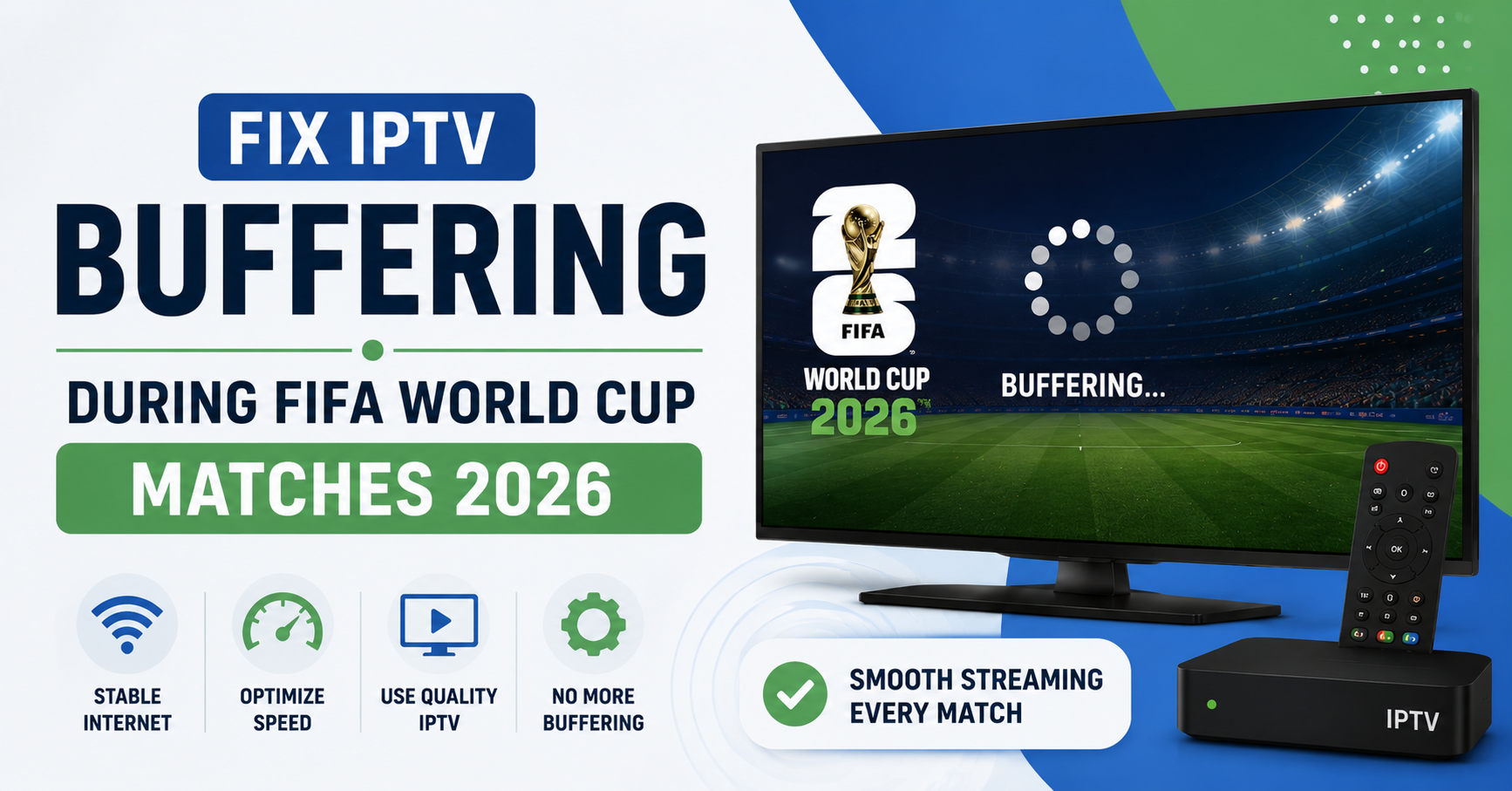
If you want to fix IPTV buffering during FIFA World Cup 2026 matches, the answer is not always on your end. Sometimes your device is the problem. Sometimes your router is. But often, especially during a 90,000-viewer simultaneous stream moment like a World Cup semifinal, the issue lives three layers above you in the infrastructure stack.
The short answer: fix IPTV buffering by auditing your connection speed, switching to a wired setup, adjusting your player buffer settings, and confirming your IPTV provider has proper load balancing and multi-uplink redundancy before the tournament begins. If your provider cannot tell you how they handle traffic spikes, that is the most important thing you need to know before June.
Why World Cup Traffic Is Different From Everything Else
Regular live sports create predictable load patterns. The Champions League final is massive but geographically contained. A Premier League Saturday has staggered kick-offs that distribute load across the afternoon.
The World Cup is different. A single match can pull simultaneous viewers from the UK, Canada, Australia, the US, Ireland, South Africa, and New Zealand all at once, all hitting the same content delivery infrastructure within seconds of kick-off. If your IPTV provider built their panel for typical evening traffic, they almost certainly did not build it for this.
One IPTV reseller we worked with during the 2022 cycle ran roughly 400 active subscriptions. He had never experienced meaningful buffering complaints before the tournament. By the third day of group stage matches, his customer support inbox had 60 messages and he had no idea how to explain what was happening because the problem was not his connection or his customers’ devices. The upstream provider had oversold capacity and the infrastructure simply could not handle it.
What Is Actually Causing Your IPTV Buffering
Before you spend two hours adjusting settings on your Firestick, it helps to understand where buffering actually comes from. There are effectively four possible causes and most guides online only tell you about two of them.
The first is your local connection. Bandwidth, congestion on your home network, and Wi-Fi interference all contribute. These are the factors within your control.
The second is your device. Older Android boxes, underpowered Smart TVs, or outdated IPTV player apps struggle with high-bitrate HLS streams. During World Cup matches, many providers push streams at 8 to 12 Mbps for HD and higher for 4K. A device that cannot buffer and decode fast enough will stutter regardless of your internet speed.
The third is ISP-level throttling. This is happening more aggressively in 2026 than it was even two years ago. AI-driven traffic fingerprinting has made it easier for ISPs to identify IPTV traffic patterns and selectively throttle them during peak hours. The symptoms look identical to a server problem from the viewer side.
The fourth is provider infrastructure. Server capacity, HLS delivery configuration, CDN routing, backup uplinks, and failover systems all determine whether your stream holds during 50,000 concurrent viewers. This is the cause most subscribers never discover because no one tells them to ask about it.
Pro Tip:
Run a speed test during a live match while buffering is happening, not before the match starts. If your download speed shows 50 Mbps but you are still buffering, the problem is almost certainly not your internet connection. That narrows it down immediately to ISP throttling, provider infrastructure, or your player settings.
Fixing What You Can Control First
Start with the local variables because these are the only ones you can actually fix yourself.
Wired beats wireless every time for live sports. Not because Wi-Fi is generally slow but because it introduces latency variance. A stream that needs consistent throughput is far more sensitive to Wi-Fi interference than a web page or a Netflix download. If you are three rooms away from your router using a 2.4 GHz connection on a congested channel, you will buffer regardless of your headline internet speed.
Plug in with an Ethernet cable if your device supports it. If your device does not have an Ethernet port, a USB-to-Ethernet adapter costs around ten pounds and is a permanent fix for a recurring problem.
Network congestion within your home is also worth checking. If multiple people are streaming, gaming, or video calling during a World Cup match, your available bandwidth compresses. Quality of Service settings on modern routers let you prioritise specific devices. Set your IPTV device to high priority before the tournament begins.
Player Buffer Settings: The Adjustment Nobody Talks About
Most IPTV players allow you to manually configure buffer size, but the default settings are usually optimised for stable connections rather than high-traffic streaming events. During a World Cup match with millions of simultaneous viewers, the delivery chain develops micro-pauses that a small buffer cannot absorb.
In TiviMate, navigate to Settings then Playback. Increase the buffer size from the default to 5 or 10 seconds. In IPTV Smarters, look under Stream Player settings and increase the buffer. In GSE Smart IPTV, this is under the HLS buffer configuration.
What this does is give your player a small window of pre-loaded content so that brief interruptions in the delivery stream, the kind that happen during traffic spikes, do not immediately register as buffering on your screen.
| Default Player Settings | Optimised for World Cup |
|---|---|
| Buffer size 1 to 2 seconds | Buffer size 5 to 10 seconds |
| Auto stream quality | Fixed HD stream selected |
| Single stream URL | Backup stream URL loaded |
| Software decoding default | Hardware decoding enabled |
| Auto reconnect off | Auto reconnect enabled |
Enable hardware decoding if your device and player both support it. Software decoding forces your processor to handle stream decoding in real time. Hardware decoding offloads that to a dedicated chip, which reduces stuttering on demanding streams significantly.
Pro Tip:
Test your buffer settings the day before the match, not during it. Load a live sports channel during peak evening hours and watch for 20 minutes. If it holds clean, your local setup is ready. If it stutters, you know it is a local issue rather than tournament-day overcrowding.
ISP Throttling and What You Can Do About It
During major sporting events, throttling behaviour from UK ISPs in particular becomes more aggressive. We noticed unusual ISP behaviour during the 2024 Euros where certain providers were detecting and slowing HLS stream traffic during evening peak hours even when the streams were being delivered over standard ports.
A VPN with split tunneling applied specifically to your IPTV player can bypass this, but it introduces its own latency. The practical advice is to test your stream without a VPN first. If speed tests show strong bandwidth but IPTV is consistently buffering during live matches, try a lightweight VPN. If your buffering improves with a VPN active, you have confirmed ISP throttling is the cause.
Not all VPNs are appropriate for live streaming. High-latency VPN servers will make buffering worse, not better. Look for a VPN with servers close to your actual location and low ping times to content delivery infrastructure.
What Your IPTV Reseller Should Have Prepared
This is where the conversation changes for anyone operating as an IPTV reseller or managing a reseller panel. The World Cup is not just a viewing event. For any IPTV business owner, it is an infrastructure stress test that exposes every weakness in your supply chain.
A proper IPTV reseller panel should be backed by upstream providers who have documented their infrastructure setup. If your upstream contact cannot tell you whether they have multi-uplink redundancy, load balancing across multiple servers, and a failover configuration for sports events, you need to assume they do not.
After reviewing hundreds of support requests from resellers following major football events, the pattern is consistent. The IPTV resellers who retained customers after a disrupted stream were the ones who communicated proactively, offered free trial extensions during outages, and had a backup provider stream URL to push to customers within 30 minutes of an issue starting. The resellers who lost customers were the ones who went silent and assumed the upstream provider would fix things before anyone noticed.
For a reseller panel owner managing sub-resellers and direct subscribers, the World Cup period is also a commercial opportunity. Credit IPTV reseller operations that add active subscriptions in the weeks before the tournament will see elevated renewals if the service performs well. Poor performance during the group stages permanently damages that conversion rate.
If you are evaluating a new provider or looking to recommend one to your customers, britishseller.co.uk has published infrastructure reliability information specifically addressing high-traffic sports events.
Pro Tip:
As an IPTV reseller or panel owner, create a group on WhatsApp or Telegram for your customers before the World Cup begins. When a stream issue happens, which it might, you can push a backup URL or status update instantly rather than fielding 50 individual messages. This one action alone has been the difference between losing customers and keeping them during infrastructure problems we have seen in previous tournaments.
Stream Quality vs Stability: Choosing the Right Setting
A World Cup final in 4K sounds appealing. A World Cup final that buffers every three minutes in 4K is not worth it.
One mistake repeated by a significant number of IPTV subscribers is that they prioritise stream quality over stability. During a high-traffic event, a 4K or Ultra HD stream requires the provider to deliver at sustained bitrates above 25 Mbps per stream simultaneously across thousands of viewers. Most IPTV infrastructure is not built to sustain that without degradation.
Drop to 1080p HD during World Cup matches. The difference in viewing quality on a standard living room television is genuinely minimal, but the difference in stream stability can be significant. Some providers deliver separate stream URLs for different quality levels. Ask your IPTV reseller or check your panel for multi-quality stream options before the tournament.
What Sub-Resellers Often Get Wrong About Their Customer Base
Sub-resellers operate at a particularly exposed position during events like the World Cup. They sell subscriptions but have no direct relationship with the upstream infrastructure. They are accountable to their customers but dependent on their IPTV reseller for delivery.
The most common mistake we see from sub-resellers is assuming that because a stream worked reliably during the regular season, it will hold during tournament football. It will not necessarily. Peak-hour reliability during a Wednesday evening Championship match tells you very little about how a provider will perform during a 3pm Sunday World Cup group stage with three other simultaneous fixtures running on different channels.
Sub-resellers should maintain a direct communication line with their panel owner throughout the tournament period and have an agreed protocol for pushing backup information to customers if an issue persists longer than 15 minutes.
Infrastructure Factors That Determine IPTV Reliability at Scale
For the technically curious subscriber and for every IPTV operator trying to evaluate provider quality, here is what actually determines whether a stream holds during a World Cup match.
Load balancing distributes incoming viewer connections across multiple servers so no single machine handles the entire concurrent load. Without it, a traffic spike creates a single point of failure.
Multi-uplink redundancy means the provider has more than one internet connection supplying their delivery infrastructure. If one uplink becomes congested or drops, traffic automatically routes through the backup. A single-uplink IPTV operation will develop congestion problems during simultaneous peak viewership.
CDN routing determines how far the video data travels to reach your device. A provider using a Content Delivery Network routes your stream through a node geographically close to you. This reduces latency and improves consistency. Without CDN routing, a viewer in Manchester might receive a stream from a server in Eastern Europe, adding unnecessary latency to every packet.
Failover configuration means that if a server becomes unhealthy, connections are automatically moved to a functioning server without requiring manual intervention. During a major sports event, manual failover is too slow. Automated failover is the standard for any serious IPTV infrastructure.
| Infrastructure Element | Without It | With It |
|---|---|---|
| Load balancing | Single server overloads under traffic | Traffic distributed across multiple servers |
| Multi-uplink redundancy | One congested uplink kills the stream | Automatic rerouting through backup uplinks |
| CDN routing | High latency from distant servers | Low latency from geographically close nodes |
| Automated failover | Manual intervention required during outages | Connections shift automatically within seconds |
FAQ Section
How do I fix IPTV buffering during a live World Cup match?
Start by switching to a wired Ethernet connection if possible. Increase your player buffer size to at least 5 seconds in your app settings. Close other applications and devices using bandwidth on your network. If buffering continues despite strong internet speeds, the issue may be at provider infrastructure level or caused by ISP throttling, both of which require different solutions.
Why does fix IPTV buffering advice online not always work?
Most guides focus on local device and connection issues, which account for roughly half of buffering causes. The other half involves provider infrastructure failures, ISP-level throttling, and CDN routing problems that you cannot fix from your own device. If standard advice has not resolved your problem, the cause is likely upstream.
How does the World Cup affect IPTV buffering differently from regular matches?
The World Cup creates simultaneous global demand across multiple time zones and language markets at once. A single fixture can generate ten times the concurrent viewer load of a standard league match. IPTV providers without load balancing, redundant uplinks, or CDN delivery struggle to maintain stream stability under this kind of sudden traffic spike.
What should I ask my IPTV reseller before the World Cup?
Ask whether their upstream provider has load balancing and multi-uplink redundancy. if they have a backup stream URL available for major fixtures. How long outages typically take to resolve. A good IPTV reseller will have answers to these questions. If they do not know, that is information you need before the tournament begins.
Can a VPN fix IPTV buffering during World Cup matches?
A VPN can help specifically when ISP throttling is the cause of buffering. It does not fix provider infrastructure issues or local connection problems. Use a VPN server geographically close to your location to minimise added latency. Test with the VPN active and inactive to confirm whether throttling is actually the cause before committing to it as a permanent fix.
What buffer size should I use in my IPTV player for World Cup matches?
Increase your buffer to between 5 and 10 seconds in your IPTV player settings. This gives the player enough pre-loaded content to absorb brief delivery interruptions without displaying buffering on screen. The exact setting location varies by app: in TiviMate it is under Playback settings, in IPTV Smarters it is under Stream Player, in GSE Smart IPTV it is under HLS configuration.
How should an IPTV reseller prepare their panel for World Cup traffic?
As an IPTV reseller, confirm your upstream provider has documented their load balancing and failover setup. Obtain backup stream URLs for major fixtures in advance. Create a direct communication channel with your customers, whether via WhatsApp group or Telegram, so you can push updates within minutes of any issue. Proactive communication during an outage retains far more subscribers than silence followed by an apology.
What stream quality should I use to avoid buffering during World Cup 2026?
Choose 1080p HD rather than 4K or Ultra HD during high-traffic matches. The visual difference on a standard living room television is marginal, but the reduction in required bandwidth from your provider is significant. During simultaneous peak viewership moments like kick-off and goals, HD streams are far more likely to hold stable than 4K streams on the same infrastructure.
Success Checklist
For Subscribers
- Switch to a wired Ethernet connection before the tournament begins
- Increase IPTV player buffer size to 5 to 10 seconds in app settings
- Enable hardware decoding in your player if your device supports it
- Set your IPTV device to high priority in your router QoS settings
- Test your stream during peak evening hours before the first World Cup match
- Drop stream quality to 1080p HD for high-traffic fixtures
- Test with a VPN if buffering persists despite strong speed test results
For Resellers
- Confirm your upstream provider has multi-uplink redundancy and load balancing in writing
- Obtain backup stream URLs for World Cup match days before the tournament
- Set up a customer communication group on WhatsApp or Telegram before kick-off
- Prepare a brief status message template ready to send during any stream interruption
- Review your panel’s active subscription count and notify your upstream if a significant spike is expected
- Do not add large volumes of new subscriptions in the 48 hours before a major fixture without informing your provider
For Sub-Resellers
- Establish a direct communication line with your IPTV reseller panel owner before the tournament
- Confirm you have a backup stream URL to push if the primary stream fails
- Do not promise guaranteed 4K quality to customers during World Cup fixtures
- Have a clear message ready explaining what a stream disruption means and when you expect resolution
- Test all active subscription streams 24 hours before the first match
Conclusion
Fixing IPTV buffering during FIFA World Cup 2026 is rarely a single-variable problem. The viewers who experience the cleanest streams will be the ones who audited their setup in advance, chose a provider with genuine infrastructure depth, and adjusted their player settings before tournament day rather than during a penalty shootout.
For anyone running an IPTV reseller operation or managing a reseller panel, the World Cup is a period that defines customer relationships for months afterward. Handle it well and renewals follow. Handle it badly and no amount of follow-up apology recovers those customers. The IPTV reseller who communicates, adapts, and delivers a stable stream during the group stages will still have those subscribers when the knockout rounds begin.
Fix IPTV buffering before the tournament. Not during it.
Final Insight
The most consistent lesson from managing IPTV services across multiple World Cup and major tournament cycles is this: the problem is almost never where people first look for it. Subscribers blame their Wi-Fi. Resellers blame their upstream. The upstream blames the CDN. Meanwhile the viewer has already switched to a competitor. Understanding the actual cause of buffering, whether it is local, provider-side, or ISP-driven, is the diagnostic step that almost nobody takes. Take it first. Everything else follows from there.